
A compelling membership form can make or break sign-up rates. Messy fields, unclear microcopy, and slow load times drive prospects away. This roundup tackles these pain points with templates built for clarity and speed.
We’ve curated seven high-converting membership form templates optimized for desktop and mobile chat experiences. Each option comes with screenshots and direct links so you can preview layouts at a glance. No more guesswork on what fields boost engagement.
What you’ll find in each template:
Field blueprints for club, subscription, nonprofit, gated content, and event memberships
Sample microcopy tuned for higher conversions
UX notes highlighting accessibility and flow improvements
Quick mobile and chat adaptations
Step-by-step Formbot implementation tips
Direct integration ideas for CRM and email platforms
Platforms covered include Formbot, Jotform, Typeform, 123FormBuilder, Wufoo, Template.net, and Etsy.
Whether you’re a marketing or growth lead optimizing onboarding, a UX designer refining surveys, an HR team managing applications, or a startup seeking no-code solutions, you’ll find a template tailored to your workflow. Flip through this list to launch a high-impact membership form in minutes.
1. Membership Application Form Template | Grow Your Community | Formbot
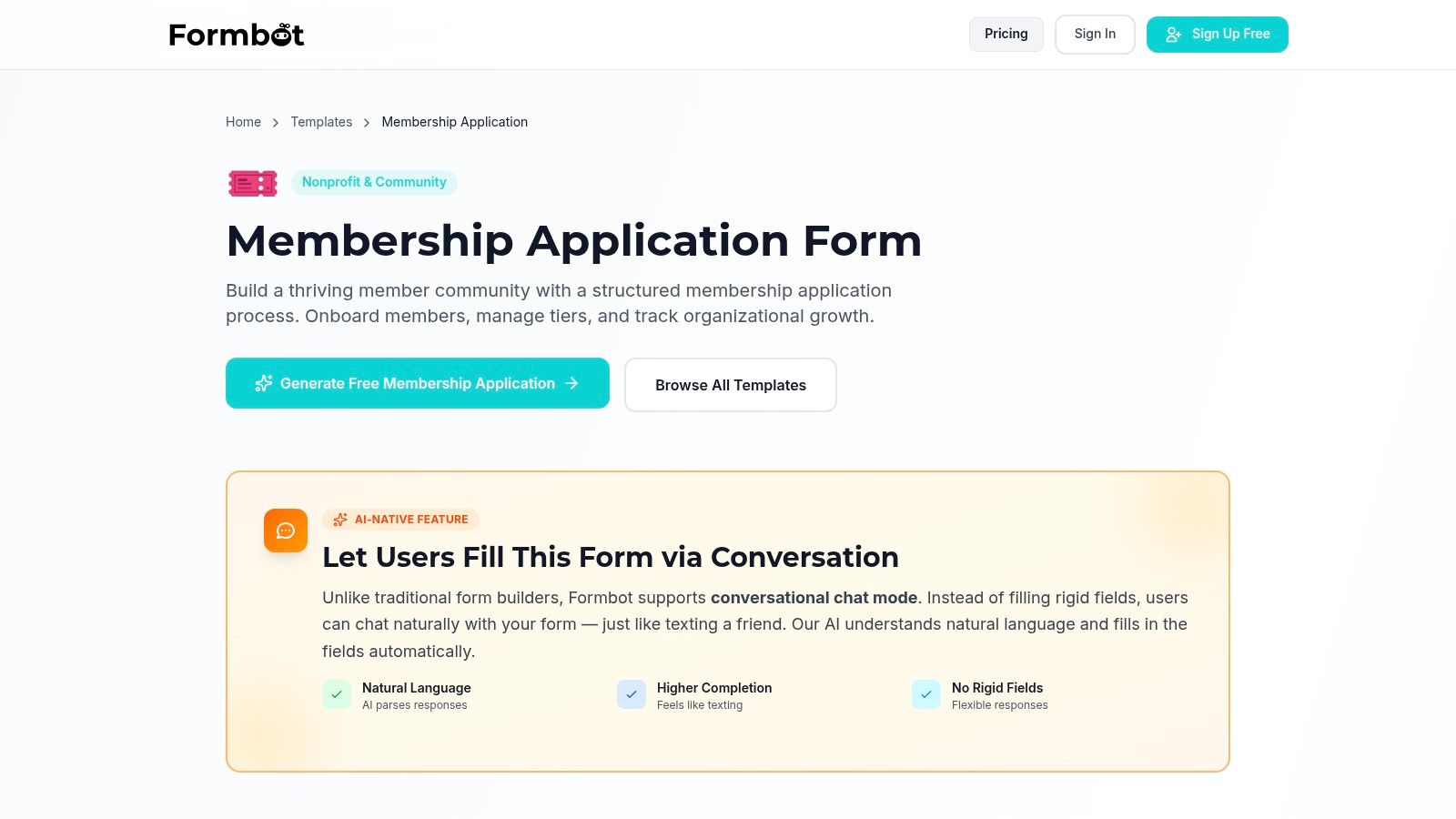
Formbot’s Membership Application Form Template is a standout option for marketing and growth teams seeking a high-converting, no-code membership solution. This template supports tiered access - Basic, Premium, Lifetime - and collects contact information, terms acceptance, and acquisition sources to measure marketing ROI. Its AI chat mode drives significantly higher completion rates and accelerates mobile submissions with natural language processing.
Key Features
Multi-tier support for Basic, Premium, and Lifetime memberships
AI conversational chat mode with one-question-at-a-time flow
Real-time analytics dashboard and customizable reports
Enterprise-grade security with modern encryption standards
| Feature | Benefit |
|---|---|
| AI Conversational Mode | 40% lift in completion rates across clients |
| Tiered Logic | Automated upsell prompts based on membership |
| Acquisition Source Field | Clear attribution of email, social, and ad campaigns |
| No-Code Deployment | Launch forms in minutes without developer help |
Use Cases
Club memberships: segment member tiers and unlock exclusive forums
Subscription services: A/B test copy and pricing on different tiers
Nonprofit onboarding: collect donation levels, consent, and send follow-up emails
Event registration: capture attendee preferences, dietary requirements, and waivers
HR and recruiting: streamline job applications with custom screening questions
Pricing and Access
Formbot offers a free plan that includes unlimited submissions per month and basic analytics. Paid tiers start at $19 per month and add advanced integrations, custom branding, and SLA-backed support. All plans include enterprise-grade encryption. An active internet connection is required to deploy and collect responses.
UX and Customization Tips
Use the AI chat mode for mobile-first audiences to minimize dropout
Customize validation rules per field to catch errors early
Inline embed terms links and privacy policies for trust and compliance
Map acquisition fields directly into your CRM via integration
Learn more about Membership Application Form Template | Grow Your Community | Formbot
2. Jotform
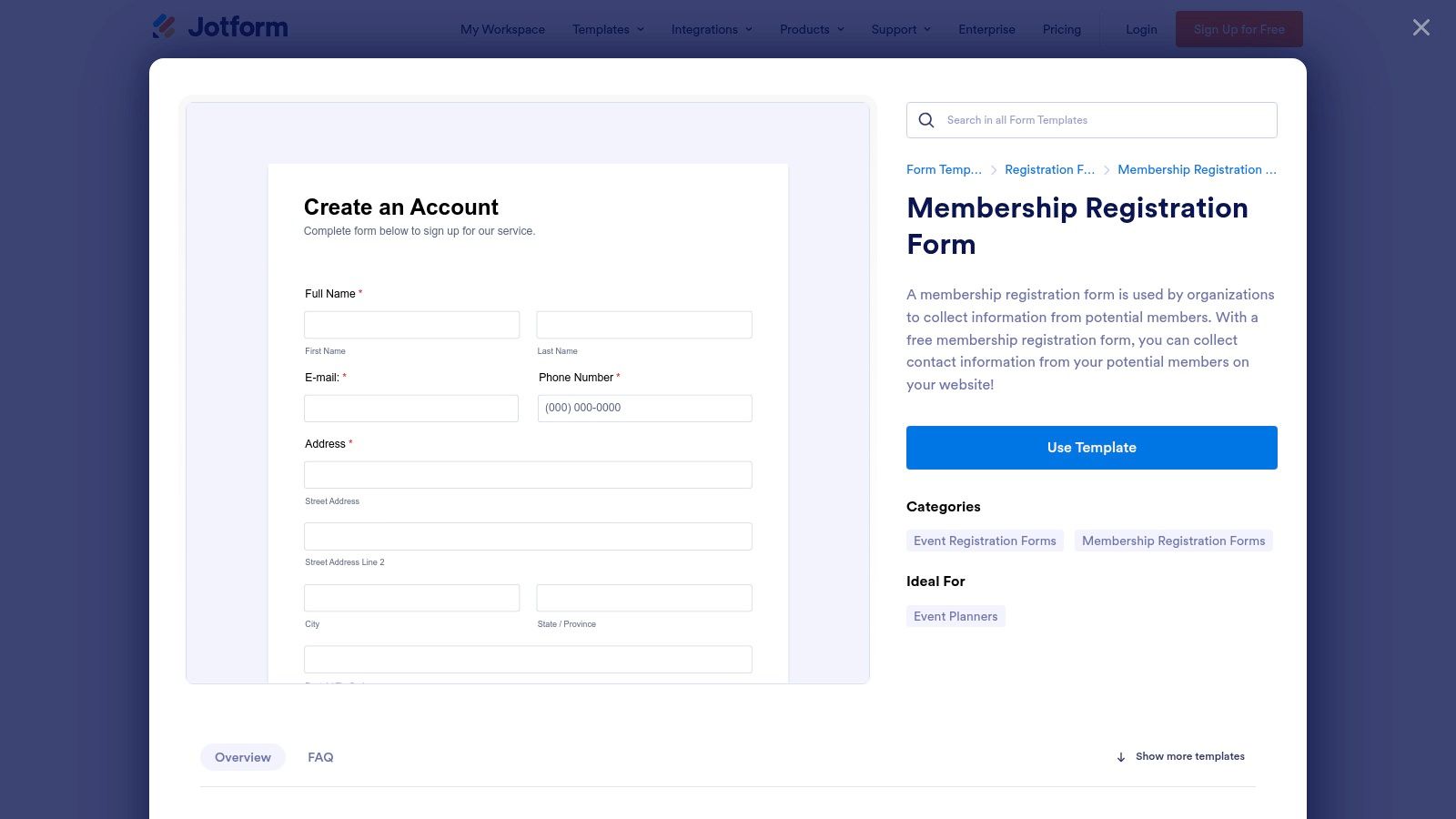
Jotform offers a rich library of ready-to-use membership form templates covering nonprofits, associations, fitness clubs and gated content access. With a drag-and-drop editor, customization is intuitive and code-free. The clean interface loads quickly on desktop and mobile, backed by 24/7 customer support and community forums.
Key Features
Template Variety: Hundreds of membership forms for clubs, subscriptions, events and nonprofit applications
Drag-and-Drop Editor: Intuitive layout, conditional logic and real-time previews
Payments & eSignatures: Built-in gateways (Stripe, PayPal) and legally binding eSign features
Integrations: 100+ native connections including Google Drive, Salesforce and Mailchimp
Reporting: Interactive Tables and PDF Reports for quick analysis
Custom Styling: Add CSS or custom branding to match your site’s look
Pros and Cons
Pros
Rapid Launch: Clone any template and go live in minutes
Industry Coverage: Dedicated forms for associations, gyms, nonprofits and more
Discounts: 50% off for nonprofits and educators
Mobile-chat Ready: Optimized for smartphone UX and chatbot embeds
Cons
Branding on Free Plan: Jotform logo appears on every form
Usage Limits: Free tier capped at 5 forms and 100 submissions monthly
Pricing Complexity: Enterprise plans require custom quotes
Pricing and Access
| Plan | Monthly Cost | Forms & Submissions | Branding |
|---|---|---|---|
| Free | $0 | 5 forms, 100 responses | Jotform logo |
| Essentials | $34 | 25 forms, 1,000 responses | White-label |
| Enterprise | Custom | Unlimited | White-label + SSO |
Paid tiers include priority support, HIPAA compliance options and advanced analytics. Nonprofits and educational institutions automatically receive a 50% discount upon verification.
Tips for Effective Use
Preload persuasive copy like “Become a VIP member today” in headers.
Use conditional logic to show tier-specific pricing fields.
Embed via iframe to preserve site navigation and styling.
Link payment gateways and CRM in three clicks using built-in integrations.
Automate welcome emails through the Reports dashboard.
Test mobile layouts in the Form Settings preview before publishing.
Learn more about Jotform on tryformbot.com: Learn more about Jotform on tryformbot.com
Direct link: https://www.jotform.com/form-templates/membership-registration-form
3. Typeform
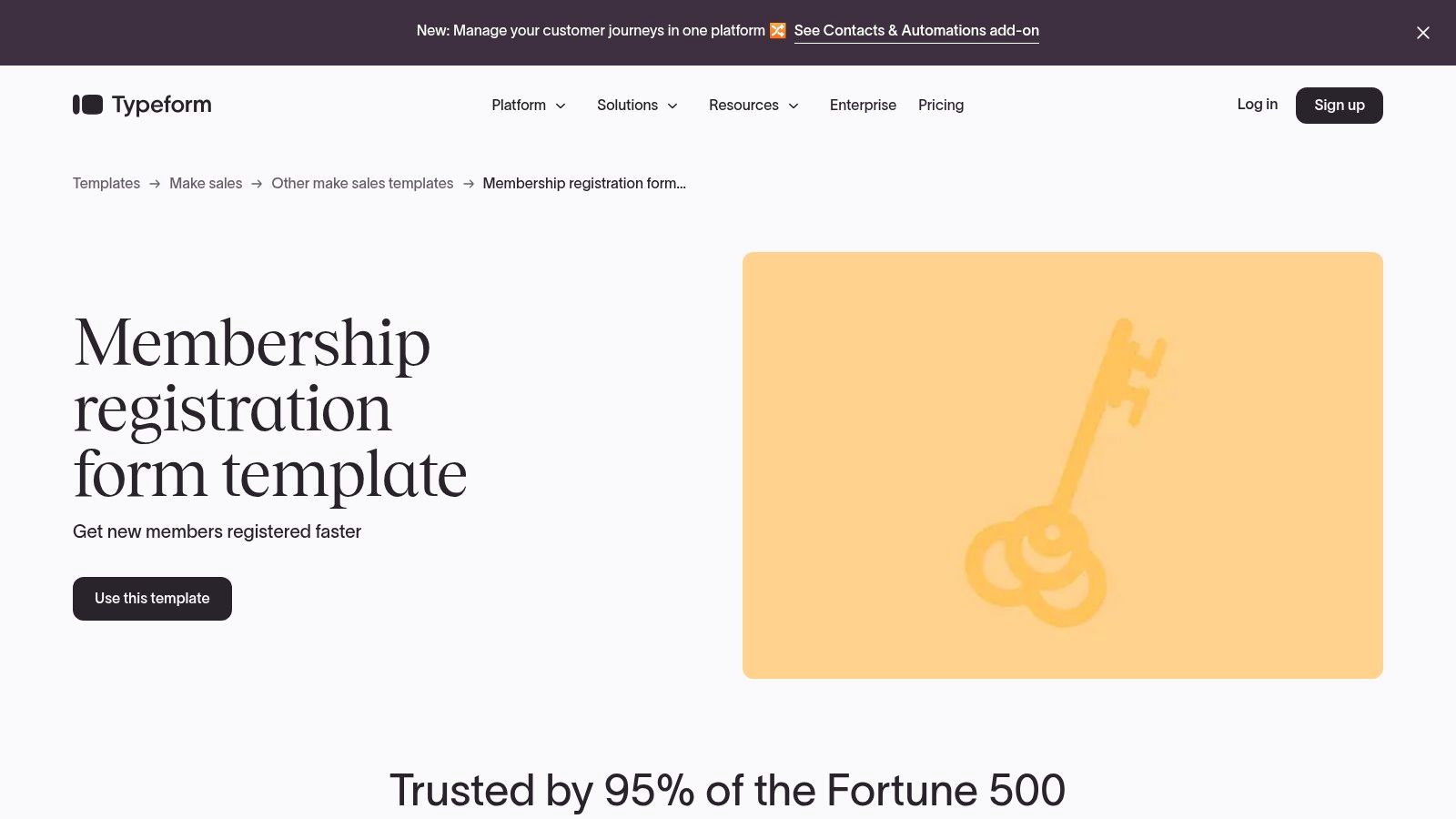
Typeform offers conversational, mobile-friendly membership signup and registration templates designed to boost completion rates. Its modern UX and strong branding controls create an engaging experience for club signups, nonprofit memberships and gated content access. With unlimited questions and forms on paid plans, you can tailor every step of the membership journey without code.
Learn more about Typeform on tryformbot.com: Learn more about Typeform on tryformbot.com
Key Features
Conversational Forms: Presents one question at a time in chat-style flows to reduce abandonment
Mobile-First Templates: Optimized layouts for smartphones, tablets and desktop viewports
Branding Controls: Custom fonts, colors and backgrounds with white-label options on paid tiers
300+ Integrations: Connect membership data to Zapier, HubSpot, Mailchimp, Google Sheets and more
Embedding & Sharing: Lightweight iframe embeds, pop-ups and direct links for every use case
Unlimited Forms & Questions: Create as many templates and fields as needed without limits on premium plans
Pros and Cons
Pros
High Completion Rates: Conversational UI reduces form fatigue
Strong Branding: Full customization to match your organization’s look
Easy Embed Options: Quick setup in CMS, web apps or email campaigns
Cons
Response Caps on Plans: Monthly limits require upgrading with scale
Advanced Automations Extra: Some workflows need Typeform Connect or third-party tools
Pricing Grows with Volume: Costs climb based on response allowances
Pricing and Access
| Plan | Monthly Cost | Responses per Month | Branding |
|---|---|---|---|
| Free | $0 | 10 | Typeform logo |
| Essentials | $29 | 1,000 | White-label |
| Professional | $59 | 10,000 | White-label + SSO |
| Premium | $99 | Unlimited | White-label + Priority support |
Paid tiers include file upload fields, logic jumps and advanced reporting. Student and nonprofit discounts available upon request.
Tips for Effective Use
Personalize questions with respondent names using hidden fields for intimacy.
Use conditional “Logic Jumps” to display tier-specific membership options only when needed.
Embed as a pop-up on gated content pages to convert readers into members.
Style button text with action verbs like “Join Now” for clear calls-to-action.
Automate welcome emails via native integrations or Zapier in three clicks.
Preview forms on mobile and tablet in the builder before publishing to ensure responsiveness.
Direct link: https://www.typeform.com/templates/membership-registration-form-template
4. 123FormBuilder
123FormBuilder is a no-code form builder offering a robust range of membership templates—application, registration, club or association forms—that you can publish via direct link or embed on any site. Its drag-and-drop editor delivers mobile-friendly output with real-time previews, built-in analytics and team collaboration tools. Users praise the intuitive dashboard, GDPR compliance and 24/7 customer support via live chat and email. Tiered plans scale from a free tier ideal for simple signups up to enterprise packages with SSO and HIPAA options.

Key Features
Template Library: Ready-to-use membership forms for clubs, associations, subscriptions and gated content
Drag-and-Drop Editor: Customize layouts, add conditional logic and preview on desktop/mobile
Integrations & Exports: Connect with Zapier, Google Sheets, Salesforce or export CSV/PDF
Tiered Plans: Free up to enterprise—with SSO, HIPAA compliance and increased storage
Analytics & Collaboration: Track submissions in real time, set user roles and share form access
GDPR/CCPA Compliance: Built-in data privacy controls and secure data storage
Pros and Cons
Pros
Generous Free Tier: 100 responses per month, 200 MB storage, basic integrations
Scalability: Clear upgrade path from small projects to enterprise workflows
User-Friendly Interface: Intuitive dashboard, real-time previews and onboarding wizards
Reliable Support: 24/7 live chat, email tickets and community forum resources
Cons
Advanced Features Locked: Payments, eSign and high submission limits require paid plans
Per-User Pricing: Enterprise tier adds costs per user for large teams
Learning Curve: Complex conditional logic can take time to master
Pricing and Access
| Plan | Monthly Cost | Submissions | Storage | White-Labeling |
|---|---|---|---|---|
| Free | $0 | 100 responses | 200 MB | 123FormBuilder logo |
| Gold | $24.99 | 1,000 responses | 2 GB | Custom branding |
| Platinum | $44.99 | 10,000 responses | 10 GB | Custom branding |
| Enterprise | Custom | Unlimited | Unlimited | SSO, custom domain |
Tips for Effective Use
Use template categories to filter by industry (nonprofit, gym, club).
Prepopulate fields via URL parameters for faster returning-member login.
Apply conditional logic to display tier-specific questions or pricing.
Automate exports to Google Sheets or CRM with Zapier integration.
Embed via script tag rather than iframe for seamless responsive design.
Leverage CSS overrides to match forms with your brand’s style guide.
Learn more on 123FormBuilder: https://www.123formbuilder.com/free-form-templates/membership-application-form-857920/
5. Wufoo
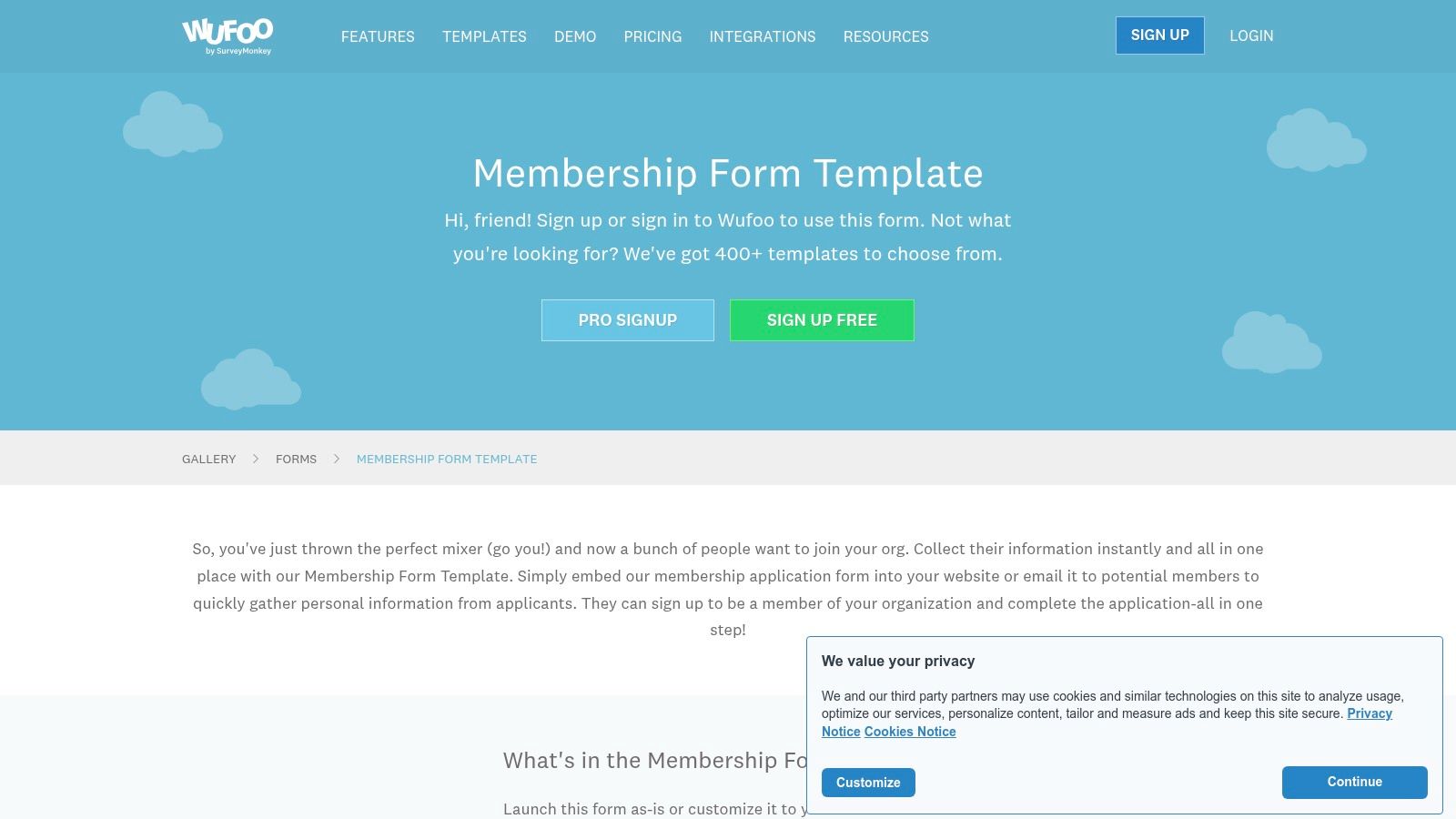
Wufoo provides a classic no-code form builder with a dedicated membership template gallery you can use out of the box or customize to your brand. It supports seamless embedding, advanced rules and logic, Google Analytics tracking, and response exports. Mid-to-high tiers add payment collection, field encryption, and password protection for gated content. This stability and straightforward pricing make Wufoo a go-to for marketing, HR, CX, and small business teams who need reliable member onboarding forms without a steep learning curve.
Key Features
Template Gallery: Prebuilt membership forms for clubs, subscriptions, events, and gated content
Embedding: Flexible JavaScript or iframe embed with responsive mobile support
Rules & Logic: Show or hide fields based on choices, enforce conditional workflows
Analytics & Exports: Native Google Analytics integration, CSV and Excel export
Payments: Collect fees via Stripe or PayPal on Professional plan and above
Security: Field encryption and password protection on Advanced plans
Pros and Cons
Pros
Simple, stable builder with minimal learning curve
Clear, tiered form and entry limits
Direct integration with Google Analytics
Cons
Free plan capped at 5 forms and 100 entries per month
User interface and feature set feel dated compared to newer tools
Pricing and Access
| Plan | Monthly Cost | Forms & Entries | Key Features |
|---|---|---|---|
| Free | $0 | 5 forms, 100 entries | Basic fields |
| Starter | $14.08 | 10 forms, 1,000 entries | Embeds, rules |
| Professional | $29.08 | 20 forms, 2,500 entries | Payments, analytics |
| Advanced | $74.08 | 50 forms, 10,000 entries | Encryption, password-protect |
Paid tiers include priority email support, custom branding, SSO options, and automated exports. Annual billing yields about 10% savings.
Tips for Effective Use
Browse the membership gallery to jumpstart your form layout.
Use rules to display tier-based pricing fields only when needed.
Embed via the JavaScript snippet for full mobile responsiveness.
Link Google Analytics events to track submission conversions.
Enable field encryption on Advanced plans for GDPR-sensitive data.
Schedule weekly CSV exports for backups and offline analysis.
Learn more about Wufoo: https://www.wufoo.com/gallery/templates/forms/membership-form/
6. Template.net
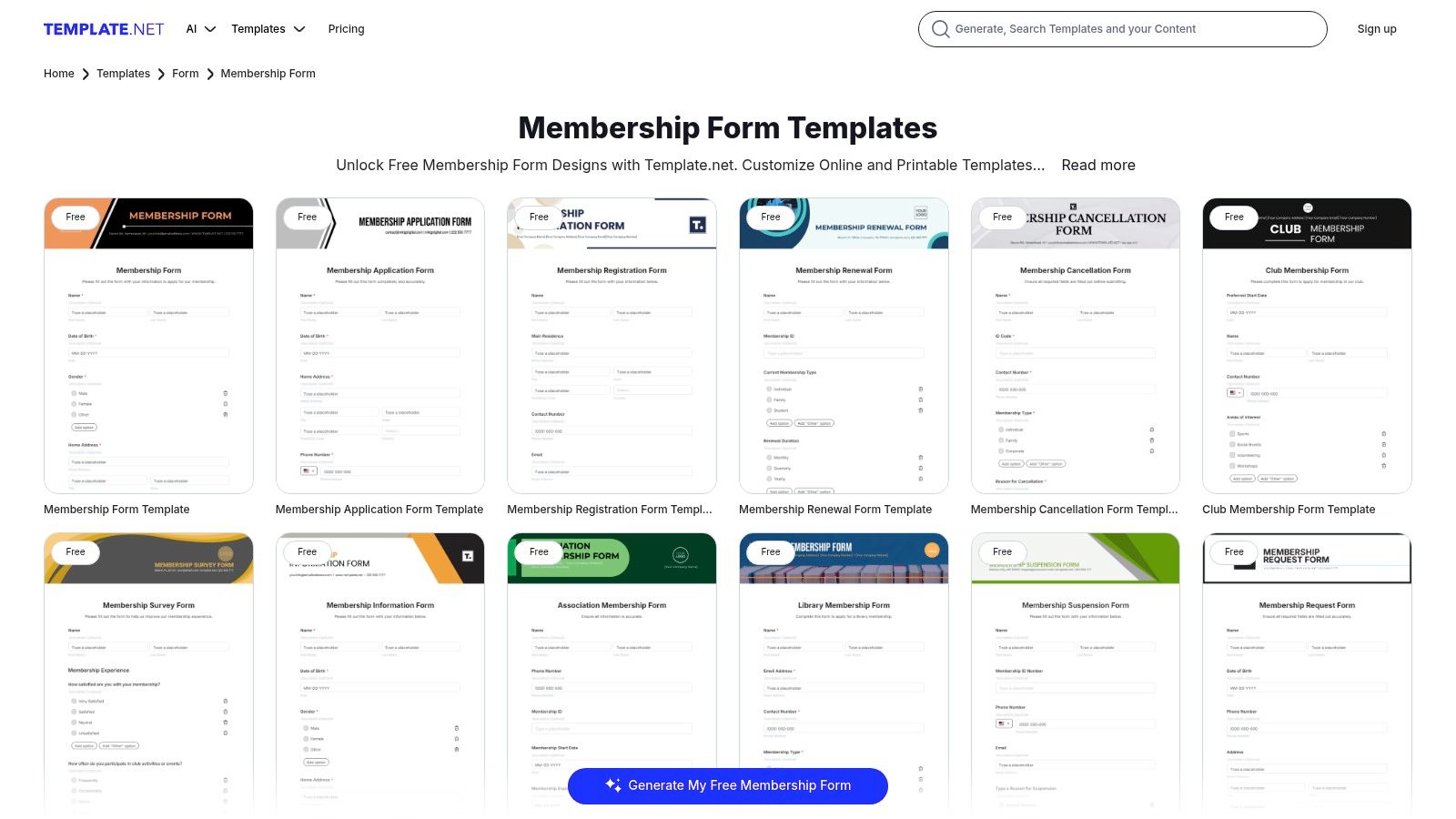
Template.net offers a vast catalog of editable, downloadable membership form templates for registrations, renewals, cancellations, and association applications. You can grab print-ready Word, Google Docs or PDF files, customize them locally, then distribute offline or upload to your site. This makes Template.net ideal when you need high-quality printable forms rather than purely online submissions.
Key Features
Extensive Template Library: 200+ membership form variants including club, subscription, nonprofit and event forms
Multi-Format Downloads: DOCX, Google Docs, PDF, Publisher and more for easy editing
Free & Pro Tiers: Dozens of free templates; Pro subscription unlocks premium designs
Print-Ready Artwork: Professionally laid-out forms that you can print or email
Related Documents: Renewal notices, cancellation requests, waiver agreements included
Pros and Cons
Pros
Broad Variety: Covers every membership scenario from gyms to alumni associations
Affordable Subscription: Pro plan under $15/month for unlimited downloads
Offline Flexibility: Edit and distribute forms without an internet connection
Cons
Attribution Required: Some free templates need credit unless you upgrade
No Native Online Submission: Must pair with another platform to collect responses
Paywall on Best Designs: Top-quality templates reserved for Pro users
Pricing and Access
| Plan | Monthly Cost | Templates & Formats | Attribution |
|---|---|---|---|
| Free | $0 | Select DOCX & PDF | Required on form |
| Pro | $12 | All formats and categories | None |
| Team | $30 | Multi-user access | None |
Pro and Team include priority support and template request options. All plans offer instant download access.
Tips for Effective Use
Choose a format that matches your workflow – Google Docs for collaboration or PDF for print
Customize headings with your brand colors in Word or Publisher before distributing
Bundle renewal and cancellation forms in a single download to keep file organization tidy
Use cloud storage links (Google Drive or Dropbox) to share editable forms with team members
Keep a master folder of branded templates to quickly clone and deploy new membership programs
Learn more about Template.net: https://www.template.net/forms/membership
7. Etsy
Etsy is an online marketplace where independent designers sell thousands of editable membership form templates and related assets. Buyers can browse PDF, Word, and Canva files, then download instantly for one-off use. With price points starting as low as $2, Etsy stands out for its budget-friendly, style-rich offerings.
The platform’s seller ratings and “Star Seller” badges help you vet quality before purchase. While it does not handle form submissions natively, pairing an Etsy template with a form builder delivers a polished membership experience. The intuitive search filters and frequent sales make finding the right “membership form templates” fast and affordable.
Key Features
Large Template Library: Hundreds of unique, seller-made forms for clubs, subscriptions, events, and nonprofits
Multiple File Formats: Instant digital downloads in PDF, Word, Canva, and sometimes Excel or Google Docs
Seller Ratings: Star Seller badges, reviews, and sales counts help gauge quality
Budget Pricing: Most templates range from $2 to $5, with bundles under $20
Design Variety: From minimalist to decorative layouts, match any brand aesthetic
Pros and Cons
Pros
Cost-Effective: Very low price per template, ideal for tight budgets
Design Diversity: Styles cover professional, creative, and retro looks
Instant Access: Download immediately after purchase
Community Trust: Ratings and reviews surface top sellers
Cons
No Submission Handling: Static files require external form platform for data collection
Variable Quality: File formatting and print margins differ by seller
License Clarification: Commercial usage terms vary—check individual listings
Pricing and Access
| Template Type | Price Range | Delivery | License Notes |
|---|---|---|---|
| Single Template | $2 – $5 | Instant download | Varies; personal and commercial |
| Bundle (3–10 pcs) | $10 – $20 | Instant download | Often extended commercial rights |
Tips for Effective Use
Filter by “Instant Download” and “Star Seller” to ensure fast delivery and quality.
Preview sample pages in the listing to check formatting and required fields.
Pair static templates with a no-code form tool (like Formbot) to capture submissions.
Customize colors and fonts in Canva files before embedding in your site.
Save frequently used fields (name, email, membership level) as a reusable component.
Read seller FAQs on license scope to avoid legal issues with commercial use.
Learn more about Etsy membership form templates: https://www.etsy.com/market/membership_template
Top 7 Membership Form Templates Comparison
| Item | 🔄 Implementation Complexity | ⚡ Resource Requirements | 📊 Expected Outcomes | 💡 Ideal Use Cases | ⭐ Key Advantages |
|---|---|---|---|---|---|
| Membership Application Form Template | Low — no-code, instant launch with AI conversational mode | Low–Medium — Formbot account and internet; paid plan for advanced integrations | High completion rates and faster mobile submissions; real-time analytics | Tiered memberships needing conversational UX and tracking | AI chat mode, built-in legal/marketing fields, enterprise-grade security |
| Jotform | Low — clone template and use drag‑and‑drop editor | Low–Medium — account; payments/e‑sign and integrations on paid tiers | Strong data capture with payment/e‑signature and reporting | Organizations needing many templates, payments, and integrations | Very large template library and 100+ integrations |
| Typeform | Low — template-based, modern UX customization | Medium — paid plans for higher volumes; add‑ons for automations | High respondent engagement and reduced abandonment | Brand‑forward signups requiring excellent user experience | Best‑in‑class design and branding controls |
| 123FormBuilder | Low — drag‑and‑drop with ready templates | Low — generous free tier; scale via tiered plans for submissions/storage | Reliable collection with export and integrations; scalable | Simple to mid‑level needs that may grow to enterprise | Robust free tier and clear scalability to enterprise features |
| Wufoo | Low — classic builder with template gallery | Low — basic account; payments and encryption on higher plans | Stable, straightforward data collection; limited modern bells | Teams wanting simple, predictable online forms | Simplicity, clear plan limits, and straightforward analytics |
| Template.net | Very low — download and edit offline (no platform setup) | Minimal — file editor (Word/Google/PDF); optional Pro subscription | Print‑ready, offline forms; manual collection and distribution | Printable or offline workflows and legal/HR documents | Largest selection of downloadable formats and document types |
| Etsy | Very low — purchase and download static templates | Minimal — one‑time purchase; use Word/Canva to customize | Static files only; no built‑in submissions or automation | Budget one‑offs or highly styled templates for small projects | Low cost and wide variety of design styles |
Action Steps to Launch Your New Membership Form
Summarize Key Insights
You’ve explored seven high-converting membership form templates—from Formbot’s Club Application to Jotform’s sleek designs and Typeform’s conversational flow. Each template included:
Clear purpose and required fields
Sample copy for strong calls to action
UX notes for streamlined user journeys
Mobile and chat adaptations for on-the-go signups
Choose the Right Template
Identify your goal – community growth, subscription sign-ups, nonprofit donations, gated content, or event registrations
Compare features – look for conditional logic, payment integrations, and analytics dashboards
Match your brand – ensure the template’s design aligns with your visual identity and tone
Implement and Customize in Formbot
Install the chosen template in Formbot with one click
Add or remove fields based on required information and user friction points
Apply field validations (email format, phone number mask, file upload size)
Incorporate chatbot triggers for instant support on mobile
Optimize for Maximum Conversion
A/B test headlines and button copy to find your best performer
Leverage real-time analytics in Formbot to spot drop-off fields
Use heatmaps and session recordings to refine your layout
Send automated follow-up emails for incomplete applications
Key Factors to Consider
Load speed on mobile devices under 3 seconds
Data security and compliance standards (GDPR, HIPAA)
Integration with your CRM, email service, or payment gateway
Scalability for growing membership lists
Final Encouragement
You’re now equipped with proven membership form templates and a clear roadmap to launch. By selecting the right tool, customizing with our UX notes, and tracking performance, you’ll transform casual visitors into engaged members. Remember, every tweak you make can boost your conversion rates—so iterate quickly and watch your community thrive.
Ready to supercharge your sign-up process? Try Formbot today and build your perfect membership form in minutes. Visit Formbot to get started!



