
An online form generator is simply a tool that lets you build and share digital forms without touching a single line of code. These platforms have become indispensable for businesses that need to gather any kind of information—from basic contact info to in-depth survey feedback—turning what used to be a technical headache into something anyone on the team can handle.
What Is an Online Form Generator and Why It Matters Now

Think of your website's contact form as a digital receptionist. The old-school, static version is like a silent clerk holding a clipboard—functional, sure, but also impersonal and a bit intimidating. It just sits there, waiting for someone to fill in the blanks without offering any help.
A modern online form generator, on the other hand, builds something entirely different. It creates a friendly, skilled conversationalist that guides visitors through the process, making them feel like they're being heard. This shift from a wall of empty boxes to a dynamic, interactive experience is completely changing how companies connect with people online.
More Than Just Data Collection
By 2026, these tools are about so much more than just collecting data. They’ve become vital touchpoints for engaging users, generating leads, and gathering customer feedback. The way you handle forms directly impacts your bottom line—a clunky experience leads to high abandonment rates and lost revenue.
Here’s why this evolution is so critical:
- A Better User Experience: Modern forms get rid of the friction. By asking one question at a time or using a chat-like interface, they feel far less overwhelming than a long page of empty fields.
- Higher Conversion Rates: When a form is easy and engaging to use, more people will actually finish it. It’s not uncommon to see well-designed, conversational forms dramatically outperform their traditional counterparts.
- Cleaner Data Quality: Guiding users through the process with real-time validation means you collect more accurate and complete information right from the start. No more chasing down typos or incomplete entries.
The Strategic Advantage of a Modern Form Builder
Choosing the right online form generator gives you a real strategic advantage. It lets you move beyond just asking for information and start building a relationship. When a potential customer feels like they're having a natural conversation instead of doing paperwork, you establish trust from the very first click.
An effective online form is the digital handshake between your business and a potential customer. It’s often the very first interaction they have with your brand, setting the tone for the entire relationship.
That first interaction is your chance to make a great impression. By picking a tool that focuses on a seamless and engaging user journey, you're not just optimizing a webpage—you're investing in a better customer experience that pays off in loyalty and growth down the line.
The Shift to AI-Powered and Conversational Forms

If you've been around long enough, you remember what online forms used to be: static, clunky, and a real pain to fill out. Building them required a developer, and completing them required a lot of patience. They felt like a chore for everyone involved.
The first big change came with the rise of no-code platforms. Suddenly, anyone could build a form with a simple drag-and-drop interface. This was a huge step forward, putting powerful tools in the hands of marketers, HR teams, and small business owners without them needing to write a single line of code.
But the real game-changer is happening right now with the infusion of artificial intelligence. AI is pushing forms beyond simple data collection and into genuinely conversational, personalized experiences.
What Is a Conversational Form?
Think of a conversational form less like a rigid questionnaire and more like a friendly chat with a helpful assistant. Instead of overwhelming you with a long wall of fields, it asks questions one at a time, just like a real conversation. It’s the difference between being handed a stack of paperwork and having someone gently guide you through it.
This one-question-at-a-time approach completely changes the dynamic. It feels more natural, reduces the mental effort required, and is a lifesaver on mobile devices where scrolling through traditional forms is a nightmare.
By transforming data collection into a two-way dialogue, conversational forms meet users where they are. This shift not only boosts completion rates but also builds a sense of trust and engagement from the very first interaction.
This evolution is a direct response to what we’ve all come to expect from technology: experiences that are smart, fast, and respectful of our time. The online form builder software market is adapting quickly, with AI-powered builders and no-code solutions becoming the new baseline. As these tools get smarter, features like robust data privacy and encryption are no longer nice-to-haves—they're essential.
The Power of Conditional Logic
The magic that makes these conversations feel so natural is a feature called conditional logic. This is the "brain" of the form, allowing it to react and adapt in real-time based on how a person answers.
Let's say you're filling out an event registration form. The form asks if you have any dietary restrictions. If you answer "Yes," a new field instantly appears asking for specifics. If you answer "No," you never even see that field. It's that simple.
This intelligent filtering achieves a few critical things:
- Reduces Friction: Nobody has to waste time skipping questions that don't apply to them. The form gets shorter, and people finish faster.
- Improves Data Quality: You can ask for more specific, accurate details by only showing follow-up questions to the right people.
- Creates a Personalized Path: Every user gets a unique journey tailored to their situation, which makes the entire process feel more thoughtful and professional.
Smarter Forms and Stronger Security
This leap forward isn’t just about creating a more pleasant user experience; it's also about building more trustworthy systems. As forms get better at collecting information, the best online form generator tools have gotten much better at protecting it. Security is no longer an afterthought—it's foundational.
Modern platforms are designed with data privacy at their core. You'll see features like end-to-end encryption, secure data handling, and compliance with regulations like GDPR and CCPA baked right in. This means that as you start gathering better data through a more engaging process, you can be confident that it’s being kept safe. You can discover more about how to create forms using AI in our comprehensive guide.
Must-Have Features of a Modern Online Form Generator
Choosing an online form generator in 2026 isn't just about picking a tool; it's about investing in a digital strategist for your brand. The right platform moves beyond simply collecting data. It actively improves how users interact with you, delivers smarter insights, and plugs directly into your daily operations. To really get a handle on what separates the good from the great, it helps to explore essential features across different platforms.
But a simple feature list doesn't tell the whole story. What truly matters are the real-world benefits those features deliver. Let's break down the essentials into four key areas: User Experience, Intelligence, Customization, and Integrations. This framework will help you cut through the noise and find a tool that actually solves your problems.
Elevating The User Experience
The biggest enemy of any form is form fatigue—that instant feeling of dread users get when they see a long, daunting wall of questions. The best tools are designed specifically to fight this.
Conversational Interfaces: Instead of a static list of fields, these forms ask questions one by one, almost like a chat. This simple shift turns a chore into a guided, interactive conversation, which feels far less overwhelming and keeps users engaged.
Mobile-First Design: A huge chunk of your audience will be on their phones. If your form is a nightmare to use on a small screen, you'll lose them. A true mobile-first design means fields are easy to tap, text is readable, and the whole experience is buttery smooth, preventing people from giving up halfway through.
Building Intelligence Into Your Forms
A truly smart form doesn't just ask questions; it adapts on the fly, creating a more efficient path for each user. This is where the behind-the-scenes magic happens, improving both the user's journey and the quality of the data you collect.
A perfect example is conditional logic. This feature dynamically changes the form based on a user's previous answers. If someone says they aren't interested in a particular service, the form intelligently skips the follow-up questions about it. This small touch makes the process feel personal and shows you respect the user's time.
Even better, some platforms now offer AI-powered generation. You can literally describe your goal in plain English—like "create a lead capture form for a real estate agency"—and the AI will instantly build a relevant, multi-step form for you.
Essential Features of Modern vs Traditional Form Builders
To make a smart choice, it's helpful to see a side-by-side comparison of how far form builders have come. The table below highlights the key differences between older, traditional tools and the modern, AI-powered generators available today. This should help you evaluate your options more clearly.
| Feature Category | Traditional Form Builder | Modern AI Form Generator |
|---|---|---|
| Form Creation | Manual drag-and-drop; requires user to build from scratch. | AI-powered generation from a text prompt; automated suggestions. |
| User Interface | Static, list-style forms; often overwhelming for users. | Conversational, chat-like interfaces; one-question-at-a-time flow. |
| Logic & Flow | Basic conditional logic, often complex to set up. | Advanced, multi-path conditional logic that's intuitive to configure. |
| Analytics | Simple submission counts and basic completion rates. | In-depth analytics, drop-off reports, field-level insights. |
| Mobile Experience | "Mobile-responsive" (shrinks to fit), but can be clunky. | "Mobile-first" design, optimized for touch and small screens. |
| Integration | Limited, often relies on third-party connectors like Zapier. | Deep, native integrations with CRMs, email platforms, and more. |
As you can see, modern tools are built not just to collect information, but to optimize the entire process for both the user and the business. They're designed to be smarter, more engaging, and more deeply connected to your workflow from the very beginning.
Customization For Brand Consistency
Your forms are a direct touchpoint with your audience, so they absolutely must look and feel like your brand. A generic, out-of-the-box form can feel unprofessional and might even make people hesitate to share their information.
Strong customization is non-negotiable, and it goes way beyond just slapping your logo on top. A top-tier form generator gives you control over:
- Colors and Fonts: Match your form's design precisely to your website's style guide.
- Layout and Structure: Choose between single-page, multi-step, or conversational formats.
- Button and Field Styles: Fine-tune every little detail for a completely seamless brand experience.
A well-branded form reassures users that they are in the right place, reinforcing your brand's identity and credibility at a critical point of interaction.
This level of control ensures every interaction, including data collection, is a perfect extension of your brand identity.
Integrations That Automate Your Workflow
Finally, a form’s true power is unleashed when it’s connected to the other software you rely on every day. Without solid integrations, you're stuck with manual data entry—a tedious, error-prone task that wastes valuable time.
Seamless connectivity is what turns a simple form into a powerful automation engine. Look for a tool that easily plugs into your core systems:
- CRMs (e.g., Salesforce, HubSpot): Automatically send new leads to your sales team, so they can follow up instantly.
- Email Marketing Platforms (e.g., Mailchimp): Add new sign-ups directly to the right email list without lifting a finger.
- Collaboration Tools (e.g., Slack): Get real-time notifications for new submissions so your team can act fast.
By automating these handoffs, a great online form generator frees up your team, eliminates manual errors, and ensures the valuable data you collect gets put to work immediately.
How to Build a High-Converting Form in Minutes
The best way to really get how these new form generators work is to just dive in and build one. Forget about the old days of painstakingly dragging and dropping every single field into place. With AI, you can go from a simple idea to a fully functional, professional-looking form in just a few minutes.
This isn't some complex process reserved for developers. Let's walk through how anyone on your team can launch a form. We'll start with a common business need and see just how fast an AI-powered tool can get the job done.
Start With a Simple Prompt
Building a form now starts with a simple conversation. Let's say you're a real estate agent who needs to capture leads from your website. Instead of staring at a blank canvas, you just tell the AI what you need.
You might type something like: "Create a lead capture form for a real estate agency looking for new clients."
That’s it. The AI instantly gets to work, generating a smart, multi-step form. It anticipates the questions you’ll need to ask—name, contact info, budget, desired location, and so on. This gives you an incredible head start, saving a ton of time right out of the gate.
This kind of efficiency is why businesses are flocking to these tools. The market is exploding, with North America alone valued at around $1 billion USD in 2023. That figure is growing at 14% year-over-year, which tells you just how much value companies are finding in building forms this way. You can explore more data on this industry expansion and see its impact everywhere, from healthcare to retail.
The image below breaks down what makes a modern form so effective. It’s all about balancing user experience, intelligence, and customization.
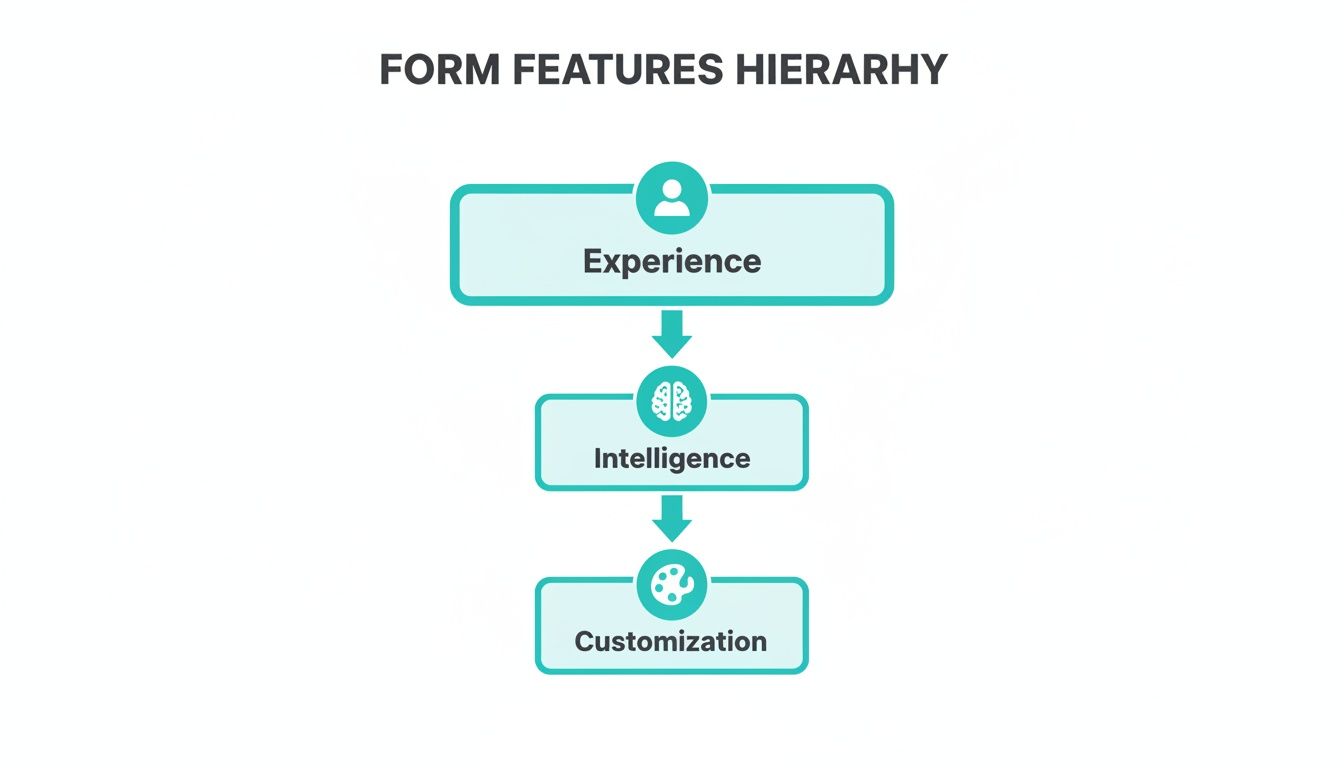
As you can see, a great user experience is the ultimate goal. That experience is built on a foundation of smart features and the flexibility to make the form your own.
Customize and Refine Your Form
Once the AI has built your foundation, it’s time to fine-tune it. This is where you can make the form a perfect fit for your specific needs and brand. A good online form generator gives you all the control you need without making things complicated.
Here are a few tweaks you can make in seconds:
- Adjust the Flow: Look at the order of the questions. Maybe you want to ask about a prospect's budget before you ask how many bedrooms they want. Smart move—it helps qualify them earlier.
- Add Specific Fields: Need to add a drop-down for property type (like Single-Family Home, Condo, or Townhouse)? Just add a new question and pick the right field type. It’s that simple.
- Set Required Fields: Make sure you get the essentials. You can mark fields like "Email" and "Phone Number" as required, so no one can submit the form without filling them out.
Brand Your Form for Trust and Consistency
The final step is making the form look like it truly belongs on your website. When a form blends in seamlessly, it builds trust and just feels more professional.
A well-branded form isn't just about looking good; it's a signal of credibility. When the design is consistent with your brand, users feel more confident sharing their information, which directly contributes to higher conversion rates.
You can typically customize:
- Colors and Fonts: Match the form’s color scheme and typography to your brand’s style guide.
- Logo and Images: Pop your company logo on top to reinforce who you are.
- Button Styles: Change the look and text of the submission button to create a clear call to action.
Once you’re happy with it, you can publish the form and either share it with a link or embed it directly onto your website. The whole process, from prompt to a live form, can literally take minutes. This puts the power to capture new opportunities directly in your team’s hands.
How to Get More People to Actually Finish Your Forms
You can design the most beautiful, intelligent form in the world, but it all comes down to one thing: does anyone actually finish it? A great form is useless if people abandon it halfway through. Your real job isn't just building the form; it's getting users all the way to that final "submit" click.
The biggest enemy here is user friction. Think of it as anything that makes someone hesitate, get confused, or just give up. The most common culprit? A giant wall of 20 questions staring them in the face. It’s intimidating, and most people will just walk away.
Break It Down to Keep Them Going
The single best way to beat this friction is to chop up your form into small, manageable pieces. This is where an online form generator that supports multi-step or conversational layouts really shines. Instead of hitting them with everything at once, you ask just one or two related questions at a time.
This simple change taps into a powerful psychological trick. Once someone answers that first easy question, they've made a tiny commitment. It creates momentum, making them far more likely to see it through to the end. The whole process feels less like a chore and more like a simple conversation.
Don’t forget the progress bar! A visual cue telling users they’re on "Step 2 of 5" or are "40% complete" is a game-changer. It sets clear expectations and gives them a finish line to aim for, turning a vague task into an achievable goal.
A great form isn’t just a series of questions; it's a carefully designed journey. Each step should feel easy and logical, encouraging the user to take the next one until they reach the finish line.
Make It a Conversation, Not an Interrogation
The words you use are everything. Stuffy, robotic labels like "Submit Query" are a total turn-off. Instead, write like a human. Use friendly, encouraging phrases like "Let's get started!" or "Just one last thing..." to create a warmer, more engaging experience.
Just as important is smart validation. We’ve all been there: you fill everything out, hit submit, and get a page full of red error messages. It's incredibly frustrating. Modern form builders fix this by giving instant, helpful feedback. If a user types in an email address without an "@" symbol, the form should immediately flag it with a gentle message like, "Oops, that email doesn't look quite right."
This immediate feedback stops frustration in its tracks and helps you collect cleaner, more accurate data from the get-go.
Actionable Tips for Higher Completion Rates
It's no surprise that the online form builder software market is booming. Businesses are realizing how much these small optimizations matter. The dominance of web-based tools makes it easier than ever to implement these kinds of smart strategies.
To make sure your forms are converting as well as they can be, here are a few things to try:
- Make Required Fields Obvious: Use an asterisk or a simple note to show people exactly what they have to fill out. No guesswork needed.
- Always Be Testing: Don't assume you know what works best. A/B test different versions of your form. Does a green button work better than a blue one? Does changing the order of questions help? Let the data tell you.
- Prioritize Mobile: Your form has to work perfectly on a phone. The one-question-at-a-time conversational style is especially effective on smaller screens.
These tips are a great starting point, but there’s always more to learn. For a deeper look, check out our guide on conversion rate optimization tips. And if you want to improve your site's overall performance, this guide on how to increase website conversion rate is packed with practical advice. By constantly testing and refining, you can turn your forms from simple data fields into powerful conversion machines.
How to Choose the Right Form Generator for Your Business
Picking the right online form generator is a lot like hiring for a critical role on your team. You need something that fits your current workflow, can scale as you grow, and consistently delivers without blowing your budget. In 2026, the market is crowded, but the best choice usually boils down to three things: pricing, scalability, and support.
First, let's talk money. Many platforms have a free plan, which is perfect for dipping your toes in the water or for small, one-off projects. But you have to read the fine print. Those free tiers often come with tight limits on how many submissions you can collect or how many forms you can build, which can force you into a paid plan faster than you expect.
Finding a Cost-Effective Solution
Once you move into paid territory, you'll see a few different pricing models. Some tools charge you based on monthly submissions—a model that can get expensive fast if one of your forms suddenly takes off. Others use a subscription based on how many people on your team need access. The key is to find a plan that actually makes sense for your business model and doesn't punish you for being successful.
For a deeper dive into how different tools stack up, check out our guide to the best online form builders.
A transparent pricing page says a lot about a company. Here’s a good example from tryformbot.com that lays everything out clearly.
You can see exactly what you get with each plan, with no hidden surprises. That’s what you want.
Planning for Future Growth
Scalability is another huge piece of the puzzle. The online form generator you choose today needs to be able to keep up with you next year and the year after. Think ahead. Will it handle the more complex workflows you’ll need as your company expands? Does it have the integrations and analytics you’ll eventually rely on? Picking a tool that can grow with you saves you from the massive headache of having to migrate everything to a new system later on.
And finally, don't ever discount the value of good customer support. When you're facing a deadline and something breaks, a responsive and knowledgeable support team is worth its weight in gold. Look for companies that offer real help through live chat, email, or even the phone, and check out reviews to see if they’re known for solving problems quickly.
A great tool is more than its features; it’s a partnership. Your chosen form generator should feel like a reliable extension of your team, equipped to handle today's tasks and ready for tomorrow's growth.
The best way to make a decision is to start with your core needs. Use the feature checklists we covered earlier to narrow down your options to a few solid contenders. Then, and this is the most important part, actually sign up for a trial. Nothing beats hands-on experience to see if a tool truly fits your team, your goals, and your wallet.
Got Questions About Online Form Generators? We Have Answers.
It's smart to have questions when you're looking at new tools for your team. When it comes to picking an online form generator in 2026, you need straightforward answers to make the right call. Let's tackle the most common questions we hear so you can feel confident moving forward.
Are AI Form Builders Too Complicated for My Non-Tech Team?
Not at all. In fact, it's quite the opposite. Modern AI-powered form tools are designed from the ground up to be incredibly intuitive. They’re built on no-code principles, meaning your marketing, sales, or HR folks can build sophisticated, effective forms without ever touching a line of code.
Most of the time, you can get started just by describing the form you need in plain English. This simple, conversational starting point opens up form building to everyone, no matter their technical comfort level.
How Do These Forms Actually Help Get More Conversions?
They boost conversions by turning a tedious task into a quick, almost pleasant experience. Think about it: instead of hitting a user with a long, daunting page of empty boxes, you engage them one question at a time, almost like a chat. This approach dramatically cuts down on the mental effort required.
The result? People stop giving up halfway through. This more human-centered design makes users far more likely to stick around and finish the process, especially on mobile, where clunky traditional forms go to die.
A conversational form feels less like a hurdle and more like a helpful guide. By making the journey easier, you eliminate the #1 reason people bail on forms, which directly translates into more submissions and higher-quality leads.
What Are the Must-Have Integrations to Look For?
The best integrations are the ones that plug directly into the tools your team already lives in every day. You're looking for connections that automate your workflows and put an end to mind-numbing manual data entry.
A few essentials to look for:
- CRM Software: Automatically pipe new leads into your sales pipeline in tools like Salesforce or HubSpot.
- Email Marketing Platforms: Add new subscribers straight to your lists in services like Mailchimp.
- Collaboration Tools: Get real-time pings for new submissions in apps like Slack so your team can jump on leads instantly.
How Secure Is the Data I'm Collecting?
Security is non-negotiable for any reputable form builder. The leading platforms use modern encryption to protect your data both as it's being sent over the internet and while it's sitting on their servers.
When you’re evaluating a tool, always check out their commitment to data security and privacy. A good provider will be completely transparent about their security measures. This ensures the sensitive information you collect is locked down, building trust with your audience and giving your own team peace of mind.
Ready to see how a conversational, AI-powered approach can completely change your data collection? Formbot makes it ridiculously easy to build smarter, higher-converting forms in minutes. Start your free trial today at tryformbot.com and turn your forms into your best lead generation tool.



