Ever bailed on a long, confusing online form? We've all been there. It’s a common frustration—staring at a wall of empty boxes, trying to figure out what's required, especially on a phone. For years, digital forms have felt like a clunky translation of paper questionnaires, leading to high drop-off rates and incomplete data.
This is exactly where an AI form builder changes the game. Think of it less as a tool for building static forms and more as a way to create guided, one-on-one conversations. Instead of presenting a user with a rigid grid, it acts like a friendly assistant, asking questions one at a time.
Ditching the Digital Paperwork
This conversational approach is a direct solution to some of the most common reasons people abandon forms.
- No More Endless Scrolling: Users aren't overwhelmed by dozens of fields at once. The form presents questions sequentially, making the process feel manageable.
- Smarter Questions: Intelligent logic means users only see questions that apply to them, based on their previous answers. No more slogging through irrelevant sections.
- Finally, a Good Mobile Experience: These interfaces feel natural on a phone, much like the messaging apps we use every day.
By turning a static page into a dynamic conversation, an AI form builder seriously reduces the mental effort required from the user. It stops feeling like a chore and becomes a simple interaction, which is the key to keeping people engaged all the way to the “submit” button.
This shift isn't just about a better user experience; it delivers real business results. As companies in 2026 work to fine-tune every customer interaction, a clunky registration or feedback form can be a major roadblock, costing leads and valuable insights. An AI-powered approach helps clear that bottleneck.
In the next sections, we'll get into the nuts and bolts of how an AI form builder actually works and break down the specific benefits you can expect. You’ll see how this method not only gets more people to complete your forms but also delivers cleaner, more accurate data.
How AI Form Builders Are Changing Data Collection
Let's be honest: nobody enjoys filling out a traditional online form. It's a one-way street—you dump your information into a series of boxes, hit submit, and hope it went through correctly. An AI form builder completely flips that script. It turns a boring monologue into a dynamic, two-way conversation, making the whole process feel less like paperwork and more like a chat.
At the core of this shift is a technology called Natural Language Processing (NLP). You can think of NLP as the form's brain. It gives the software the ability to understand everyday language—the way people actually talk and type. So, instead of being forced into rigid dropdown menus or specific date formats, you can just give a natural answer.
For instance, when asked to schedule a meeting, you could just type, "How about next Tuesday afternoon?" The AI gets it. It checks the calendar, finds an open slot, and suggests a specific time. This small change removes a huge amount of friction, making the experience quicker and far more intuitive.
This diagram shows just how powerful that evolution is, moving from clunky, error-prone forms to clean, efficient data collection.
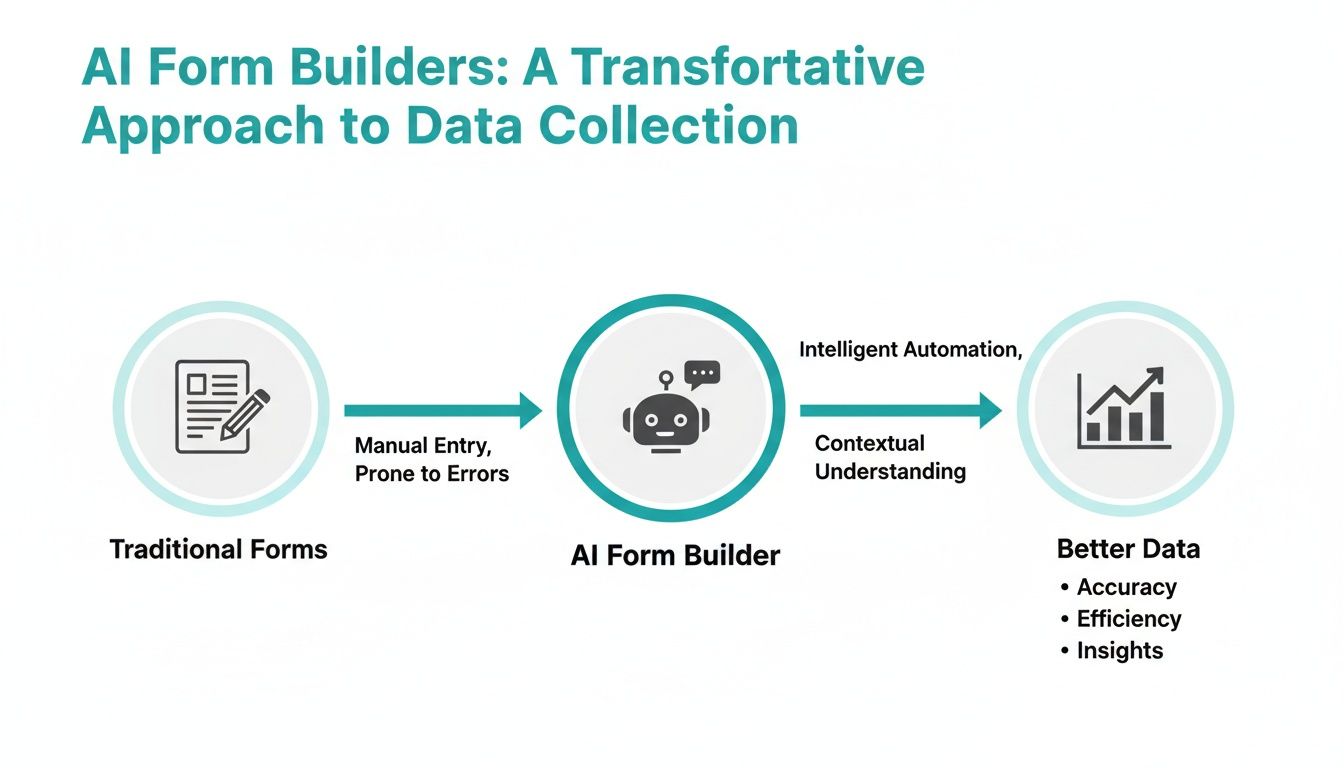
As you can see, the AI builder acts as a smart interpreter. It takes messy, conversational input and turns it into the structured, valuable data businesses need.
To really see the difference, it helps to put the old and new methods side-by-side.
Comparing Traditional Forms with AI Form Builders
This table breaks down the fundamental differences in how these two technologies approach user interaction, data handling, and overall effectiveness.
| Feature | Traditional Form | AI Form Builder |
|---|---|---|
| User Interaction | Static and one-way; user fills out predefined fields. | Dynamic and conversational; feels like a chat. |
| Input Method | Rigid inputs (dropdowns, checkboxes, specific formats). | Flexible, natural language (text or voice). |
| Questioning Logic | Linear and fixed; all users see the same questions. | Adaptive and personalized; questions change based on answers. |
| Error Handling | Basic validation (e.g., "invalid email format"). | Intelligent correction and clarification prompts. |
| Data Extraction | Requires separate fields for each piece of data. | Can extract multiple data points from a single sentence. |
| Completion Rates | Often low, especially on mobile devices. | Significantly higher due to better user experience. |
The takeaway is clear: while traditional forms simply collect data, AI forms guide the user through the collection process, resulting in a much better outcome for everyone involved.
The Conversational User Interface
If NLP is the brain, then the Conversational User Interface (UI) is the friendly face of the operation. This is what transforms a static page of boxes into an interactive chat. Instead of overwhelming you with every question at once, the form presents them one at a time. It feels less like an interrogation and more like a helpful conversation.
This one-at-a-time approach is a game-changer on mobile devices, where scrolling through long, clunky forms is a nightmare. A conversational flow feels completely natural on a phone because it mirrors the messaging apps we use all day. This simple change is one of the biggest reasons conversational forms see much higher completion rates.
Intelligent Data Extraction and Adaptive Questioning
Beyond just understanding your words, an AI form builder does two other incredibly smart things.
Intelligent Data Extraction: The AI is trained to spot and pull out specific information from a chunk of text. If someone writes, "My name is Jane Doe, and my email is [email protected]," the AI instantly identifies the name and email, then puts them into the correct database fields without needing separate boxes for each.
Adaptive Questioning: This is where the magic really happens. The form adjusts the conversation in real-time based on your answers. For example, if you say you’re not interested in a particular service, the form won't waste your time asking follow-up questions about it. It respects your time by keeping the conversation relevant.
The impact of this technology is growing fast. To grasp the full potential here, it helps to look at the broader AI's role in modern customer support, where these same principles are redefining how businesses gather information and help people. By turning data entry from a chore into a conversation, AI form builders don't just collect data more effectively—they create a genuinely better user experience.
The Business Case for AI Forms
Let's be honest, adopting any new tech has to come with a real return on investment. The slick, conversational feel of an AI form is a nice touch, but its true value shows up in your business metrics. When you swap out those old static fields for a dynamic, chat-like experience, you start to see measurable gains everywhere.
It's not just about a prettier interface. It's about fixing the fundamental problems that make traditional forms so frustrating. By cutting out the friction and making it feel less like a chore to provide information, businesses see real improvements in everything from lead generation to customer feedback.
Achieve Dramatically Higher Completion Rates
If there’s one place traditional forms fail, it’s abandonment. People see a wall of questions, get confused by vague fields, or just give up trying to use it on their phone. AI forms solve this by drastically reducing cognitive load—that feeling of mental exhaustion you get when a task is too demanding.
Instead of facing a dozen empty boxes at once, the user gets one simple question at a time. This conversational approach guides them along, making the whole process feel manageable and much less intimidating. It keeps them engaged and moving toward that final "submit" button.
An AI-powered approach turns data collection from a passive chore into an active, guided dialogue. This shift is critical for boosting user engagement and can directly lead to higher completion rates, ensuring fewer potential customers or valuable insights are lost along the way.
For a marketing team, this translates to more qualified leads from a campaign landing page. For HR, it means more top-tier candidates actually finish their job applications, building a much stronger talent pool to choose from.
Accelerate Submission Times for Users
In a world obsessed with speed, every second you can give back to a user matters. An AI form builder is designed from the ground up to make data entry faster and more natural. Features like natural language input are a game-changer, letting people provide information in their own words instead of fumbling through dropdown menus or worrying about specific formatting.
Picture someone trying to book an appointment. Rather than clicking through a tiny calendar on their phone, they can just type, "How about next Wednesday morning?" and the AI sorts it out. This is a massive improvement, especially on mobile, where navigating complex forms is a pain. By feeling more like sending a text message, the process becomes almost instant.
This speed boost isn't just about a better user experience; it directly impacts your completion rates. When a form takes seconds instead of minutes to fill out, people are simply more likely to stick with it to the end.
Improve the Quality of Collected Data
Getting more submissions is great, but the quality of that data is what really drives smart business decisions. This is another area where AI forms truly shine, making sure the information you receive is accurate and complete right from the start.
This all happens through intelligent validation and real-time clarification prompts. If a user types in something ambiguous or leaves a detail out, the AI can immediately ask a quick follow-up question.
- Error Correction: If someone misspells their email, the AI can gently ask them to double-check it.
- Clarification: If a form asks for a "project budget" and the user says "around five thousand," the AI can follow up with, "Got it. To confirm, is that $5,000 USD?"
- Completeness: It can recognize what's missing from a sentence and ask only for that specific piece of information.
This proactive approach saves your team from the headache of cleaning up messy or incomplete data later on. For sales, it means getting well-qualified leads with correct contact info. For customer support, it means feedback is detailed enough to be genuinely useful. The market is catching on fast; you can read the full analysis on the online form builder market to see how AI is driving this trend.
What to Look For in a Modern AI Form Builder
Choosing the right AI form builder can feel like a shot in the dark, but there are a few core features that really separate the powerful tools from the simple ones. Think of this as a buyer's guide—it'll help you spot the platforms that actually deliver on their promises, giving you a better experience for your users and much higher-quality data for your team.
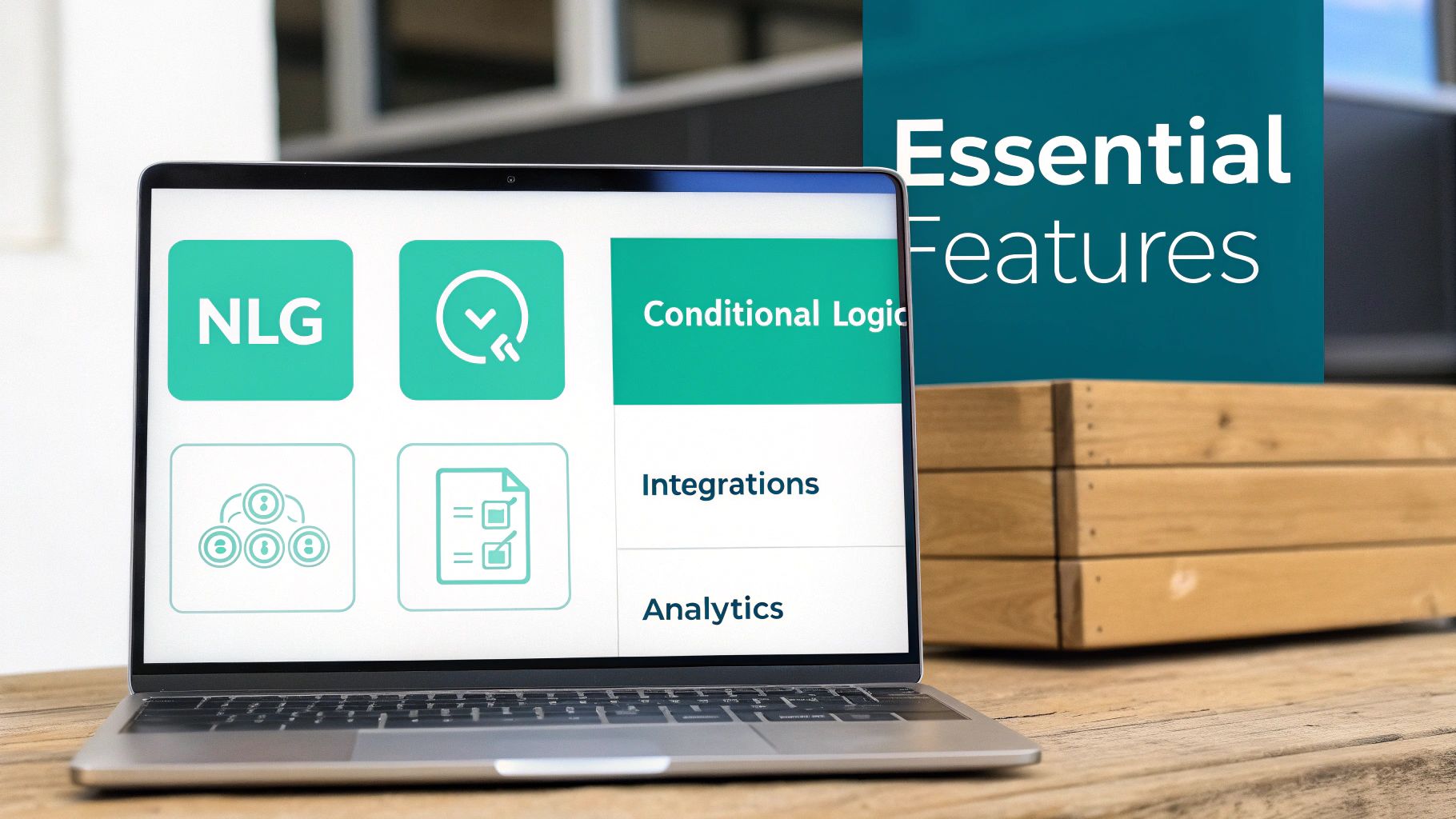
When you're comparing options, you have to look past the shiny design templates. The real magic of an AI form builder is in its ability to think, adapt, and plug right into your existing workflows. These are the non-negotiable features you should expect to see in any top-tier tool in 2026.
From a Prompt to a Published Form
The first and most impressive feature is Natural Language Generation (NLG). This is where you can create a complete, working form just by describing what you need in plain English. Instead of fiddling with drag-and-drop fields, you can just type, "Create a contact form with fields for name, email, phone, and a message," and the AI builds it for you on the spot.
This one feature is a massive time-saver. It slashes setup time, letting your team go from a simple idea to a live form in seconds. It also means anyone can create a form, no technical skills required.
A top-tier AI form builder should feel like a collaborative partner, not just a static tool. The ability to generate a complex form from a simple sentence is the clearest sign of a truly intelligent platform.
This speed gives teams the freedom to test and tweak things on the fly. Your marketing team can spin up new lead-gen forms for an A/B test in minutes, and HR can get candidate screening questionnaires out the door just as quickly. Formbot, for instance, lets you do exactly this—describe the form you want, and its AI generates a ready-to-use version instantly.
The Conversational Experience
Next up is a true conversational interface. This is more than just making a form look like a chat bubble. It's about presenting one question at a time, guiding the user through the process in a way that feels natural and easy. By breaking down what could be a long, intimidating form into small, manageable questions, you eliminate that "Ugh, another form" feeling.
This approach is a game-changer on mobile devices. We all know how quickly people will abandon a form that requires a ton of scrolling and pinching to fill out. A conversational flow feels right at home on a phone, much like a messaging app, and almost always leads to better completion rates.
Intelligent and Adaptive Logic
Behind that smooth conversational flow is the brain of the operation: advanced conditional logic. This is what allows the form to react to a user's answers in real time, creating a unique, personalized path for every single person. If a user says they aren’t interested in a specific service, the form is smart enough to skip all the questions related to it.
This adaptability does two crucial things:
- It respects the user's time by never asking an irrelevant question.
- It improves your data quality by keeping the information you collect focused and relevant.
Any modern AI form builder worth its salt will offer powerful conditional logic that you can set up without touching a line of code. If you want to go deeper into creating user-friendly experiences, these web form design best practices are a great companion to an AI-first strategy.
No-Code Customization and Seamless Integrations
Finally, a great tool has to play well with others and look like it belongs to you. No-code customization is key for branding—you need to be able to easily change colors, fonts, and layouts to match your company's look and feel. This ensures a consistent, professional experience for your users.
Just as important are robust integrations. The data you collect is pretty useless if it’s stuck in the form builder. A modern tool should connect effortlessly with the software you already use every day. Think of things like:
- CRMs (like Salesforce or HubSpot)
- Email Marketing Platforms (like Mailchimp)
- Collaboration Tools (like Slack or Google Sheets)
These connections put your workflows on autopilot, saving your team from hours of mind-numbing data entry and making sure new leads and customer feedback get acted on right away.
Real-World AI Form Builder Use Cases
It's one thing to talk about the features of an AI form builder, but it’s another thing entirely to see how they solve actual business problems. That's where the rubber meets the road. This technology is incredibly flexible, adapting to just about any industry and turning clunky data collection into smooth, effective conversations. From marketing and sales to HR and customer support, these tools are already making a real difference.
Let's step away from the theory and look at how teams are actually using AI forms to sharpen their workflows, get better data, and create experiences people don't hate.

Marketing and Sales Lead Qualification
Every marketer has felt the pain of a messy lead pipeline. Your standard "Contact Us" form is often a magnet for a mix of serious buyers, spammers, and the just-plain-curious. Manually sifting through that pile is a soul-crushing task that grinds the sales cycle to a halt.
An AI form builder completely changes the game, turning that static form into an automated qualification engine.
- The Problem: The sales pipeline is clogged with low-quality, unqualified leads. The marketing team is burning hours trying to separate the good from the bad.
- The AI Solution: You swap out the old form with a conversational lead capture bot on your landing page. Instead of a bland list of fields, it greets visitors with questions like, "So, what brought you here today?" or "What's the biggest headache you're trying to solve?" Based on their replies, the AI smartly asks follow-up questions about their company size, budget, or specific needs.
This back-and-forth feels less like an interrogation and more like a helpful chat. High-intent leads? They can be routed directly to a sales rep's calendar to book a demo on the spot. Everyone else? They might get sent a relevant case study or added to a nurturing email sequence. The end result is a cleaner pipeline packed with prospects who are actually ready to talk.
HR and Recruiting Candidate Screening
In a tight job market, your application process is the first handshake with potential talent. A long, clunky, or repetitive application form can scare away great candidates before you even know they exist. HR teams need a way to make an amazing first impression while still screening people efficiently.
By turning the job application into an engaging conversation, companies can create a more positive candidate experience while simultaneously automating the initial screening process. This ensures HR teams spend their time with the most promising applicants.
An AI-powered form can conversationally gather info on a candidate's experience, skills, and work authorization. It can even ask knockout questions to confirm they meet the basic qualifications, instantly filtering out anyone who isn't a fit. This frees up your recruiters to do what they do best: interview and build relationships with top-tier talent.
Customer Experience and Feedback Collection
Everyone knows customer feedback is gold, but "survey fatigue" is a very real problem. Slap a long list of questions in front of someone, and you can watch your response rates dive. The feedback you do get is often shallow and uninspired. To get the good stuff, you have to make it easy and engaging. This is especially true when you need to collect customer feedback at scale without the quality dropping off.
Here, an AI form builder can deploy dynamic surveys that actually adapt to what the customer is saying in real-time.
- The Problem: Old-school feedback surveys get ignored, and their rigid questions fail to capture the real story behind a customer's experience.
- The AI Solution: You create a conversational feedback form that kicks off with a simple, open-ended question like, "How was your recent chat with our support team?" If the user sounds frustrated, the form can dig deeper with empathetic follow-ups. If they're happy, it can ask what went right or even ask for a testimonial.
This adaptive approach makes customers feel like they're actually being listened to, which leads to much richer, more honest insights. These aren't small improvements; they represent a massive opportunity for any team trying to get more people to fill out a form, whether it's for leads, surveys, or job applications.
How to Get Started with Your First AI Form
So far, we’ve talked a lot about how a modern AI form builder can turn data collection from a boring task into a genuine conversation. Now, let's put that theory into practice. You might be surprised to hear that getting your first AI form up and running is incredibly fast, especially with a tool built to be intuitive from the get-go.
Forget about the old drag-and-drop routine. With a tool like Formbot, you kick things off by just describing what you need in plain English. For instance, typing "Create a lead capture form for a webinar registration" is literally all it takes. The AI gets to work and builds a complete, ready-to-use form in just a few seconds.
Choosing Your Form Experience
Once the AI has done its magic, you get to decide how people will interact with your form. This is where modern platforms really shine. You have the flexibility to switch between different display modes to match your audience and where you're placing the form.
You can instantly toggle between a one-question-at-a-time chat, a guided step-by-step flow, or even a more classic-looking form. The best part? You can make these changes without having to rebuild anything. This built-in adaptability means you’re always using the right format for the job. And if you need a little inspiration, a solid template library can give you a head start for common scenarios.
- Marketing Teams: Spin up lead qualification forms for new campaigns in a snap.
- HR Departments: Build engaging job applications that help pre-screen candidates.
- CX Professionals: Launch dynamic feedback surveys that dig deeper and get you richer insights.
The biggest roadblock to getting good data has always been friction—the friction of building the form and the friction of filling it out. An AI-powered approach smooths out both sides of that equation, making the process faster for your team and way more enjoyable for your users.
The takeaway here is pretty clear: you don't have to settle for low conversion rates anymore. With platforms like Formbot offering a free plan, there’s really no risk in trying a smarter way to gather information. You can also see how it stacks up against other tools in our guide on the best online form builders of 2026.
It's time to find a more efficient, user-friendly, and intelligent way to connect with your audience. The future of data collection is already here, and it takes less than a minute to get started.
A Few Common Questions About AI Form Builders
It's smart to have questions when looking at a new piece of technology like an AI form builder. Getting a handle on how these tools work, especially around security and integrations, is the best way to feel confident about using them to gather information in 2026. Let's walk through some of the most common things people ask.
Is My Data Actually Secure?
This is usually the first question people ask, and for good reason. Any reputable AI form builder is built on a foundation of modern security. Think of it this way: all the information you collect should be locked down with strong encryption, both as it travels over the internet and while it's sitting on a server.
Beyond that, you’ll want to see serious authentication measures to make sure only the right people can access the data you've gathered. When you're picking a platform, always check their commitment to data privacy and compliance. It’s non-negotiable for keeping customer information safe.
Do I Need to Know How to Code?
Nope, not at all. In fact, that's one of the biggest wins of using a modern AI form builder. The goal is to open up form creation to everyone—the marketing team, HR, operations—without having to pull a developer away from other projects.
The best tools let you create an entire form just by describing what you need in plain English. This simple prompt-based approach, paired with an easy-to-use visual editor, means anyone can build a smart, effective form in seconds.
Will AI Forms Work with My Other Tools?
They should, and this is a big deal. A form builder that traps your data in one place isn't helping; it's creating another headache. The real magic happens when an AI form can instantly feed information into the software you already rely on.
Look for a builder that offers seamless integrations. You want it to automatically send data to your:
- CRM: To create new contacts or update existing customer records.
- Email Marketing Platform: To add fresh subscribers to your campaigns.
- Collaboration Tools: To send instant notifications to your team in Slack or Teams.
Connecting your tools this way puts your workflows on autopilot. It cuts out hours of mind-numbing data entry and makes sure information gets where it needs to go, right away.
How Is This Really Different from a Regular Survey Tool?
While they both gather information, the experience couldn't be more different. A standard survey tool is like a static checklist—a one-way street of questions. An AI form builder, on the other hand, creates a dynamic, back-and-forth conversation.
The big difference comes down to the AI's ability to understand natural language and adapt on the fly. It feels less like you're filling out a rigid questionnaire and more like you're having a quick chat. That simple shift is why these forms see much higher engagement and completion rates.
Ready to stop settling for low conversion rates and start gathering better data? With Formbot, you can just describe the form you need in plain English, and our AI will build a ready-to-use version in seconds. Create your first conversational form for free at https://tryformbot.com.



