
At its core, an online HTML form generator is a tool that lets you build web forms visually. Instead of wrestling with code, you use a simple drag-and-drop interface to design your form, and the tool handles all the technical heavy lifting, spitting out clean, working HTML.
Why You Need an Online HTML Form Generator

Not too long ago, creating even a basic contact form was a developer's job. It meant manually writing lines of HTML, defining every text box, dropdown menu, and submit button. Then came the CSS styling to make it look decent. This whole process was slow, tedious, and frustratingly easy to mess up. One typo or a misplaced tag could break everything.
This old-school approach was a huge bottleneck. Marketers and business owners couldn't make simple tweaks without calling in a developer, which meant delays and extra costs. The demand for a quicker, more user-friendly way to build forms is what sparked the rise of the modern online form generator.
The Shift From Manual Coding to Smart Automation
Think about it like this: manual coding is like building a table from a raw slab of wood. You need specialized tools, expertise, and a lot of patience. An online form generator is more like assembling a piece of furniture from IKEA. All the tricky parts are done for you; you just follow simple instructions to put it all together.
An online form generator abstracts away the complexity of code, empowering you to focus on what truly matters: collecting the right information in the most user-friendly way possible.
This change is about more than just convenience—it's about efficiency and empowerment. You no longer need to know the difference between <input> types or how to write validation scripts. You can pour your energy into designing a great user experience and crafting forms that people actually want to fill out. The impact on your business can be massive, especially when you look at examples of high-converting lead generation forms that drive real results.
To really see the difference, let's put the two methods side-by-side.
Manual Form Coding vs Using an Online Form Generator
| Aspect | Manual HTML Coding | Online HTML Form Generator |
|---|---|---|
| Time Investment | Hours or days, depending on complexity. | Minutes to a couple of hours. |
| Required Skills | Proficient in HTML, CSS, and often JavaScript. | Basic computer skills and an eye for design. |
| Flexibility | Total control, but every change requires code edits. | High, with drag-and-drop customization. |
| Error Potential | High. Typos and syntax errors are common. | Extremely low. The code is generated automatically. |
| Maintenance | Requires a developer for updates and bug fixes. | Easy updates done by any team member. |
| Cost | High developer time and ongoing maintenance costs. | Low monthly/annual subscription fee. |
As you can see, the generator comes out on top for speed, accessibility, and reliability.
The Core Benefits of Using a Form Generator
Adopting a no-code form builder brings immediate and obvious wins. It opens up form creation to everyone on your team, allowing them to build, test, and launch what they need in a flash.
Here are the key benefits you’ll see right away:
- Massive Time Savings: Go from an idea to a live form on your site in a tiny fraction of the time it would take to code it by hand.
- Reduced Development Costs: Your developers are expensive. Let them focus on complex, revenue-driving projects instead of spending their time on basic forms.
- Guaranteed Compatibility: Form generators produce battle-tested code that works perfectly on all modern browsers and devices, saving you from headaches.
- Error-Free Output: The automated process gets rid of human error. No more syntax mistakes or broken tags—your forms just work.
- Empowerment for Non-Technical Users: Your marketing, sales, and support teams can build and manage their own forms without ever having to submit a ticket to IT.
Ultimately, using an online HTML form generator is about taking back control. It lets you be more agile, respond quickly to new opportunities, and gather the data you need for growth without being stuck behind a technical wall.
Choosing the Right Features for Your Forms

Picking an online HTML form generator is a lot like choosing a car. Most of them will get you where you need to go, but the features you choose will dictate whether the ride is smooth and efficient or bumpy and frustrating. The truth is, not all form builders are the same, and zeroing in on the right capabilities is what separates getting some data from getting high-quality data and giving users a great experience.
The absolute baseline, the non-negotiable starting point, is a good drag-and-drop interface. This turns the technical headache of form building into a simple, visual process. You should be able to click, drag, and arrange fields exactly how you want them without ever looking at a line of code.
This simple shift means anyone on your team—from marketing to HR—can build and launch a form in minutes. It lets you focus your energy on what questions to ask, not on how to code them.
Essential Building Blocks for Data Collection
With a solid interface locked in, the next thing to look at is the library of form fields. A simple contact form might just need a text box and an email field, but your needs will get more complex, fast. A truly powerful form generator gives you a deep toolbox to capture the precise information you need.
You have to think beyond the basics. The best platforms offer a whole range of options to handle different kinds of data, making sure your forms can grow with your business.
Here are some of the field types I always look for:
- Standard Inputs: These are the fundamentals—single-line text, paragraph boxes, email, and number fields.
- Choice-Based Fields: Multiple choice, checkboxes, and dropdown menus are your best friends for collecting structured data and making things easy for the user.
- File Uploads: Invaluable for everything from job applications to support tickets, letting users submit documents or images is a must-have for many businesses.
- Advanced Fields: Look for the good stuff, like date/time pickers, star ratings for quick feedback, and signature fields for digital agreements.
Having a robust set of fields means you never have to settle for less or compromise on the data you're collecting just because your tool can't handle it.
Advanced Capabilities That Drive Results
Once the core features are covered, it's time to look at the advanced functions that separate a good tool from a great one. These are the features that transform your forms from static data entry pages into smart, interactive tools that actually boost your completion rates.
One of the most powerful features you can get is conditional logic. This is what lets you build dynamic forms that change based on how a user answers a question. For example, if someone selects "Yes" to a question, a whole new set of relevant fields can pop up. This kind of personalization keeps forms short and to the point, which is a cornerstone of modern form design best practices.
Conditional logic turns a one-size-fits-all questionnaire into a personalized conversation. It respects the user's time by only asking for necessary information, which can dramatically reduce form abandonment.
On top of that, strong customization options are crucial for keeping your branding consistent. You need to be able to change colors, fonts, and layouts to make the form feel like a natural part of your website, not some clunky, tacked-on element. Finally, don't ever overlook security. Any reliable online HTML form generator must offer solid protection like SSL encryption to keep user data safe and build trust. Choosing a tool with these advanced features ensures your forms are functional, smart, secure, and professional.
How to Create Your First Form Step by Step
Building your first online form might seem daunting, but it’s really just a series of small, logical steps. Think of it less like coding and more like sketching out a plan. We'll walk you through everything from the initial idea to the moment you hit "publish."
This whole process is surprisingly quick once you get the hang of it. By following these six steps, you can go from a blank slate to a professional, data-collecting form in no time.
Step 1: Define Your Form’s Goal
Before you even think about dragging and dropping fields, stop and ask yourself one simple question: What is this form supposed to do? A form without a clear purpose is just noise on a page. Are you trying to capture sales leads, get feedback on a new product, or sign people up for an event?
Get specific. Once you know your goal, jot down the absolute minimum information you need to achieve it. For a lead form, that's probably a name, email, and maybe company size. For an event registration, you might need to ask about dietary needs. Keep the list lean—every extra field you add is another reason for someone to give up and leave.
Step 2: Select a Template or Start Fresh
With a clear plan, you're ready to start building. Most form generators give you two ways to begin, and honestly, there's no wrong choice.
Use a Pre-built Template: This is the fast track. Platforms like Formbot have libraries packed with templates for just about anything you can imagine—contact forms, surveys, job applications, you name it. A template gives you a solid starting point that you can tweak to fit your needs.
Start From a Blank Canvas: If you have a really specific idea or just want total control, starting from scratch is the way to go. This lets you build your form piece by piece, perfectly matching the data map you sketched out in the first step.
If you're new to this, I'd suggest starting with a template. It takes a lot of the guesswork out of the process and makes sure you don’t forget anything important.
Step 3: Customize the Design and Fields
Now for the fun part—making the form look like it belongs on your website. This is all about matching your brand and adding the exact fields you need. When a form feels like a natural part of your site, people are far more likely to trust it and fill it out.
Here’s what to focus on:
- Branding: Tweak the colors, fonts, and button styles to line up with your website's design.
- Field Configuration: Drag and drop your required fields into place. Add clear labels, helpful placeholder text (like "[email protected]"), and set validation rules. For instance, always make the email field "required."
- Layout: Arrange your fields in a logical order. If your form is on the longer side, think about breaking it into multiple pages or adding a progress bar. This keeps people from feeling overwhelmed and helps them stick with it to the end.
A great form should feel effortless. Good design isn't just about looking pretty; it’s about guiding the user smoothly from the first question to the final click.
Step 4: Configure Essential Settings
With the design looking sharp, it’s time to dial in the settings that work behind the scenes. This is what dictates what happens after someone hits "submit," and it's crucial for both a good user experience and your own internal workflow.
Make sure you set up these key things:
- Confirmation Messages: Write a quick "Thanks for your submission!" message that pops up on-screen. It's a simple way to let people know it worked.
- Email Notifications: Have an automated email sent to you or your team the moment a new entry comes in. This is key for quick follow-ups.
- Redirects: You can also send users to a dedicated "thank you" page on your website after they submit the form. This is a perfect spot to offer them a downloadable guide or point them to other useful resources.
Step 5: Test Your Form Thoroughly
Whatever you do, don't skip this step. A broken form is worse than no form at all. It frustrates potential customers and can make your business look unprofessional.
Before you go live, run through this quick checklist:
- Fill out the form yourself on a desktop computer.
- Do it again on your phone and a tablet to make sure it looks and works great on mobile.
- Try to break it. Enter a phone number in the email field or leave a required field blank to see if your error messages pop up correctly.
- Double-check that you get the email notification and that the on-screen confirmation message appears as it should.
Step 6: Publish and Embed Your Form
You made it! Once the form is built, customized, and thoroughly tested, the last thing to do is get it onto your website.
Online form builders make this incredibly simple. They’ll give you a small snippet of embed code. All you have to do is copy that code and paste it into the HTML of your webpage right where you want the form to appear. And just like that, your form is live and ready to start collecting valuable data for your business in 2026.
The Future of Forms is Conversational AI
For years, the standard online HTML form generator did its job just fine. It saved us from the headache of manual coding and gave us a solid way to collect information. But let's be honest, those traditional forms—with their endless lists of empty boxes—often feel like a chore. They're the digital equivalent of paperwork, something users either rush through or, more often than not, abandon completely.
This is where the next leap in data collection comes into play. The future isn’t just about making forms easier to build; it’s about making them more human to complete. Conversational AI is flipping the script by turning static fields into interactive, chat-like dialogues. We're moving away from a one-way interrogation and into a two-way conversation.
Tools like Formbot are leading this charge. Imagine turning a customer survey or a lead capture form into a friendly chat. Instead of being hit with a wall of questions, users are guided through the process one step at a time, much like texting with a helpful assistant. This approach feels far more natural and dramatically cuts down on the friction and fatigue that cause so many people to drop off.
From Static Fields to Smart Dialogues
The real magic of conversational AI is its intelligence. With Formbot, you can generate an entire, smart form from a single sentence. Just describe what you need—say, "a form to register attendees for a marketing webinar"—and the AI builds a logical, user-friendly form in seconds.
This is more than just a cosmetic upgrade. The AI understands context, asking follow-up questions only when they’re relevant. For instance, if a user mentions they have dietary restrictions, the form can then ask for the specifics. If they don't, that question never even appears, keeping the experience quick and respectful of their time.
This shift from a static questionnaire to an adaptive dialogue is a serious performance boost for your data collection, especially on mobile, where chat interfaces are already second nature.
This trend reflects a huge market demand. The online form builder software market was valued at USD 4.059 billion in 2024 and is on track to hit USD 9.476 billion by 2031, growing at an impressive 11.18% annually. This kind of momentum, as highlighted by Verified Market Research, shows a clear industry-wide move toward smarter, more effective tools like Formbot.
The Power of an AI-Driven Process
The conversational approach completely rethinks the form-filling experience. It makes the user feel heard and guided, not just processed. Formbot even gives people the choice between a chat-based flow and a more traditional layout, making sure the experience is right for everyone.
Here’s how an AI-powered conversational form fundamentally improves the process:
- Reduces Cognitive Load: By asking one question at a time, it stops users from feeling overwhelmed by a long list of fields.
- Increases Engagement: The back-and-forth of a chat is naturally more interactive and does a much better job of holding someone's attention.
- Improves Data Quality: By asking clarifying questions and validating information on the fly, the AI helps ensure the data you collect is actually accurate and complete.
Getting started is refreshingly simple. This flowchart breaks down the entire journey, from figuring out your goal to publishing the final form.
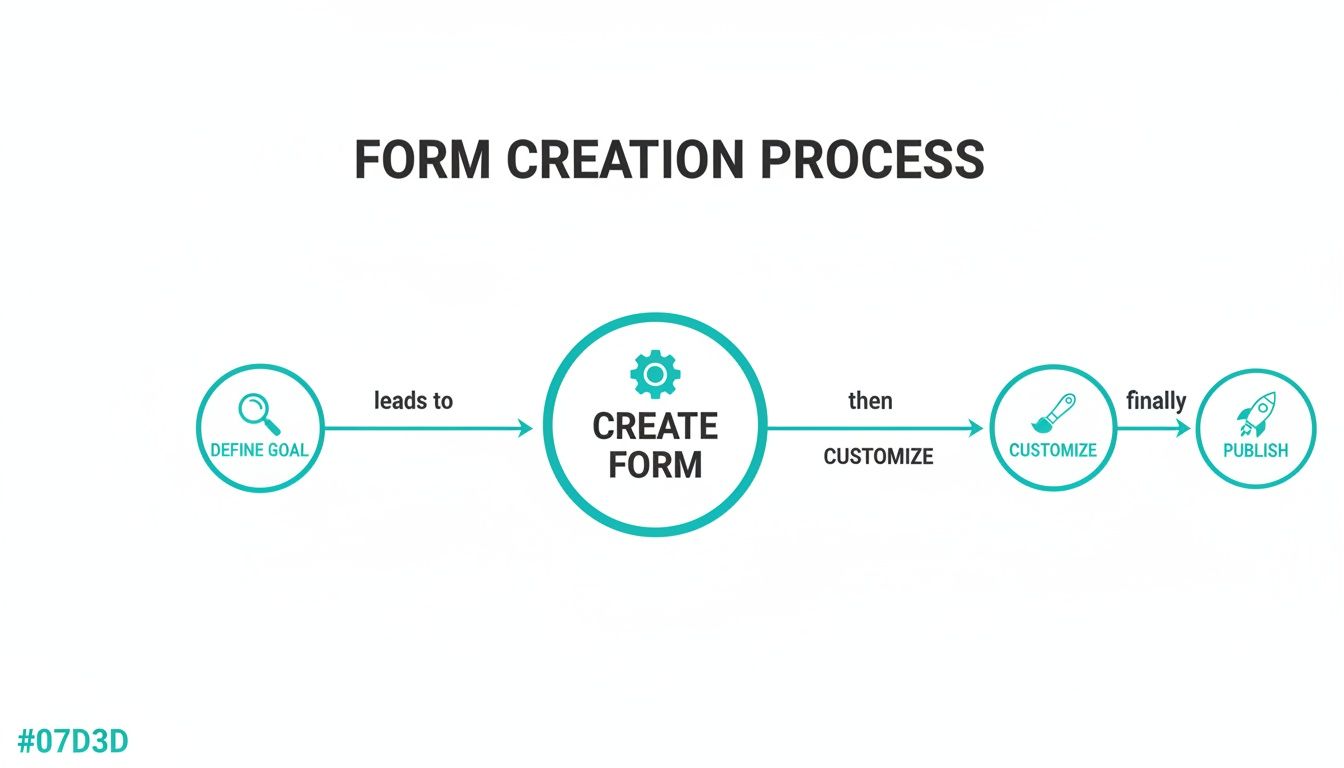
As you can see, the modern workflow is a clean, streamlined path focused on goals, customization, and getting your form live.
This new generation of tools has moved far beyond the basic online HTML form generator. It’s no longer just about spitting out code; it’s about crafting an experience. For a deeper dive into how this technology works, check out our guide on the benefits of an AI form builder.
Ultimately, embracing conversational AI means you’re not just collecting data—you’re building better relationships with your audience, one question at a time.
How Top Industries Use Online Forms

The real magic of an online HTML form generator isn't just that it builds forms—it's how adaptable these tools are. They’re far from a one-trick pony. In fact, they're the unsung heroes behind countless business processes, collecting data for every department you can imagine.
From marketing to HR, online forms have become the digital handshake connecting a company to its audience.
Think about it. Every time you sign up for a newsletter, apply for a job, or leave a product review, you're using a form. They are the true workhorses of the internet, serving wildly different purposes depending on the goal.
This versatility has created a really mature and specialized market. The form builder space is full of great companies, each with its own strengths. You’ll see names like Typeform, Wufoo, Formstack, and Jotform pop up again and again, each catering to different needs. If you're curious about the specifics, you can dig into the different players and their approach to workflow automation in the top form builders for 2026.
Marketing and Sales Lead Generation
For marketing and sales teams, online forms are the engine of growth. Their number one job is turning anonymous website visitors into actual, qualified leads, and a well-designed form is the critical final step in that process.
Here are a few of the most common ways they put forms to work:
- Lead Capture Forms: These are strategically placed on landing pages, offering something valuable—like an ebook or a webinar spot—in exchange for a visitor's contact information.
- Event Registration: Whether it’s for a virtual summit or an in-person workshop, forms make it easy to manage attendees, handle payments, and gather all the necessary details in one go.
- Newsletter Sign-ups: A simple but powerful form is the gateway to building a loyal email list, which is still a cornerstone of modern digital marketing.
Each form is a direct line to a potential customer. Using a good form generator lets marketers quickly build and A/B test different versions to see what gets the best results.
Streamlining Customer Support and Feedback
In customer support, clarity and efficiency are everything. Online forms create a structured way to handle inquiries and gather feedback, stopping important details from getting lost in a messy email inbox. This organized approach helps teams respond faster and more effectively.
By standardizing the information they receive, support teams can immediately understand the issue at hand. A well-built form ensures they get the necessary context—like an order number or product version—right from the start.
This leads to a much smoother, more organized support workflow. Key use cases include:
- Support Ticket Forms: Customers can describe their issue, pick a category, and even upload screenshots. This gives the support agent all the info they need to solve the problem on the first try.
- Customer Feedback Surveys: After a support chat ends or a purchase is made, a quick form can capture valuable feedback on how things went.
- Bug Report Forms: Product teams rely on detailed reports from users to find and fix issues. A structured form makes sure no critical detail is missed.
Human Resources and Product Development
It doesn't stop there. HR and product development teams also lean heavily on forms to manage their day-to-day. For HR, forms are essential for organizing everything from recruitment to employee management. For product teams, they’re the best way to stay connected to what users actually want.
- HR Departments: Job applications are the most obvious example, but HR also uses forms for employee onboarding paperwork, performance reviews, and signing up for internal training.
- Product Teams: To build things people love, you need constant input. These teams use forms for feature requests, beta tester sign-ups, and user research surveys that guide their entire development roadmap.
In every department, the goal is the same: to collect specific, organized data that you can actually do something with.
Why Formbot is Your Smartest Choice in 2026
Let's be honest, traditional form builders fixed the original headache of having to code every form from scratch. They gave us drag-and-drop interfaces, which was a huge leap forward. But in doing so, they often created a new problem: static, impersonal forms that feel more like filling out tax documents than actually connecting with a business. In 2026, just having a form on your site isn't going to cut it anymore.
This is where the next logical step becomes obvious. The old way of doing things, with its rigid structure and tendency to bore users into abandoning the process, just doesn't work well compared to a smarter, more conversational approach. It's time to graduate from the basic online HTML form generator to a tool that actively boosts engagement.
The Formbot Advantage: AI-Powered Simplicity
Formbot is that next step. Its real magic is in how it turns the chore of data collection into a friendly, two-way conversation. Instead of hitting your visitors with a wall of empty boxes, it guides them through the questions one by one, making the whole thing feel less like an interrogation.
One of the coolest features is its ability to create an entire form from just a simple text prompt. You can literally just describe the form you need in plain English, and the AI will build it for you in a few seconds. This completely changes form creation from a tedious manual job into a quick, strategic task.
Formbot isn't just another form-building tool; it’s a platform designed for creating genuinely better user experiences. By making the process feel like a conversation, it shows respect for the user's time and attention, which naturally leads to better data and happier visitors.
Flexibility and Higher Engagement Rates
Because every audience is different, Formbot gives you a choice. You can use a modern, chat-like interface or stick with a more conventional single-page layout. This flexibility means you can tailor the experience to fit your specific goals, which is a huge factor in achieving higher completion rates.
The conversational flow is specifically designed to minimize friction. By asking one question at a time and using smart logic to skip anything that isn't relevant, it keeps users engaged and moving forward. It’s a much more intuitive and effective way to gather information.
Getting started is just as straightforward. Formbot puts this powerful technology within reach for everyone, no matter the budget. You can see all the options and find what works for you by checking out the available Formbot pricing plans—there’s even a free plan to get you started. It’s time to move on to a better way of collecting data.
Frequently Asked Questions
Jumping into the world of online forms can bring up a few questions. Whether you're thinking about using your first online HTML form generator or you're ready to switch to something smarter like Formbot, we've got you covered.
Here are some straightforward answers to the questions we hear most often, designed to help you pick the right tool for your business in 2026.
Can I Use an Online HTML Form Generator with Zero Coding Knowledge?
Yes, absolutely. That’s the whole point! Online form generators are built for people who don't know the first thing about code. They give you a simple, visual, drag-and-drop editor so you can build and style your forms without ever touching a line of HTML or CSS.
Tools like Formbot go even further. You can literally just describe the form you want in plain English, and the AI builds it for you. This completely removes the technical stuff, so you can focus on what really matters: asking the right questions.
How Are AI-Powered Forms Different from Traditional Online Forms?
Think of a traditional form as a static checklist. It just sits there, waiting for someone to fill in the boxes. An AI-powered form, especially a conversational one from Formbot, turns that checklist into a real conversation. It’s a much more natural and engaging way to get information.
The AI understands what people type, knows when to ask follow-up questions, and can even change the conversation based on previous answers. This dynamic approach often leads to way better results.
Is It Secure to Collect Sensitive Information Through an Online Form Builder?
It is, but only if you choose a provider you can trust. Reputable platforms like Formbot put security first. They use things like SSL encryption to keep data safe while it's being submitted and secure methods for storing it afterward.
If you’re collecting really sensitive stuff, like health or financial information, you’ll want to double-check that the service complies with regulations like GDPR or HIPAA, depending on your industry.
How Do I Add a Form Created with a Generator to My Website?
This part is usually dead simple. Once your form is built, the generator will give you a couple of easy ways to get it out into the world:
- A Shareable Link: Perfect for sending directly to people through email, social media, or text.
- An Embed Code: This is just a little snippet of code (usually JavaScript or an iframe) that you copy and paste right into your website’s HTML.
The whole process takes just a few minutes. You can have a form live on your site and collecting responses almost instantly.
Ready to stop using basic forms and start having smarter conversations? With Formbot, you can create powerful, AI-driven forms just by describing what you need. Start building better experiences and see your completion rates climb. Create your free form now.



