
Google Forms is a fantastic free tool for simple surveys and quick data collection. It's reliable, familiar, and integrates seamlessly with Google Sheets. But what happens when 'simple' isn't enough? When you need to increase completion rates, create a branded experience, accept payments, or build complex workflows, its limitations become clear. Low conversion rates, a sterile user experience, and a lack of advanced features can mean lost leads, incomplete feedback, and wasted time.
This is why businesses are actively seeking powerful Google Form alternatives. The modern form builder has evolved beyond a mere data-entry tool; it's a strategic asset for marketing, sales, HR, and customer support. In this comprehensive guide, we'll dive deep into the 12 best alternatives for 2026, comparing them on features, ideal use cases, and pricing to help you find the perfect fit for your specific needs.
Whether you're a marketing team trying to boost lead capture, an HR professional streamlining applications, or a product manager gathering user feedback, the standard one-size-fits-all approach no longer works. The right tool can transform a simple form into a high-performing, interactive experience. For instance, platforms like Formbot are redefining data collection with conversational, chat-based forms that significantly improve engagement and completion rates.
This resource is designed to be your definitive guide. We will analyze each of the top Google Form alternatives, from major players like Typeform and Jotform to specialized solutions. For every platform, you'll find a detailed breakdown, including screenshots, direct links, key feature comparisons, honest pros and cons, and specific scenarios where each tool excels. Our goal is to cut through the noise and give you the clarity needed to select a form builder that not only collects data but also drives business results.
1. Formbot
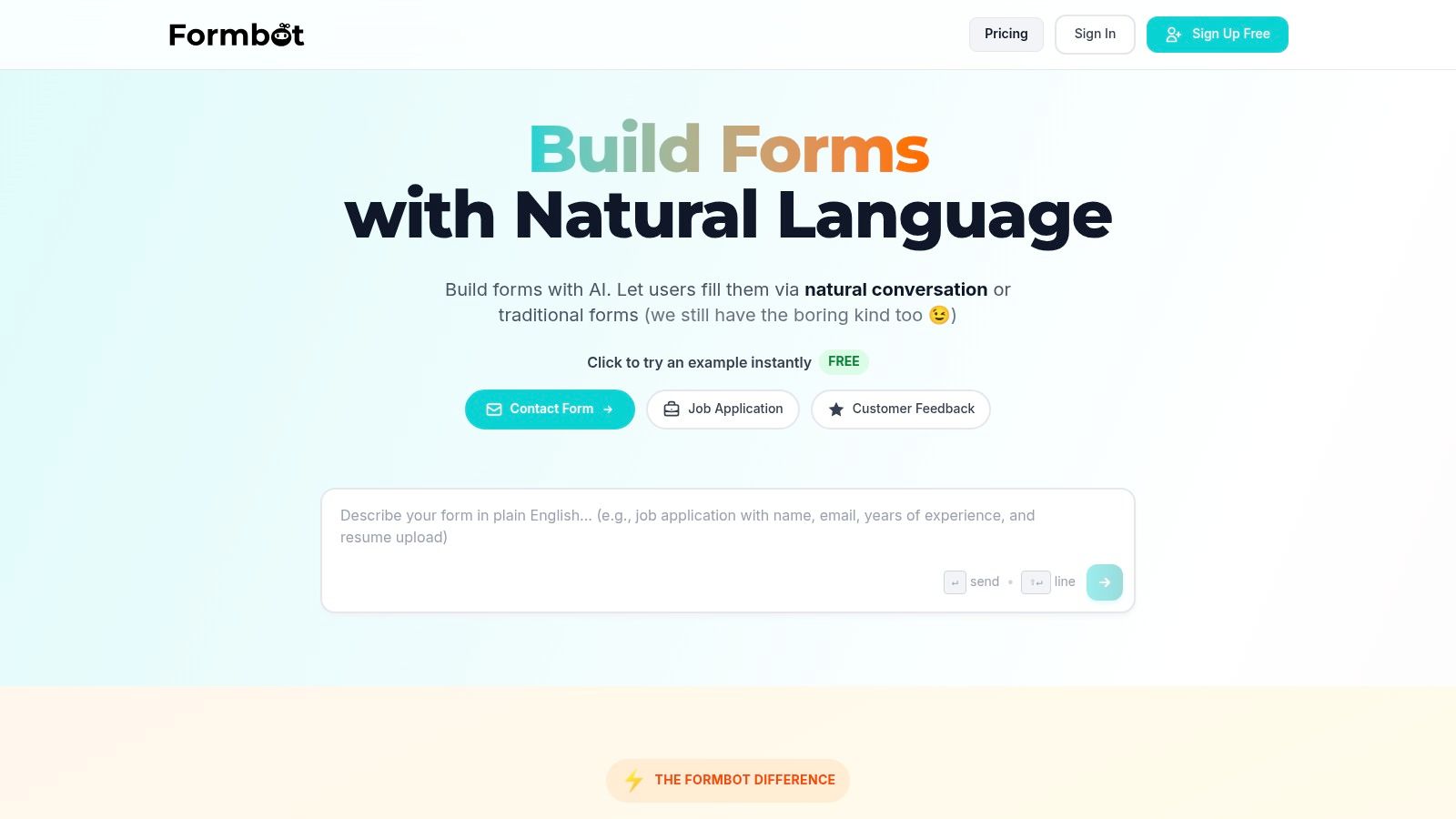
Formbot stands out as a powerful, AI-driven Google Forms alternative engineered for performance. Its core innovation lies in its ability to generate complete, ready-to-use forms from a simple plain-English description. This no-code approach allows teams to create and deploy sophisticated data collection tools in seconds, drastically cutting down development time and removing technical barriers.
The platform moves beyond the static, one-size-fits-all layout of traditional forms. Instead, it offers a dynamic, conversational experience that guides users through questions one at a time, similar to a chat or text message exchange. This method is particularly effective on mobile devices and is designed to feel more human and less transactional. The result is a significant boost in user engagement.
Key Differentiators and Use Cases
Formbot's AI is more than just a generator; it intelligently parses requests to identify required fields and extracts details from user input to avoid asking redundant questions. This creates a smoother, more efficient user journey.
- Marketing & Lead Generation: Deploy conversational forms in landing pages and ad campaigns to capture high-intent leads with minimal friction. The engaging UI helps reduce drop-off rates for MQLs.
- HR & Recruiting: Streamline the application process with guided forms that make it easy for candidates to submit information from any device.
- Customer Feedback & CX: Collect NPS scores, support requests, and product feedback through an interface that feels less like a survey and more like a helpful conversation.
- User Onboarding: Break down complex onboarding questionnaires into simple, manageable steps to improve new user activation and data completeness.
The platform includes over 100 pre-built templates, granular field customization, and real-time analytics for monitoring performance. For teams looking to optimize their data collection strategies, Formbot offers comprehensive guidance on form design best practices to maximize conversions.
Pricing and Availability (2026)
Formbot operates on a freemium model, making it accessible for individuals and small projects. The Free plan includes 100 submissions per month. Paid tiers scale with business needs:
- Starter: $49/month for 1,000 monthly submissions and advanced features.
- Pro: $99/month for 5,000 monthly submissions and priority support.
- Business: Custom pricing for high-volume usage and enterprise-grade security.
Pros and Cons
| Pros | Cons |
|---|---|
| AI-Powered Form Generation: Build functional forms in seconds using natural language. | Integration Limitations: Advanced or niche integrations may require manual setup or are not yet supported. |
| Higher Engagement: Conversational UI is designed to boost completion rates. | AI Refinement: Complex or highly specific forms generated by AI may still need some manual adjustments. |
| Mobile-First Design: Excels on mobile devices where traditional forms often fail. | |
| All-in-One Platform: Includes hosting, analytics, and robust security features out of the box. |
Website: https://tryformbot.com
2. Typeform
Typeform pioneered the one-question-at-a-time, conversational approach that makes filling out forms feel more like a friendly chat than a chore. This focus on respondent experience is its greatest strength, often leading to significantly higher completion rates compared to traditional, static forms. It’s an ideal Google Form alternative for marketing, product, and customer-experience teams that prioritize a polished, on-brand data collection process.
Key Features & Use Cases
Typeform’s platform is built around creating engaging interactions. Its Logic Jumps allow you to create dynamic forms that adapt based on user answers, showing only relevant questions. This is perfect for complex customer feedback surveys, lead qualification funnels, or even interactive job applications. With over 300 integrations, including HubSpot, Slack, and Google Sheets, it slots easily into existing workflows. Higher-tier plans unlock powerful analytics that show where users drop off, providing actionable insights to optimize conversion.
- Ideal for: Marketing lead capture, NPS surveys, user onboarding, and event registrations.
- Not Ideal for: Users needing unlimited responses on a free plan or those requiring complex, internal data-crunching tools.
Pricing and Limitations
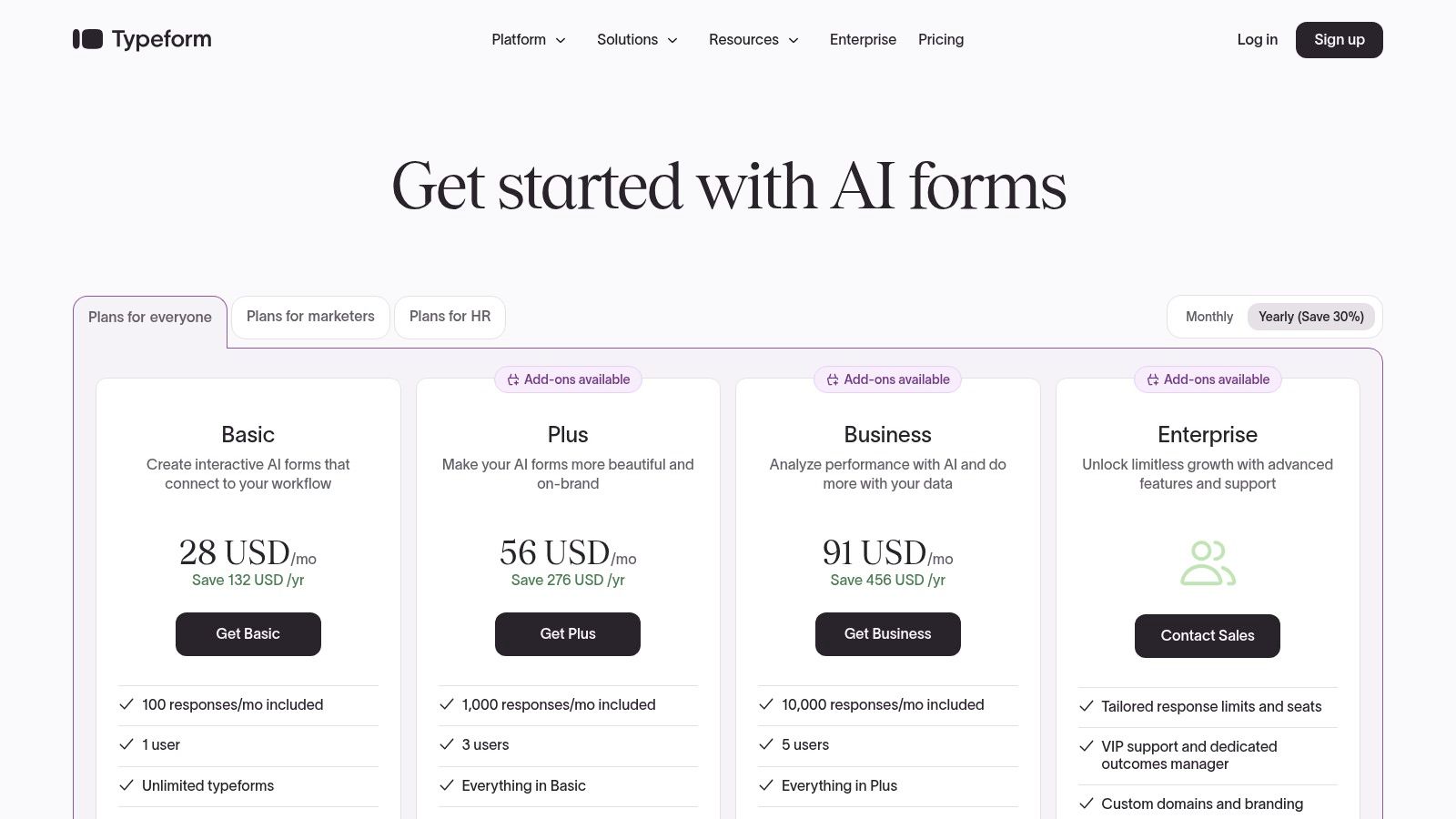
Typeform offers a free plan, but it's limited to 10 responses per month and includes Typeform branding. Paid plans start at the Basic tier and scale up to Business and custom enterprise solutions, with costs increasing based on the number of monthly responses and access to advanced features like brand removal, custom subdomains, and conversion tracking. A key consideration is the monthly response limit; exceeding it requires upgrading to a higher, more expensive tier, so it’s important to forecast your needs accurately.
Website: https://www.typeform.com/
3. Jotform
Jotform positions itself as an all-in-one data collection platform, moving far beyond simple forms. It’s a powerful Google Form alternative for businesses that need to integrate complex workflows like payment processing, e-signatures, and approval automation directly into their forms. Its no-code interface and vast library of widgets and integrations make it incredibly versatile for small businesses and enterprise teams alike who require deep customization without writing a single line of code.
Key Features & Use Cases
Jotform’s standout feature is its immense flexibility. With over 100 integrations, including major payment gateways like PayPal and Stripe, CRMs, and cloud storage, it acts as a central hub for business processes. Features like Jotform Sign allow for legally binding e-signatures on contracts and agreements, while its approval flows automate internal review processes for applications or requests. This makes it perfect for creating order forms, patient intake forms (with HIPAA compliance options), or complex event registration systems.
- Ideal for: E-commerce, healthcare data collection, internal business approvals, and service bookings.
- Not Ideal for: Users who only need basic, simple survey functionality without advanced widgets or workflow automation.
Pricing and Limitations
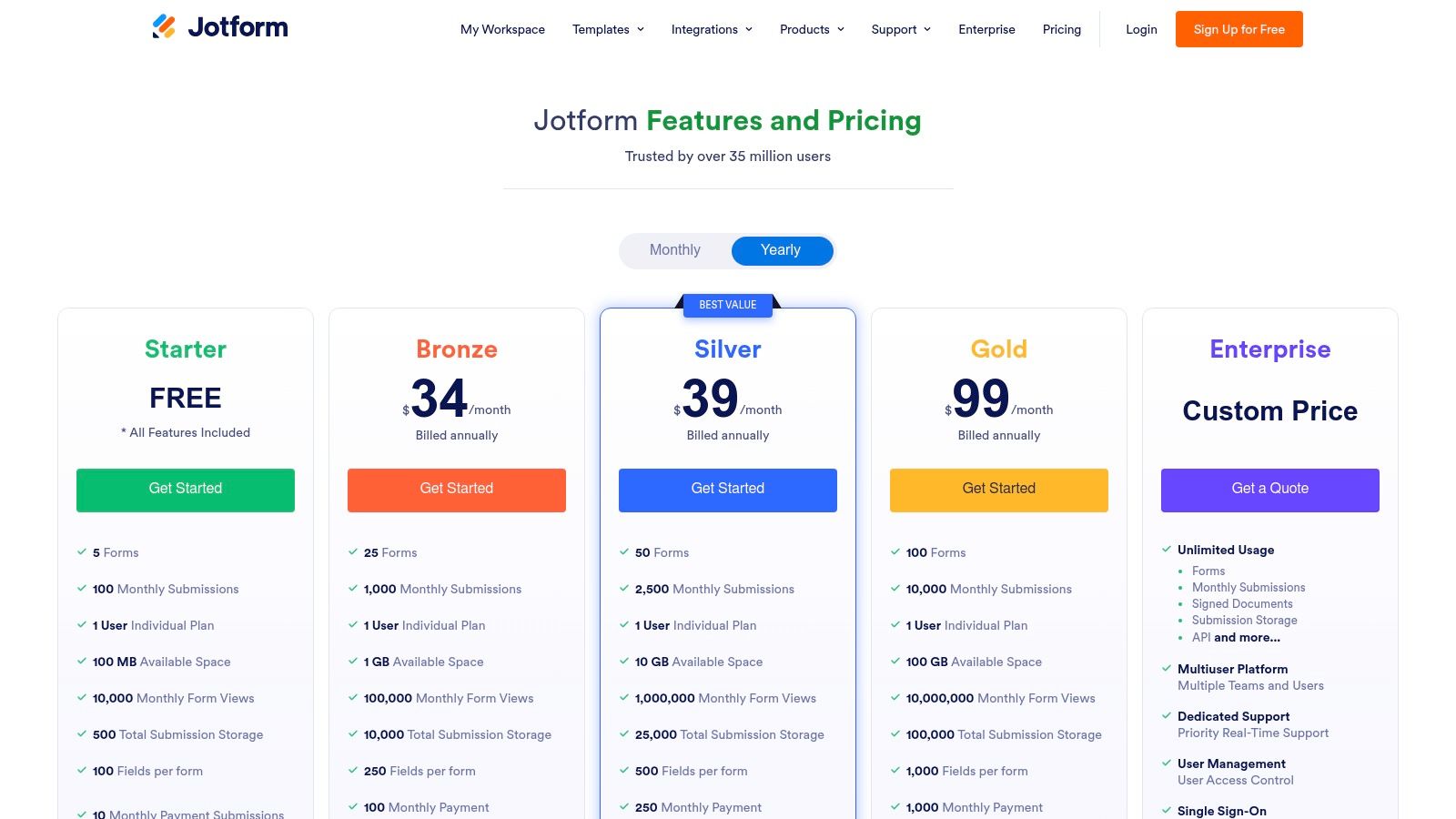
Jotform offers a generous free "Starter" plan that includes most features but is limited to 5 forms and 100 monthly submissions. The branding on this tier is prominent. Paid plans scale from Bronze to Gold and Enterprise, increasing submission, payment, and signature limits while removing branding. A significant advantage is the availability of 50% discounts for educational and nonprofit organizations. However, it's important to note that pricing and feature limits can vary by region.
Website: https://www.jotform.com/pricing/
4. SurveyMonkey
SurveyMonkey is one of the most established names in the survey space, making it a go-to Google Form alternative for organizations that need robust data collection and in-depth analysis. Its platform is less about conversational flair and more about powerful, traditional survey deployment, making it a staple for academic research, market studies, and comprehensive customer feedback programs like NPS and CSAT. For businesses that need enterprise-grade governance and deep reporting, SurveyMonkey offers a mature and feature-rich environment.
Key Features & Use Cases
SurveyMonkey’s strength lies in its advanced logic and distribution capabilities. Features like question piping and advanced branching logic allow for highly customized survey paths. Its suite of collectors enables you to distribute surveys via web link, email, social media, and more, while tracking responses from each source. The platform also includes powerful analysis tools to filter, compare, and export data, providing clear insights without needing a separate statistics program. For a deeper look at how it measures up, this survey software comparison provides additional context.
- Ideal for: Market research, employee engagement surveys, academic studies, and enterprise-level customer satisfaction programs.
- Not Ideal for: Users needing high response volumes on a budget or those looking for a modern, chat-like user experience.
Pricing and Limitations
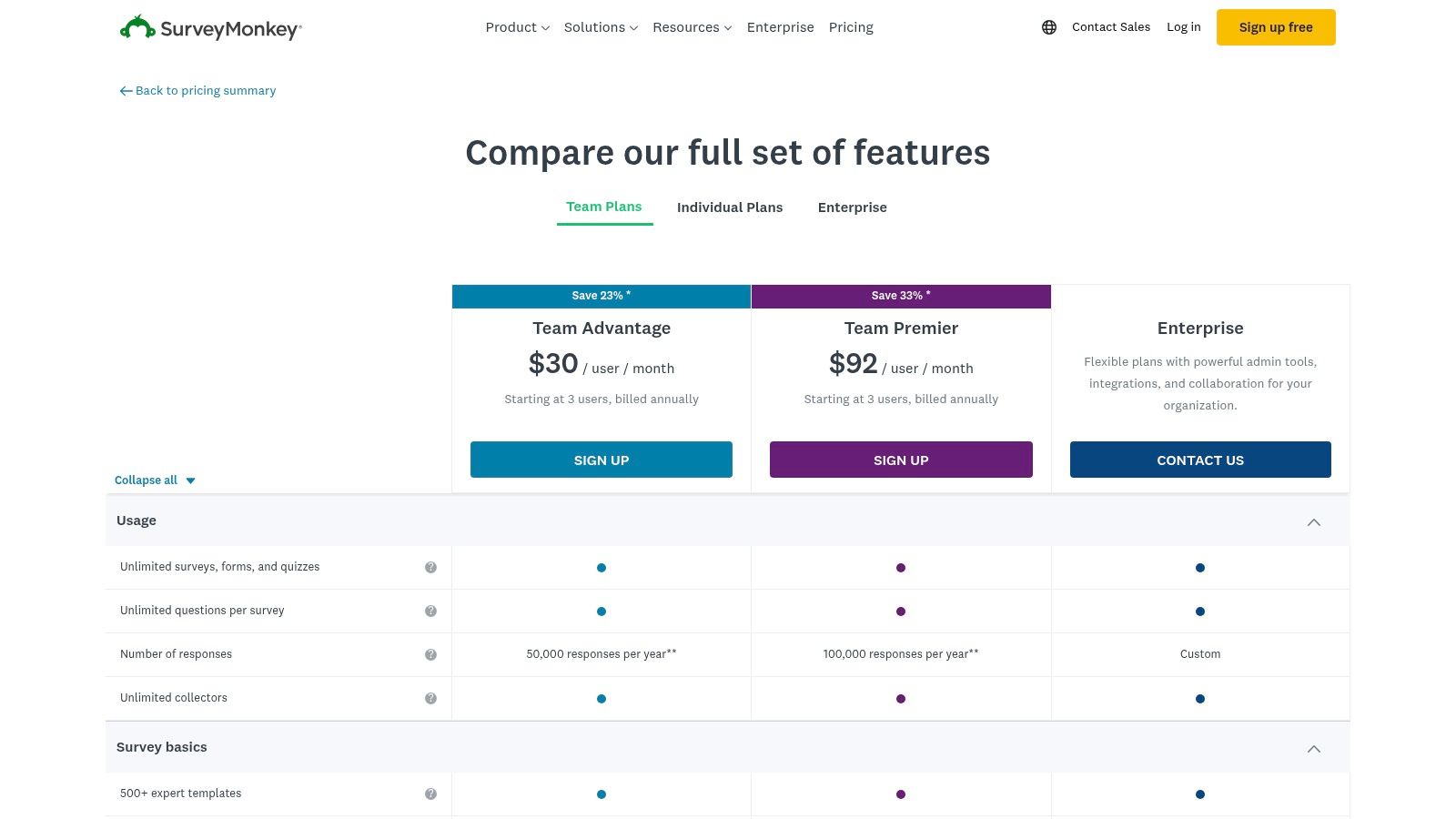
SurveyMonkey offers individual and team plans. While a basic free plan exists, it is highly restrictive. Paid plans, like the Standard and Advantage tiers, unlock more features and increase the number of responses you can collect per year, though overage fees can apply. The most powerful features, such as advanced data analysis and white-labeling, are reserved for Premier and Enterprise plans. A key limitation is the response-based pricing model, which can become costly for high-volume surveys compared to competitors with unlimited response plans.
Website: https://www.surveymonkey.com/pricing/details/?utm_source=openai
5. Microsoft Forms (via Microsoft 365)
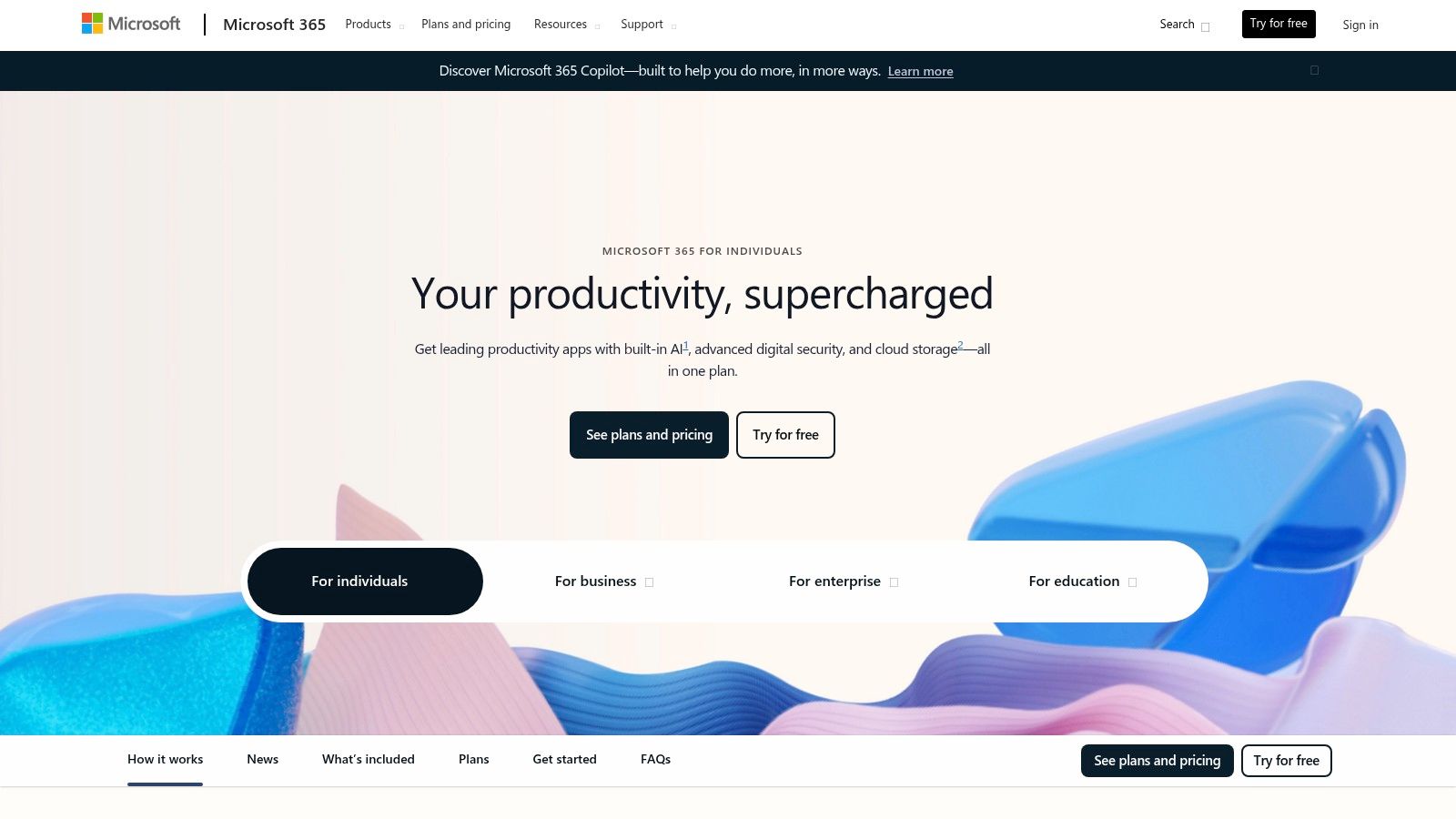
For organizations already integrated into the Microsoft ecosystem, Microsoft Forms is a practical and cost-effective Google Form alternative. It’s a straightforward tool bundled with most Microsoft 365 subscriptions, designed for creating simple surveys, quizzes, and polls. Its key advantage is the seamless integration with other Microsoft apps like Excel, Teams, and SharePoint, making it an efficient choice for internal data collection, employee feedback, and quick educational assessments within a corporate or academic setting.
Key Features & Use Cases
Microsoft Forms excels at internal workflows. One of its standout features is the ability to automatically sync responses to an Excel spreadsheet in real-time, providing a live, organized dataset for analysis. It supports basic branching logic to guide respondents down different question paths and offers specific quiz functionality with automatic grading. Integration with Azure Active Directory allows for easy sharing and response collection restricted to users within your organization, ensuring data security.
- Ideal for: Internal employee surveys, IT support requests, team polls, and simple classroom quizzes.
- Not Ideal for: Marketers needing advanced customization, high-end design flexibility, or sophisticated conversion tracking features.
Pricing and Limitations
Microsoft Forms is not sold as a standalone product; access is included with most Microsoft 365 Business and Education plans. If your organization already subscribes, using it is essentially free. This is its primary value proposition. However, its limitations are notable when compared to dedicated form builders. Customization options are basic, lacking the design polish of competitors, and its feature set is not built for external, public-facing campaigns where brand experience and conversion optimization are critical.
Website: https://www.microsoft.com/en-us/microsoft-365
6. Formstack
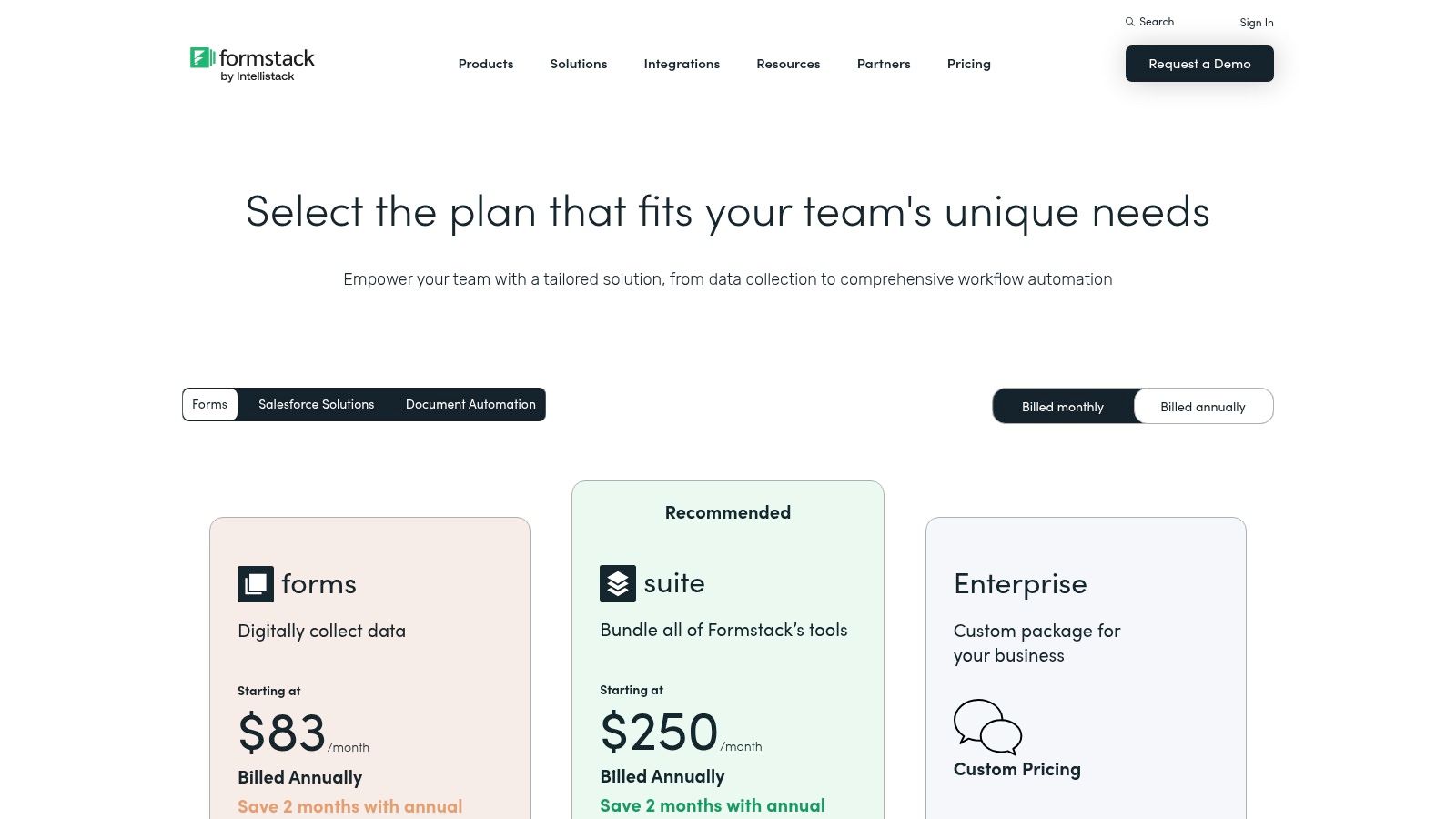
Formstack moves beyond simple data collection into a comprehensive workflow automation platform. It’s designed for organizations that need to manage complex processes from end-to-end, such as approvals, data routing, and document generation. This makes it a powerful Google Form alternative for operations, HR, and teams in regulated industries that require robust, secure, and compliant solutions for their entire data lifecycle.
Key Features & Use Cases
Formstack's strength lies in its Suite bundles, which combine Forms, Documents, and Sign into one seamless platform. This allows you to automatically populate contracts or agreements with form data and then route them for e-signature. Its drag-and-drop interface simplifies form building, while advanced features like SSO, user permissions, and HIPAA compliance options on higher tiers cater to enterprise-level security needs. The platform also offers a Salesforce-native version for deep integration.
- Ideal for: Multi-step internal approvals, patient intake forms, client onboarding, and generating contracts.
- Not Ideal for: Small businesses or individuals needing a simple, low-cost form builder without workflow automation.
Pricing and Limitations
Formstack’s pricing reflects its enterprise focus, starting with a Forms plan and scaling up to the full Suite. Plans are generally priced higher than many entry-level tools, and lower tiers often include caps on the number of forms you can create. The true value is unlocked in the bundled plans, which provide a complete workflow solution but come at a significant cost. While a powerful platform for automation, it can be overkill if all you need is a basic lead capture form.
Website: https://www.formstack.com/pricing?utm_source=openai
7. Paperform
Paperform positions itself as more than just a form builder; it’s a versatile digital swiss army knife for small businesses. It combines the functionality of forms, landing pages, and payment gateways into a single, intuitive platform. This makes it an exceptional Google Form alternative for entrepreneurs, event organizers, and consultants who need to create beautiful, branded pages that not only collect information but also process payments, schedule appointments, and manage product orders.
Key Features & Use Cases
Paperform’s strength lies in its free-text, doc-style editor, which allows for rich content blocks like images and videos alongside question fields. This design control is perfect for creating everything from simple contact forms to entire product pages. It integrates directly with payment processors like Stripe, Square, and PayPal, supporting subscriptions and coupons, making it a powerful tool for e-commerce. Built-in scheduling and booking features further extend its utility, replacing the need for separate calendar tools.
- Ideal for: Product sales, event registration, client onboarding, and appointment booking.
- Not Ideal for: Teams needing advanced analytics or complex conditional logic without upgrading to higher-tier plans.
Pricing and Limitations
Paperform offers a 14-day free trial to test its features. Paid plans begin with the Essentials tier, providing a solid starting point for most users, and scale up to Pro and Agency plans for more advanced needs. A key difference from competitors is its use of clear annual submission limits, which can be expanded with optional add-on packs rather than forcing a full plan upgrade. However, the most powerful logic, analytics, and API access are reserved for the higher-priced tiers, and the entry-level plan includes Paperform branding.
Website: https://paperform.co/pricing/?utm_source=openai
8. Tally
Tally has quickly become a favorite among startups, creators, and small businesses for its incredibly generous free offering and minimalist design. It functions much like a Notion document, allowing you to simply type and insert blocks to build your form, making it one of the fastest and most intuitive builders available. This simplicity, combined with a powerful free tier, makes Tally an outstanding Google Form alternative for anyone who needs robust functionality without an immediate budget commitment.
Key Features & Use Cases
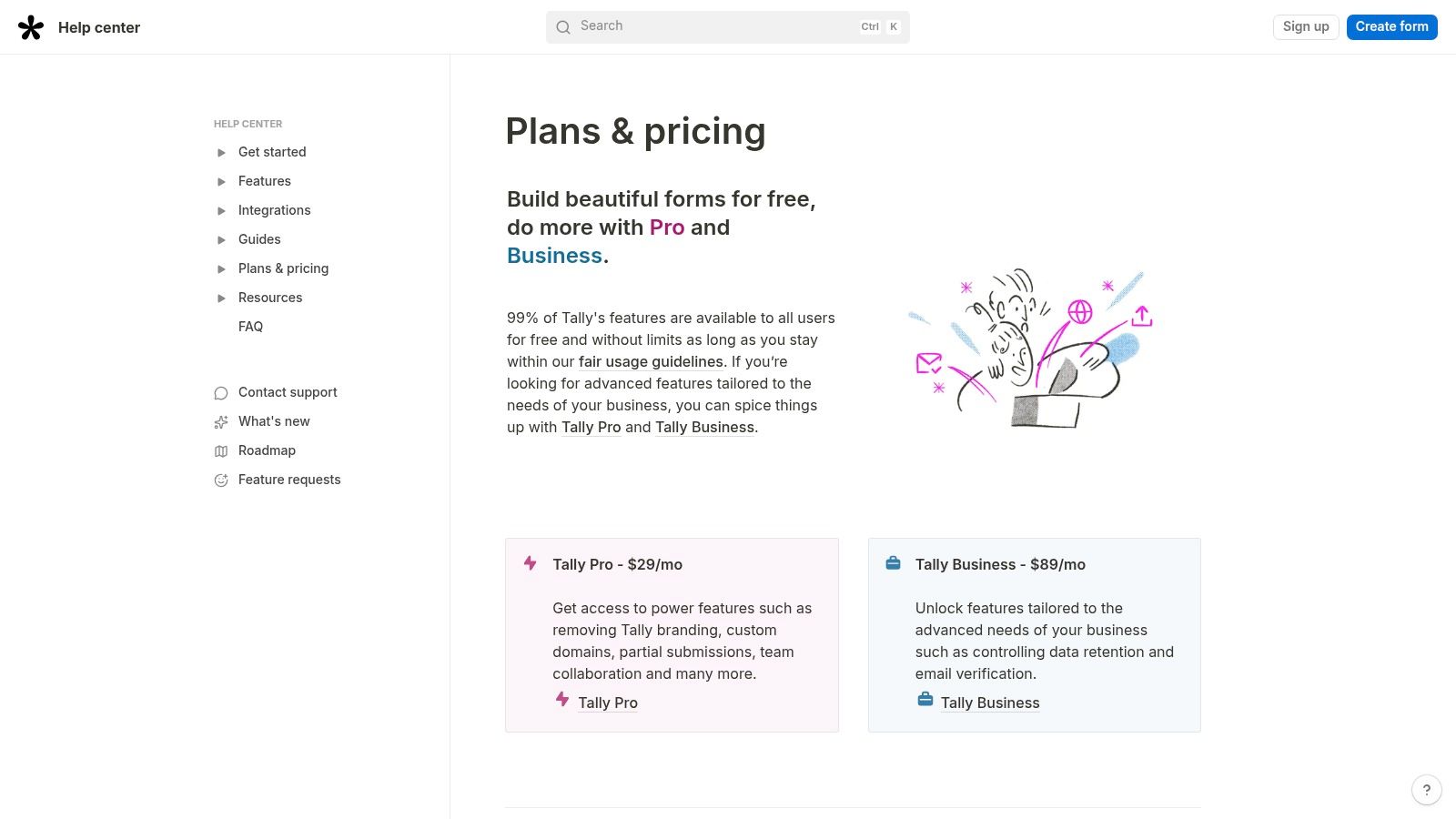
Tally’s free plan is its main differentiator, offering unlimited forms and submissions under a fair-use policy, which covers most standard use cases. This makes it perfect for collecting applications, building simple contact forms, or running community surveys without worrying about hitting a response cap. Its paid tier, Tally Pro, unlocks advanced features like custom domains, brand removal, analytics pixels for tracking, and team collaboration workspaces. The platform supports a wide range of input types, conditional logic, and calculations directly within the form.
- Ideal for: Startups, solo entrepreneurs, and non-profits needing a powerful, no-cost form solution; quick feedback forms and internal surveys.
- Not Ideal for: Large enterprises requiring advanced security features like SSO or those with extremely high submission volumes that might exceed the fair-use policy.
Pricing and Limitations
Tally’s pricing model is refreshingly simple. The Free plan includes nearly all features, including logic and integrations, with Tally branding. The Tally Pro plan is a flat monthly fee per workspace owner that removes branding, enables custom domains, and adds advanced collaboration tools. While the free tier is extremely generous, very high-traffic forms may be subject to the fair-use policy, potentially requiring an upgrade. For enterprise-level needs like dedicated support and advanced governance, a custom plan is available.
Website: https://tally.so/help/plans-and-pricing?utm_source=openai
9. Fillout
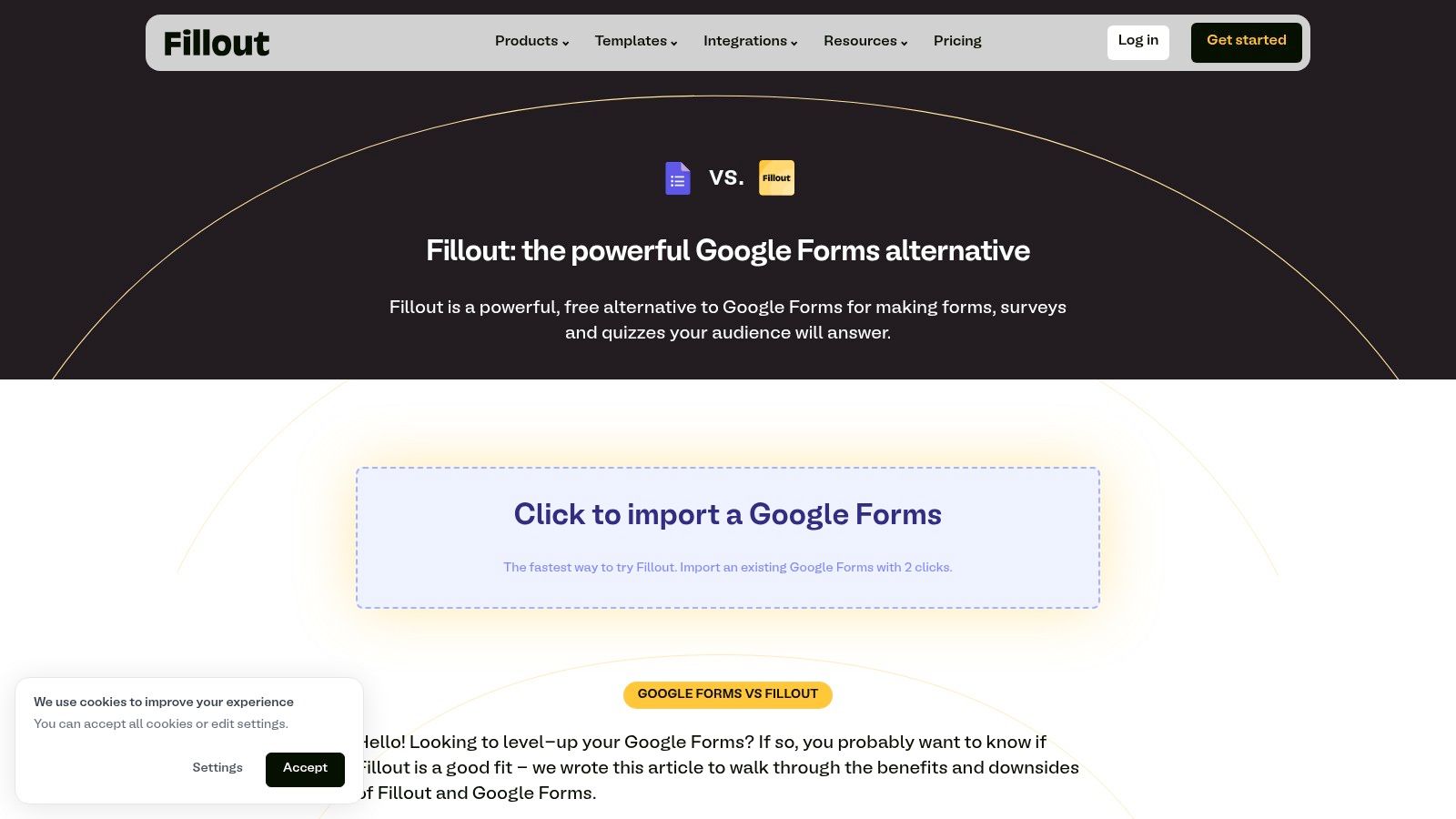
Fillout is a powerful, modern form builder designed for speed and deep integration with popular no-code tools like Airtable, Notion, and Google Sheets. It stands out by offering a highly generous free plan and unlimited team seats on all its plans, making it an excellent Google Form alternative for collaborative teams. The platform focuses on a fast, intuitive building experience, enabling users to create sophisticated forms that feel native to their existing workflows.
Key Features & Use Cases
Fillout excels with its seamless integrations, allowing you to pull data from and write data to tools like Airtable or Notion in real time. A key differentiator is its built-in Stripe payments feature, which lets you accept one-time or subscription payments with no added platform fees. This makes it perfect for simple e-commerce, event registrations, or donation forms. The ability to save partial submissions and use custom domains further enhances its professional appeal for businesses.
- Ideal for: Teams deeply embedded in the Airtable/Notion ecosystem, payment collection forms, and collaborative projects.
- Not Ideal for: Enterprise users needing advanced governance features, which may be limited to higher-tier plans.
Pricing and Limitations
Fillout offers a very generous free plan with up to 1,000 responses per month, making it one of the most accessible options available. Paid plans, like the Pro tier, add features such as custom domains, conditional logic, and more integrations. A major advantage is that all plans, including the free one, come with unlimited team seats, promoting collaboration without a per-user cost. While it's a newer player and its feature set is still expanding, its rapid development and modern user experience present a compelling case.
Website: https://www.fillout.com/vs/google-forms?utm_source=openai
10. Cognito Forms
Cognito Forms stands out as a powerful and value-oriented Google Form alternative, focusing on providing generous features even at lower price points. It’s an excellent choice for users who need advanced functionality like conditional logic, payment processing, and workflow automation without immediately jumping to expensive enterprise plans. The platform is particularly well-suited for businesses and nonprofits that require a scalable solution for high-volume data collection, from simple contact forms to complex multi-page applications.
Key Features & Use Cases
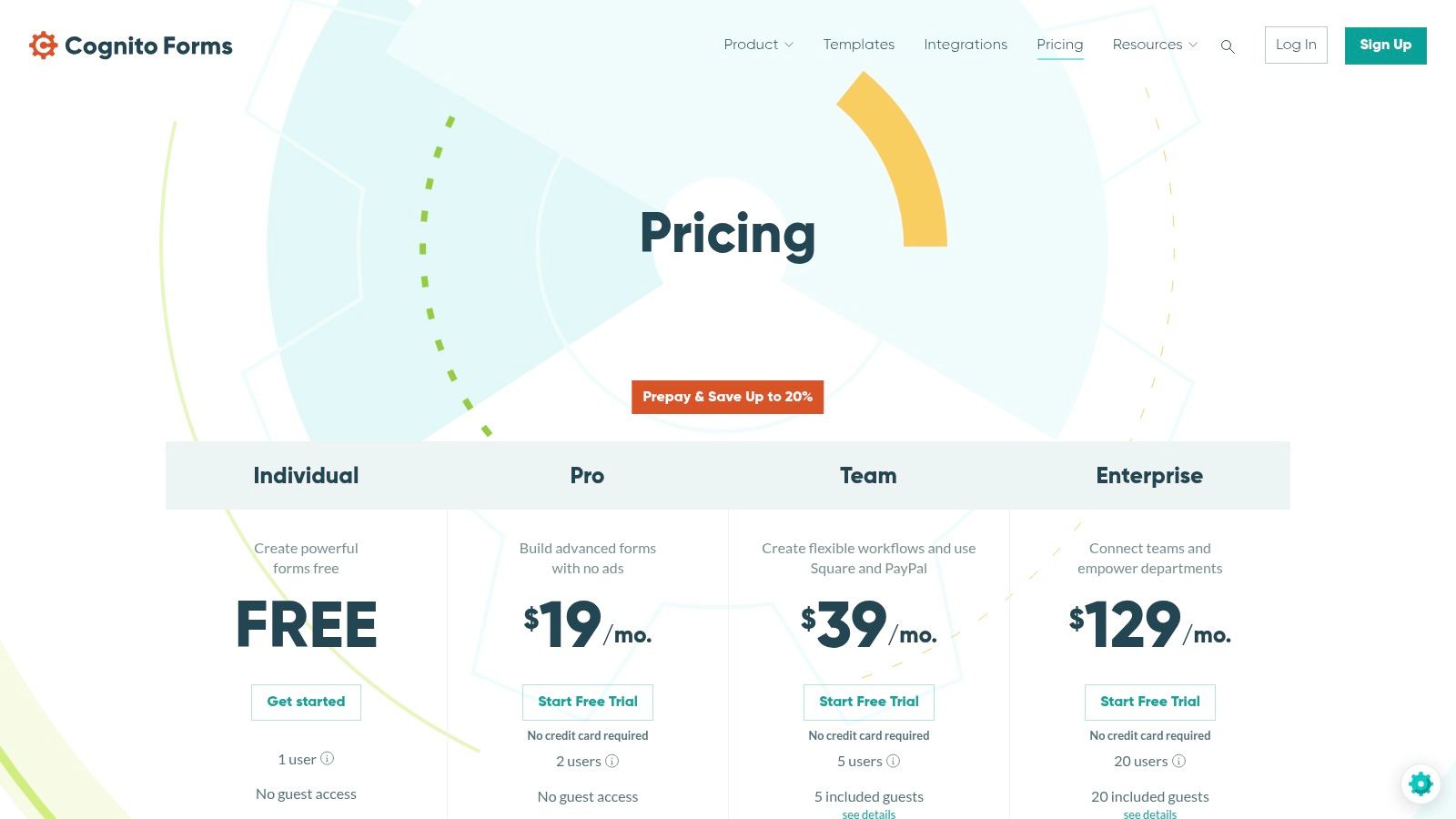
A key differentiator for Cognito Forms is its inclusion of unlimited forms across all plans, including the free tier. Features like payment collection, file uploads, and conditional logic are standard, making it a robust tool from the start. Its workflow capabilities allow you to build approval processes and collaborative data management systems, while guest access lets external users participate securely. This makes it ideal for internal business processes, complex registration systems, and client data intake.
- Ideal for: Detailed application forms, order forms with payments, internal approval workflows, and client onboarding.
- Not Ideal for: Users who prioritize a highly stylized, conversational form experience over raw functionality and data management.
Pricing and Limitations
Cognito Forms offers a free plan with 100 entries per month, which is quite generous. Paid plans are structured in Pro, Team, and Enterprise tiers, primarily distinguished by the number of monthly entries and storage space. The pricing model is transparent and cost-effective, with the Enterprise tier even supporting unlimited entries. While most features are included early on, be aware that additional guest user access beyond what's included in your plan is billed separately, which could be a factor for highly collaborative teams.
Website: https://www.cognitoforms.com/pricing?utm_source=openai
11. Zoho Forms
For businesses already invested in the Zoho ecosystem, Zoho Forms is the most logical and powerful Google Form alternative. It integrates seamlessly with other Zoho apps like CRM, Desk, and Campaigns, creating a unified data collection and management system. Its strength lies in turning form submissions into actionable business processes, all within a familiar environment, making it a competitive, feature-rich option for teams looking for deep integration and workflow automation.
Key Features & Use Cases
Zoho Forms stands out with unique AI-assisted tools that can generate a form from a description or convert an existing PDF or image into a functional web form. The platform supports complex approval workflows, multi-page forms for detailed data gathering, and card-style layouts for a more modern feel. Its native integrations across the Zoho One stack are its biggest draw, allowing you to automatically create CRM leads, update support tickets, or trigger email campaigns from a single submission.
- Ideal for: Companies using the Zoho suite, internal approval processes, and complex data collection tied to business operations.
- Not Ideal for: Users seeking a very simple, standalone form builder or those who need advanced governance features on lower-tier plans.
Pricing and Limitations
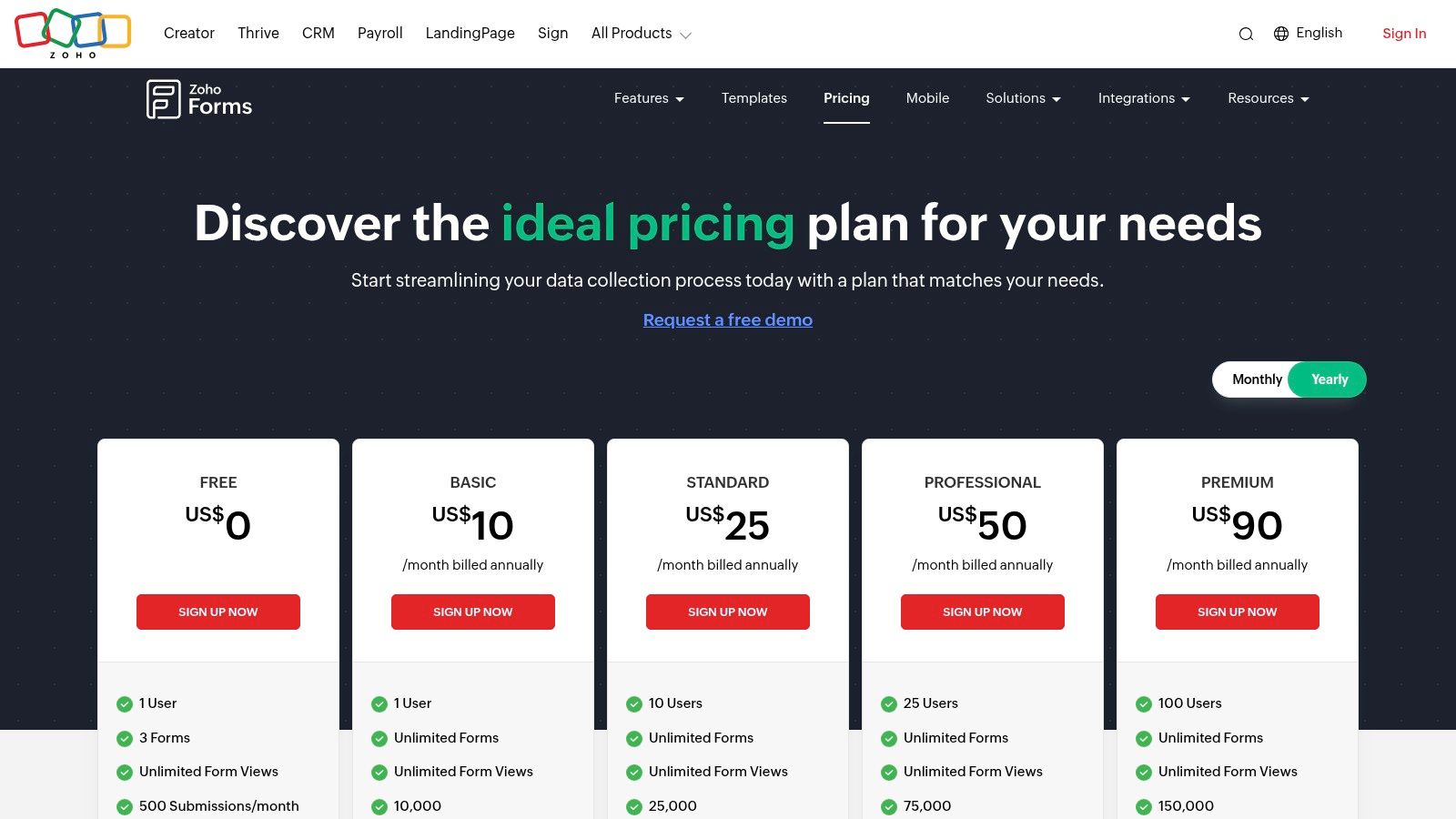
Zoho Forms offers a free plan with basic features. Paid plans scale from Basic to Premium and Ultimate, offering more forms, submissions, and storage at each level. A key benefit is the ability to purchase add-ons for extra submissions, users, or storage without needing to jump to a much higher tier. However, the interface can present a learning curve compared to simpler tools, and advanced user management features are reserved for the more expensive plans.
Website: https://www.zoho.com/forms/pricing.html?utm_source=openai
12. Formsite
Formsite is a veteran in the form-building space, offering a robust and secure platform that excels in handling complex data collection, payments, and automated workflows. It stands out as a highly reliable Google Form alternative for businesses and organizations that require stringent security, powerful integrations, and predictable scaling. Its strength lies in features designed for professional use, such as generating PDF copies of submissions and managing user permissions.
Key Features & Use Cases
Formsite is packed with features for data-heavy processes. Its "Save & Return" functionality allows respondents to complete long forms in multiple sessions, which is crucial for detailed applications or registrations. The platform supports secure payment collection through Stripe, PayPal, and Authorize.net, making it ideal for order forms or event ticketing. A key differentiator is the Results Docs add-on, which can automatically generate Word or PDF documents from submissions and even schedule exports to integrated services like Dropbox, OneDrive, and Google Drive.
- Ideal for: Order forms, secure data collection, academic registrations, and internal business workflows.
- Not Ideal for: Users who want a modern, conversational interface or a generous free plan.
Pricing and Limitations
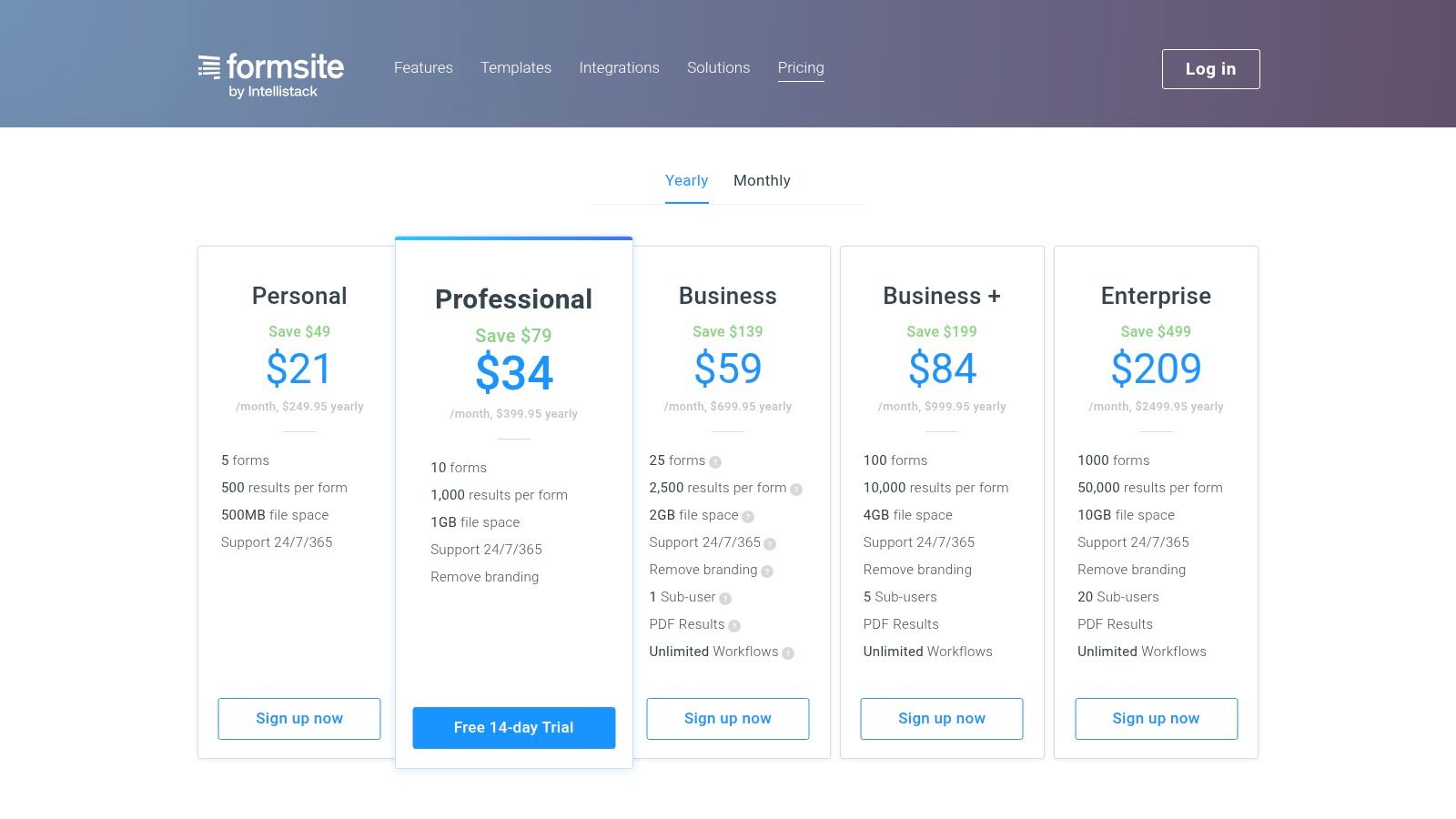
Formsite provides a very limited free plan that allows for 5 forms and only 10 results per form. To access its core strengths, a paid plan is necessary. Tiers like Pro 1, Pro 2, and higher are structured around clear per-form result limits, making it easy to predict costs as your usage scales. While paid plans include 24/7 support, features like branding removal and increased storage for file uploads are reserved for the more expensive tiers. The interface feels more functional than visually polished compared to newer competitors.
Website: https://www.formsite.com/pricing/?utm_source=openai
12 Google Form Alternatives — Feature Comparison
| Product | Core & Unique Features ✨ | UX & Performance ★ | Target Audience 👥 | Value & Pricing 💰 |
|---|---|---|---|---|
| Formbot 🏆 | AI form generation from plain English; chat + guided + classic UIs; 100+ templates; real‑time analytics ✨ | ★★★★★ — High completion rates (mobile optimized) | 👥 Marketing/Growth, Product/UX, HR, CX, SMBs/Startups | 💰 Freemium → scale with paid tiers; secure (encryption & auth) |
| Typeform | Conversational one‑question flows; themes; 300+ integrations ✨ | ★★★★☆ — polished, on‑brand experiences | 👥 Marketing, Product, CX teams | 💰 Tiered plans; response limits & advanced features on paid tiers |
| Jotform | Extensive widgets, payments, e‑sign, approval flows ✨ | ★★★★ — feature‑rich, flexible forms | 👥 SMB → Enterprise needing signatures/workflows | 💰 Variable plans; HIPAA options; strong enterprise add‑ons |
| SurveyMonkey | Advanced logic, collectors, reporting; team libraries ✨ | ★★★★ — research‑grade analysis & governance | 👥 Research teams, NPS/CSAT programs, enterprises | 💰 Tiered pricing with response caps; heavy analytics on higher tiers |
| Microsoft Forms | MS365 integration, Excel exports, quizzes & branching ✨ | ★★★ — simple, familiar within MS stack | 👥 Organizations on Microsoft 365 (work/school) | 💰 Included with MS365 subscription (cost‑effective if already licensed) |
| Formstack | Drag‑drop forms + approvals, e‑sign, documents ✨ | ★★★★ — workflow & compliance focused | 👥 Ops, HR, regulated teams, enterprises | 💰 Pricier enterprise focus; usage caps on lower tiers |
| Paperform | Page‑style, rich content blocks; built-in payments & bookings ✨ | ★★★★ — branded, landing‑style forms | 👥 SMBs, events, bookings, commerce flows | 💰 Clear annual limits; add‑on packs for scale |
| Tally | Unlimited forms/submissions (fair use); simple UI ✨ | ★★★ — fast to publish; modern UI | 👥 Startups, side projects, single creators | 💰 Extremely generous free tier; paid for branding/governance |
| Fillout | Fast forms + Airtable/Sheets/Notion integrations; Stripe ✨ | ★★★★ — modern, high performance | 👥 Teams needing tight workspace integrations | 💰 Generous free tier; flat seat model on paid plans |
| Cognito Forms | Unlimited forms; workflows, payments, tiered entry limits ✨ | ★★★★ — value‑oriented & scalable | 👥 Cost‑sensitive teams, nonprofits, SMBs | 💰 Clear, affordable tiers; nonprofit discounts |
| Zoho Forms | AI form creation; PDF/image→form; deep Zoho integrations ✨ | ★★★★ — feature‑rich within Zoho ecosystem | 👥 Zoho customers; small/medium teams | 💰 Competitive price‑to‑feature; add‑ons for scale |
| Formsite | Secure forms, payments, scheduled exports & PDFs ✨ | ★★★ — reliable, predictable limits | 👥 SMBs needing PDF output, scheduled reports | 💰 Predictable per‑form result limits; limited free tier |
Making the Right Choice for Your Team
Navigating the landscape of Google Form alternatives can feel overwhelming, but the journey ends with a powerful realization: the right tool can fundamentally transform how you engage with your audience. We've explored a dozen powerful platforms, moving far beyond the simple, functional-but-limited scope of Google Forms. The key takeaway is that modern form builders are not just data collection tools; they are strategic assets for conversion, engagement, and workflow automation.
The era of static, uninspired forms is over. For marketing, HR, and customer experience teams, the primary goal is no longer just to ask questions but to create a seamless, low-friction experience that encourages completion. A poorly designed form is a dead end for your funnel, while a well-crafted one can be a powerful engine for growth.
How to Choose Your Ideal Form Builder
Selecting the perfect platform from this list requires a clear understanding of your team's priorities. Your decision-making process should be guided by a few core questions:
- What is your primary goal? Are you trying to maximize lead generation conversions, streamline complex internal workflows, or conduct in-depth market research? A tool optimized for conversational marketing like Formbot will serve a different purpose than an enterprise-grade workflow engine like Formstack.
- Who is your end-user? The experience you design for an external customer filling out a lead capture form should be vastly different from an internal employee submitting an IT request. Prioritize tools that excel at creating the specific user experience you need.
- What are your integration needs? Your form builder must fit into your existing tech stack. Map out your essential integrations (CRM, email marketing platform, project management software) and verify that your chosen alternative offers robust, native connections to avoid data silos.
- What is your budget and scalability plan? Evaluate the free tiers to test functionality, but also look ahead at the pricing structures. Consider response limits, feature unlocks, and user seats to ensure the tool can grow with you without causing budgetary strain in 2026 and beyond.
Final Considerations Before Implementation
Once you've shortlisted a few Google Form alternatives, the final step is practical evaluation. Don't just rely on feature lists. Sign up for a free trial or a free plan and build a real-world form that you currently use. Send it to a few team members and get their honest feedback on the user experience.
Pay close attention to the builder's interface. Is it intuitive? Can your team members adopt it without extensive training? A powerful tool is useless if it's too complicated to manage effectively. For instance, the simplicity of Tally's "Notion-like" editor or Formbot's AI-powered prompt-to-form generation drastically lowers the barrier to entry, empowering more team members to create high-performing forms.
Ultimately, moving beyond Google Forms is a strategic decision to invest in better data and a superior user experience. By carefully matching a tool's strengths to your unique business goals, you can unlock higher completion rates, gather more insightful feedback, and build stronger relationships with your audience, one interaction at a time. The perfect solution is out there, waiting to elevate your data collection from a simple task to a competitive advantage.
Ready to see how a conversational, AI-powered approach can transform your data collection? Experience the future of forms by building one in seconds with Formbot. Stop settling for low completion rates and discover why top teams are switching to a smarter, faster, and more engaging Google Form alternative.



