Your lead generation strategy is only as strong as its weakest link, and more often than not, that weak link is the form itself. You can spend thousands on ad campaigns and content marketing, but if the final step-the form-creates friction, you're losing valuable leads and wasting your budget. The classic, multi-field static form is a major bottleneck, often feeling like an interrogation rather than an invitation. This outdated approach causes high drop-off rates and leaves potential customers frustrated.
The solution isn't just about reducing the number of fields; it's about fundamentally rethinking the user experience. Modern, high-converting forms are dynamic, interactive, and feel more like a conversation. They guide the user seamlessly from one question to the next, building momentum instead of resistance. The difference between a 2% and a 20% conversion rate often comes down to the psychology, clarity, and design of these crucial touchpoints.
This article is designed to be your playbook for transforming underperforming forms into lead-capturing powerhouses. We will dissect 7 top-tier lead generation form examples from successful companies like HubSpot, Unbounce, and others, breaking down exactly what makes them so effective. You won't just see screenshots; you'll get a strategic breakdown of the tactics you can replicate. For each example, we'll analyze the key elements, offer actionable tips to boost performance, and show you how to build similar conversational flows with tools like Formbot. By the end, you'll have a clear, actionable roadmap to fix your conversion issues for good in 2026.
1. Formbot
Formbot stands out in the crowded field of online form builders by fundamentally rethinking the data collection process. Instead of providing a static canvas for traditional fields, Formbot leverages AI to transform form creation into a simple, conversational command. This innovative, no-code approach makes it an exceptionally powerful tool for teams looking to create high-performing lead generation form examples without the typical friction of design and development. The platform’s core strength lies in its ability to generate fully functional, user-friendly forms from a plain English description, delivering a ready-to-use asset in mere seconds.
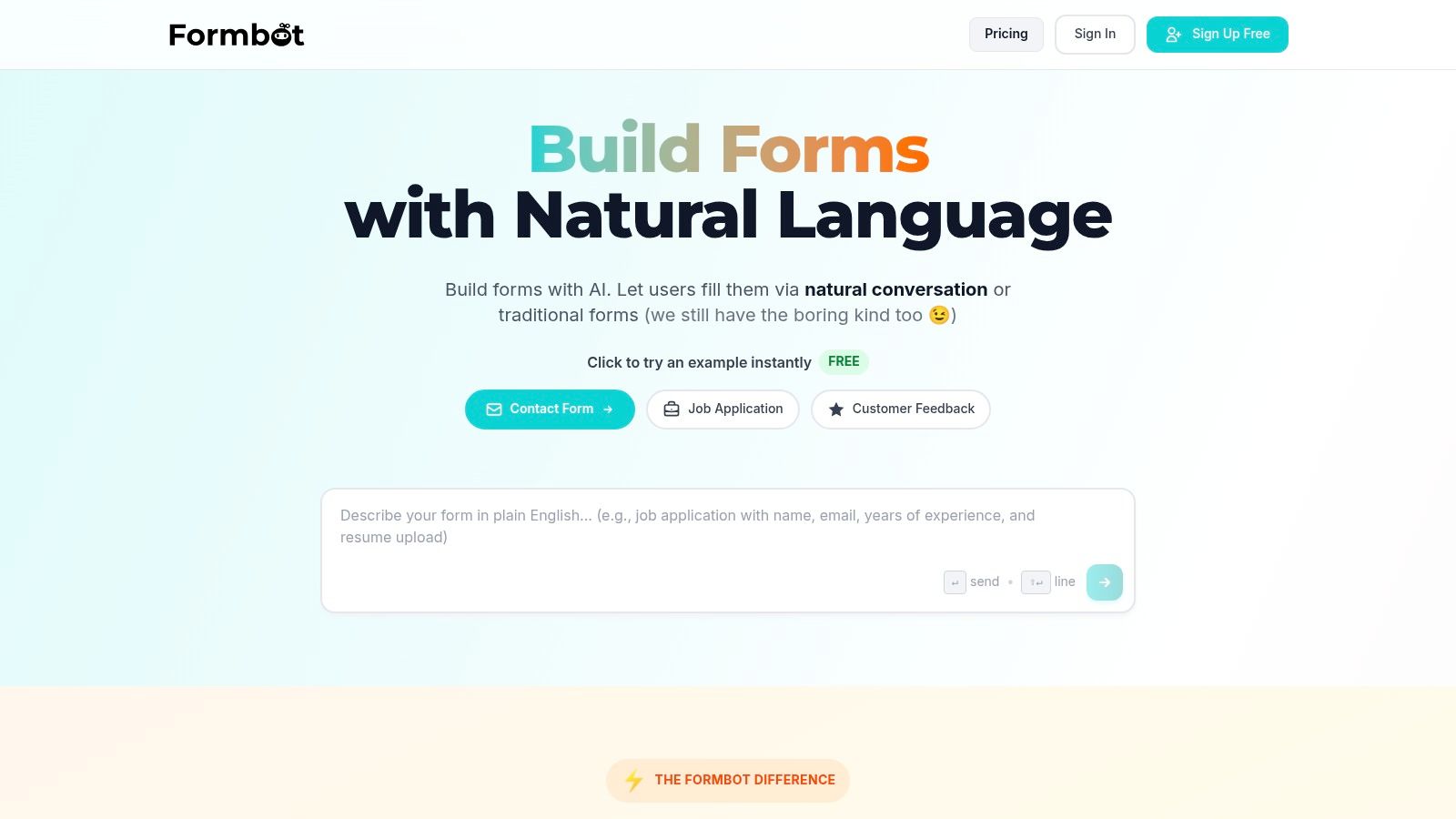
This AI-driven foundation is paired with a focus on a superior user experience. Formbot offers three distinct presentation modes-a modern chat, a guided one-question-at-a-time flow, and a classic form layout-allowing creators to match the interaction style to their specific audience and context. The conversational and guided modes are particularly effective for mobile users, mimicking a natural messaging exchange that feels less like a chore and more like a helpful dialogue. This approach can boost form completion rates, directly addressing the common issue of lead form abandonment.
Strategic Analysis and Key Differentiators
What truly sets Formbot apart is its intelligent data handling and speed to deployment. The conversational interface understands natural language, identifies required information, and only prompts the user for missing details. This eliminates redundant questions and streamlines the entire process, creating a faster, more respectful user journey.
- AI-Powered Generation: The ability to describe a form in natural language (e.g., "Create a contact form for our webinar that asks for name, email, and company size") and have a functional form appear instantly is a significant workflow accelerator.
- User-Centric Presentation: Offering chat, guided, and traditional layouts gives teams the flexibility to A/B test different experiences and optimize for their target demographic. The guided, one-question-at-a-time flow is particularly potent for reducing cognitive load.
- Instant Deployment: Forms are shareable via a direct link immediately after creation, removing any need for hosting or complex embedding procedures. This is ideal for agile marketing campaigns and rapid testing.
- Built-in Analytics: Real-time tracking of responses and completion rates is included, providing immediate feedback on form performance without requiring third-party integrations.
Practical Applications and Use Cases
Formbot is engineered for versatility across multiple business functions, from marketing to HR. For lead generation, its applications are extensive:
- Marketing & Growth: Quickly build forms for content downloads (e-books, whitepapers), webinar registrations, newsletter sign-ups, and sales contact requests. The higher completion rates are a direct driver of MQL (Marketing Qualified Lead) volume.
- Product & UX Teams: Deploy user feedback surveys, feature requests, and beta program sign-ups with a friendly interface that encourages higher participation.
- HR & Recruiting: Streamline the application process with conversational forms that feel more engaging for candidates than traditional, cumbersome application systems.
Key Takeaway: Formbot's primary advantage is speed-both in creation and user completion. By turning form building into a simple instruction and optimizing the user interaction with a conversational flow, it directly tackles the two biggest pain points in lead generation: slow, complex setup and high user abandonment rates.
How to Get Started
Accessing Formbot is straightforward. The platform offers a free plan that allows users to start building and testing forms immediately, making it a risk-free option for exploration. For teams needing more advanced capabilities or higher submission volumes, Formbot provides scalable paid plans. While the AI generation is robust, it's a best practice to review and tweak complex forms, especially those in highly regulated industries, to ensure all specific validation rules and compliance needs are met.
Website: https://tryformbot.com
2. HubSpot
HubSpot stands out not just as a form builder but as an all-in-one CRM platform where lead generation forms are a deeply integrated component. This makes it an ideal choice for businesses looking to manage the entire customer lifecycle, from initial capture to long-term nurturing, all within a single ecosystem. The platform’s strength lies in connecting a user-friendly form builder directly to a powerful, free CRM, eliminating the need for complex third-party integrations right out of the gate.
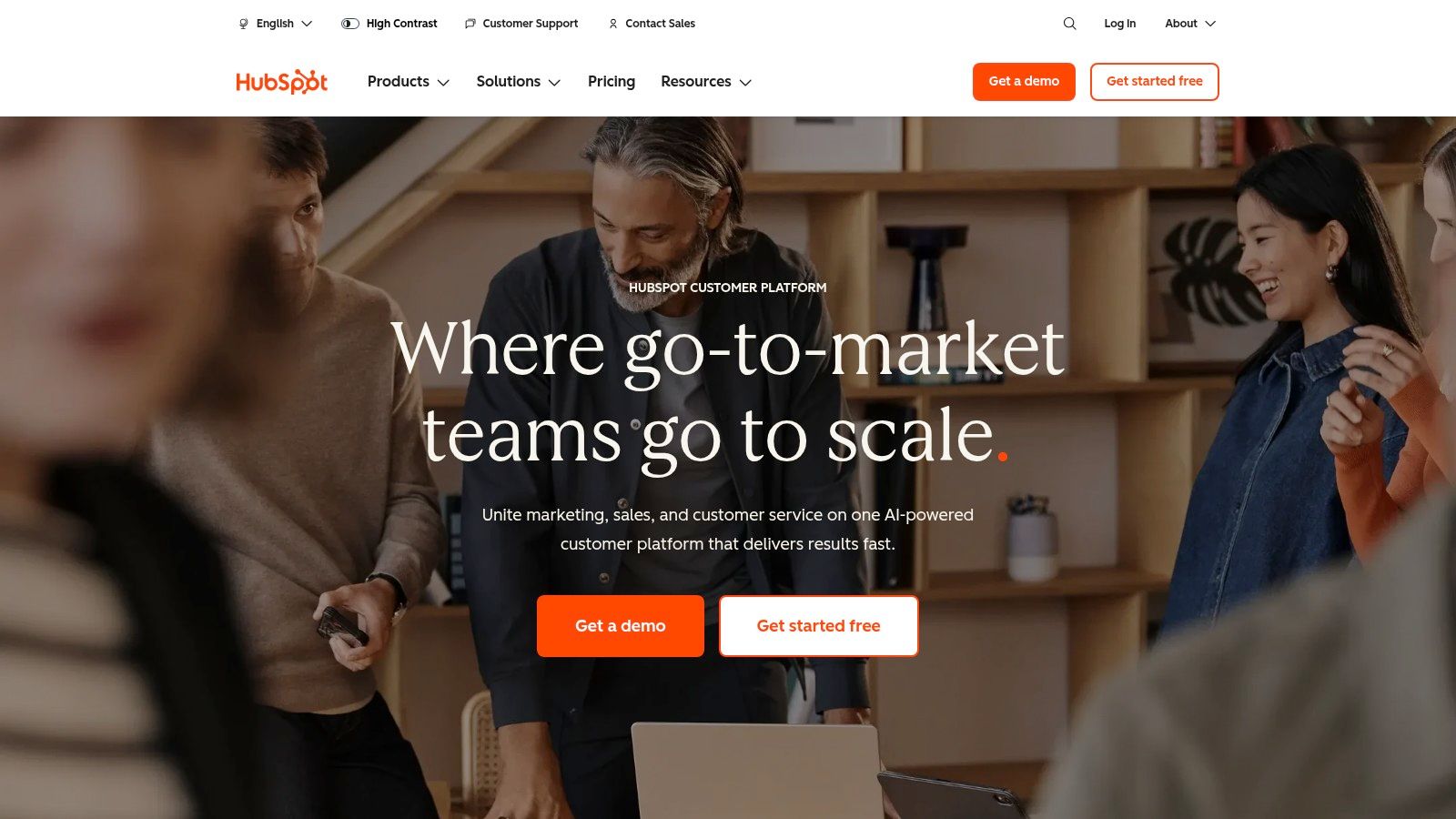
Unlike standalone form builders, HubSpot's value proposition is its unified data model. Every form submission automatically creates or updates a contact record in the HubSpot CRM, providing a complete history of interactions. This native connection is what makes HubSpot a powerhouse for lead management and automation.
Key Elements & Strategic Analysis
HubSpot’s approach to lead generation form examples is built around scalability and intelligence. The platform scales from simple, free forms to sophisticated data capture tools in its paid Marketing Hub tiers.
- Native CRM Integration: The biggest differentiator is the seamless flow of data. Submissions are instantly available in the CRM, allowing sales and marketing teams to act on new leads immediately.
- Progressive Profiling: For users on paid plans, this feature is a conversion game-changer. It allows you to display new questions to returning visitors, gathering more information over time without overwhelming them with a long initial form. This incremental approach respects the user's time and improves data quality.
- Conditional Logic: Forms can dynamically change based on a user's previous answers. This creates a more personalized, conversational experience that can significantly boost completion rates. For example, if a user selects "Marketing Manager" as their role, the form can then ask specific questions relevant to marketing challenges.
- Extensive Educational Resources: HubSpot provides a vast library of articles, templates, and guides on creating effective lead-generation forms, making it an educational resource as well as a tool.
Strategic Takeaway: HubSpot is best leveraged when you plan to use its entire ecosystem. The forms are the entry point to a rich system of lead tracking, email marketing, and sales automation. To maximize lead management from your forms, understanding robust HubSpot integration capabilities is crucial.
Pricing and Access
HubSpot's pricing model is designed to scale with your business. It offers a generous Free Tools plan that includes the form builder, CRM, and basic email marketing. Paid plans, such as the Marketing Hub, unlock advanced features like automation, progressive profiling, and smart forms. These plans are contact-based, so costs increase as your database grows. Higher-tier plans may also include onboarding fees.
- Website: https://www.hubspot.com
3. Typeform
Typeform redefines the online form by transforming it from a static page into an interactive, conversational experience. It prioritizes user engagement by presenting one question at a time, a method designed to feel more like a natural dialogue than a tedious chore. This approach makes Typeform a go-to choice for businesses that want to maximize completion rates, especially on mobile devices, by creating a more human and less intimidating data-collection process.
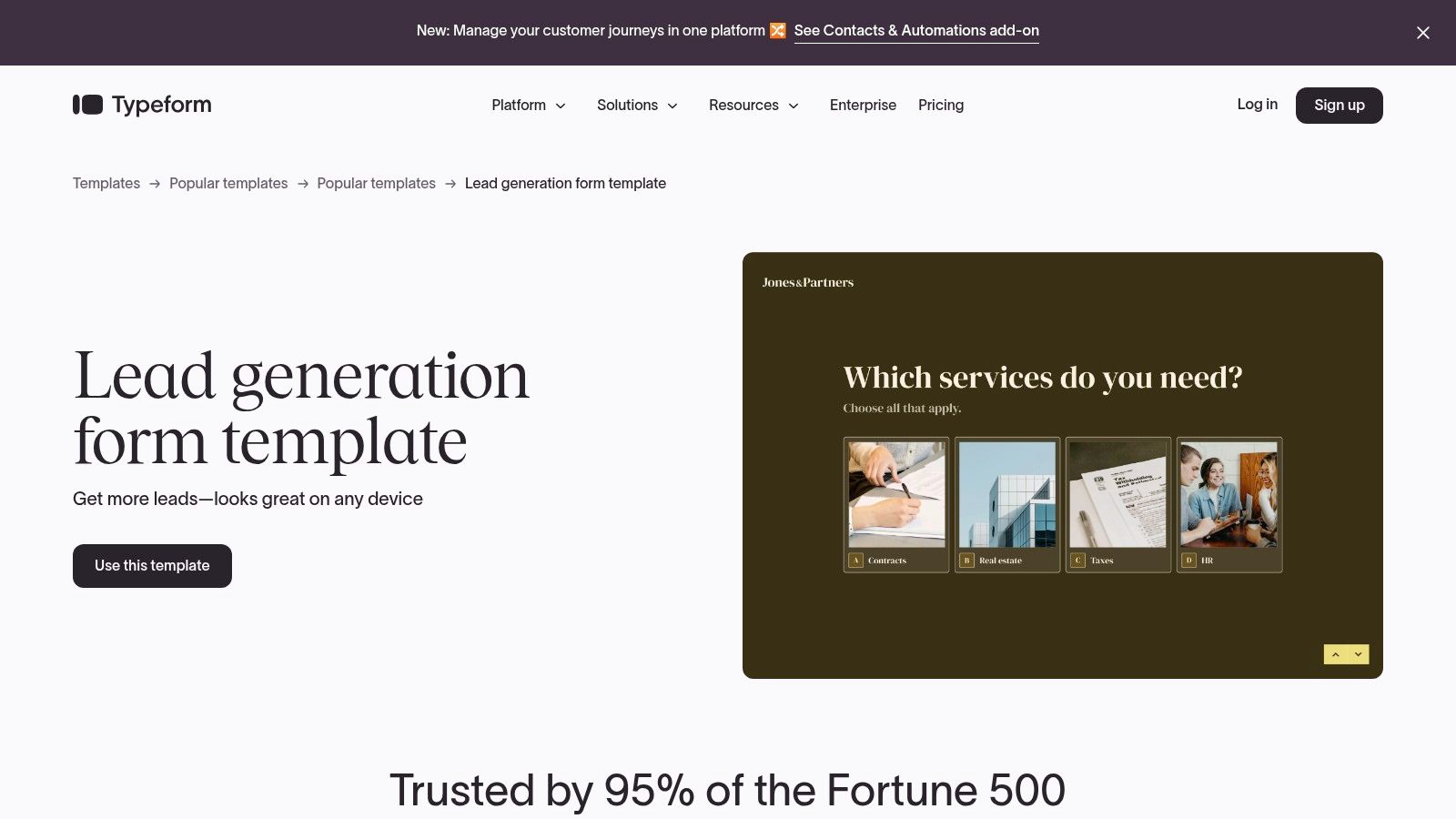
Unlike traditional form builders that display all fields at once, Typeform's singular focus on a conversational flow reduces cognitive load for the user. This design philosophy is built on the idea that a more engaging user experience directly translates to higher quality data and more leads. The platform’s extensive template gallery for lead generation allows teams to launch polished, professional-looking forms quickly without needing any design or coding skills.
Key Elements & Strategic Analysis
Typeform’s strategy is centered on making data collection beautiful, intuitive, and effective. The platform’s features are all geared towards creating a seamless user journey that encourages completion from start to finish.
- Conversational User Interface: The one-question-at-a-time format is Typeform's signature feature. It guides users through the form step-by-step, which can significantly reduce abandonment rates and make the process feel faster and more interactive.
- Logic Jumps and Personalization: This powerful feature allows you to create dynamic, tailored paths for users. Based on their answers, you can skip irrelevant questions or ask follow-ups, creating a personalized experience that feels responsive and intelligent.
- Strong Integration Ecosystem: With over 300 integrations, including Zapier, Slack, and HubSpot, Typeform easily connects to your existing marketing and sales stack. This ensures lead data flows smoothly into your CRM or other systems for immediate action.
- Device-Responsive Templates: All Typeform templates are designed to look and work flawlessly across desktops, tablets, and mobile phones, ensuring a consistent and positive experience for every user, regardless of their device.
Strategic Takeaway: Typeform is ideal for top-of-funnel lead capture where user experience is paramount. Use it for contact forms, event registrations, or surveys where making a strong first impression can dramatically boost conversion rates. To fully leverage this style, it's helpful to understand the principles behind how to create online forms that users actually want to complete.
Pricing and Access
Typeform offers a tiered pricing structure based on the number of responses and features. A Free plan is available, which allows you to get started but comes with limitations on responses and features. Paid plans like Basic, Plus, and Business unlock higher response caps, advanced logic, custom branding, and more powerful analytics. Costs can increase with volume, making it important to choose a plan that aligns with your expected lead flow.
4. Jotform
Jotform is a highly versatile and user-friendly form builder that excels at speed and flexibility. It provides hundreds of ready-to-use lead-capture templates alongside a no-code, drag-and-drop builder, making it exceptionally easy to deploy functional forms quickly. Its primary strength lies in its vast template library and extensive customization options, allowing businesses across various industries to create tailored forms without writing a single line of code.
Unlike all-in-one platforms where forms are one feature among many, Jotform is a dedicated form-building powerhouse. This focus allows it to offer a wide array of specialized widgets, integrations, and compliance features, such as HIPAA-compliant forms on higher-tier plans, which cater to regulated industries.
Key Elements & Strategic Analysis
Jotform’s approach to lead generation form examples is rooted in accessibility and variety. The platform empowers users to go from idea to a live form in minutes, supported by powerful underlying features that can be customized as needs grow.
- Massive Template Gallery: With a large, searchable gallery of pre-built lead generation forms for countless niches (real estate, e-commerce, consulting), Jotform drastically reduces the time to launch. This is ideal for teams needing to test multiple lead magnets or campaigns quickly.
- Drag-and-Drop Builder with Widgets: The intuitive builder allows for deep customization. You can add unique elements like appointment schedulers, e-signature fields, and image sliders directly into your forms, creating a richer user experience that goes beyond simple text fields.
- Conditional Logic: Jotform offers robust conditional logic that allows you to show or hide fields based on user input. This creates a more dynamic and personalized path for each respondent, improving completion rates by keeping the form relevant and uncluttered.
- Broad Integrations: With over 100 integrations, Jotform connects seamlessly with popular CRMs, email marketing services, and payment gateways. This ensures that captured leads are funneled directly into your existing marketing and sales workflows.
Strategic Takeaway: Jotform is the optimal choice for teams that prioritize speed of implementation and a wide variety of form types without being locked into a single CRM ecosystem. Its template-driven approach makes it perfect for rapid prototyping and deployment across different marketing channels.
Pricing and Access
Jotform operates on a freemium model, making it accessible for individuals and small businesses to start. The Free plan includes most features but comes with limits on monthly submissions, form views, and storage. Paid plans (Bronze, Silver, Gold) increase these limits significantly and remove Jotform branding. Higher-tier plans also unlock specialized features like HIPAA compliance and provide larger payment submission quotas.
5. Unbounce
Unbounce positions itself as a conversion-first platform, where lead generation forms are a core element of its high-performing landing page ecosystem. It is specifically designed for marketers and teams who prioritize conversion optimization and rapid A/B testing. The platform's primary strength is its intuitive drag-and-drop builder, combined with powerful tools that move beyond simple data capture to actively improve campaign performance.
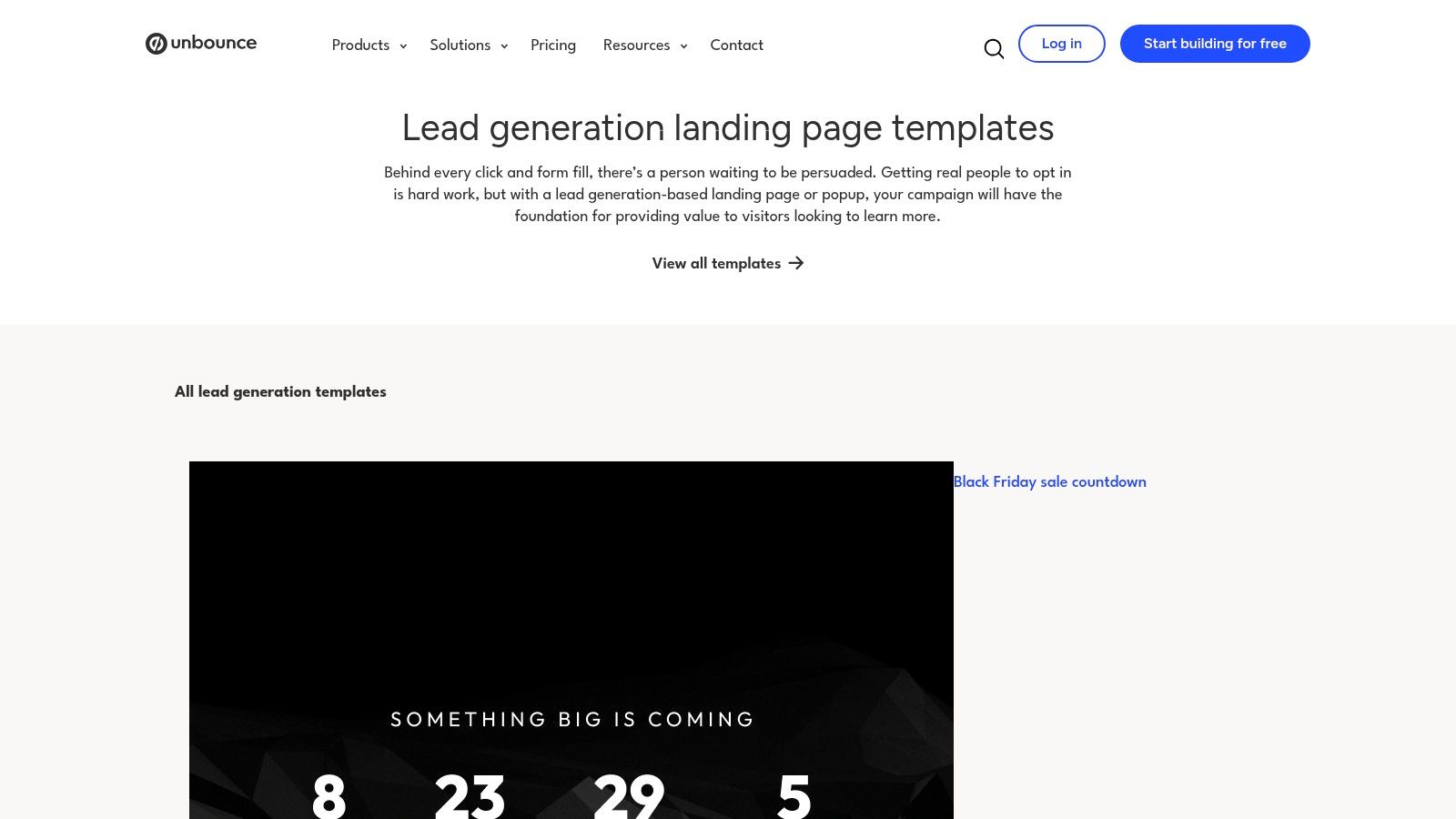
Unlike all-in-one CRMs, Unbounce’s focus is laser-sharp on the top of the funnel: turning clicks into conversions. Its platform is purpose-built for creating, testing, and optimizing dedicated landing pages where the lead form is the hero. This approach allows teams to isolate variables and measure the direct impact of form design and placement on lead acquisition rates.
Key Elements & Strategic Analysis
Unbounce’s approach to lead generation form examples is rooted in data-driven optimization. The platform provides the tools to not only build a form but to scientifically improve its performance over time, making it a go-to for performance marketing teams.
- Conversion-Focused Templates: Unbounce offers over 100 customizable landing page templates, each designed with lead capture best practices in mind. This provides a strong starting point for campaigns, reducing build time and incorporating proven layouts.
- A/B Testing Capabilities: This is a cornerstone feature. Users can easily duplicate a landing page, make a single change to the form (like a different headline or fewer fields), and split traffic between the variants to see which one performs better. This continuous improvement loop is essential for maximizing lead flow.
- Smart Traffic AI: This advanced feature automatically routes visitors to the landing page variant where they are most likely to convert. By analyzing visitor attributes, the AI learns and optimizes traffic distribution in real-time, often boosting conversions beyond what traditional A/B testing can achieve.
- Direct Integrations: While not a CRM itself, Unbounce integrates seamlessly with major platforms like HubSpot, Salesforce, and Marketo. This ensures that leads captured on its high-performance landing pages are immediately sent to the systems where they can be nurtured and managed.
Strategic Takeaway: Unbounce is the ideal platform when your primary goal is maximizing the conversion rate of paid traffic or specific campaigns. Its value is realized when teams commit to ongoing testing and optimization. To maximize conversions from your forms, it's essential to apply proven conversion rate optimization tips within the Unbounce testing framework.
Pricing and Access
Unbounce offers several tiered plans based on traffic volume, conversions, and the number of connected domains. Pricing and specific traffic limits can vary by plan, so starting with a trial is often the best way to determine the right fit. The plans are designed to support everyone from individual marketers to large-scale agencies that manage multiple client campaigns.
6. Leadpages
Leadpages excels as a dedicated landing page builder where lead generation forms are the central, conversion-focused element. It is engineered for marketers and small businesses who need to rapidly deploy high-converting pages without deep technical expertise. The platform's core strength is its vast library of templates, each designed with a specific conversion goal in mind, from webinar sign-ups to ebook downloads.
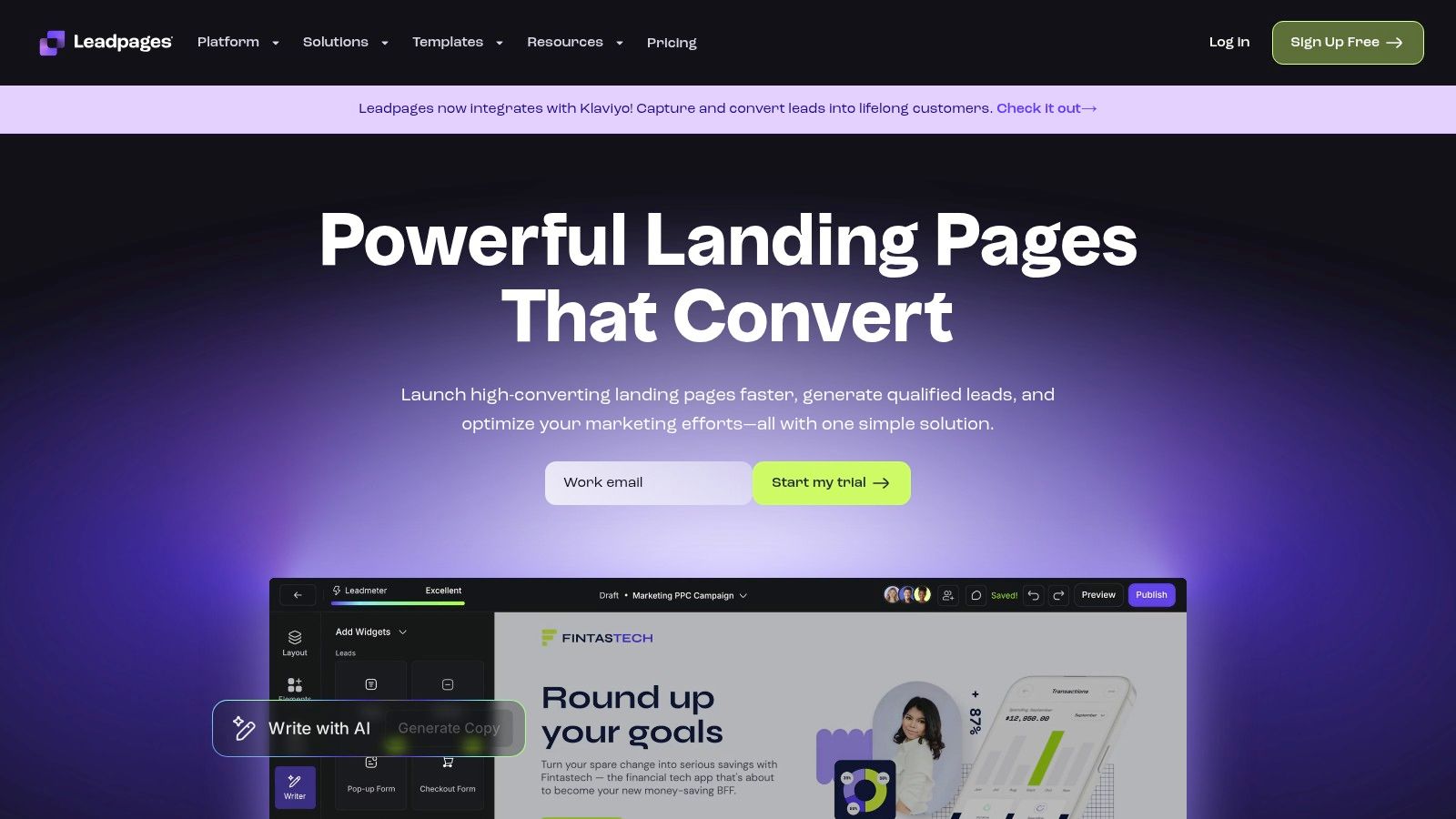
Unlike all-in-one CRM platforms, Leadpages focuses squarely on the top of the funnel: capture. It provides the tools to create not just the form, but the entire user experience surrounding it, including the landing page, pop-ups, and alert bars. This makes it an ideal solution for campaigns where speed and conversion optimization are the primary objectives.
Key Elements & Strategic Analysis
Leadpages' approach to lead generation form examples is built on speed, simplicity, and proven design. The platform removes friction from the creation process, allowing users to go from idea to live campaign in minimal time.
- Conversion-Optimized Templates: With over 250 templates, Leadpages provides a starting point for nearly any lead generation scenario. These templates are based on conversion best practices, significantly reducing the guesswork involved in designing effective forms and pages.
- Integrated Capture Tools: The platform seamlessly integrates forms with pop-ups and alert bars. This allows for a multi-pronged capture strategy on a single page, engaging visitors at different points in their journey without needing separate tools.
- Unlimited Leads and Traffic: A key differentiator, especially for smaller teams, is that Leadpages does not charge based on the number of leads you collect or the traffic your pages receive. This predictable pricing model is highly attractive for businesses scaling their marketing efforts.
- Drag-and-Drop Builder: The intuitive builder makes it simple to customize templates or create pages from scratch. This accessibility ensures that marketers can make changes and launch campaigns without relying on development resources.
Strategic Takeaway: Leadpages is best suited for businesses focused on campaign-driven lead generation. Its strength lies in quickly creating and deploying purpose-built landing pages that convert, making it an excellent tool for validating offers, running paid ad campaigns, and building email lists efficiently.
Pricing and Access
Leadpages offers a straightforward pricing structure designed for accessibility. It provides a 14-day free trial to test the platform. The plans are tiered, with the primary differences being the number of sites you can publish to and access to advanced features.
The entry-level Standard plan offers a great starting point for a single website. The Pro plan unlocks key optimization features like online sales and payments, A/B split testing, and more integrations, making it the more popular choice for businesses serious about conversion.
- Website: https://www.leadpages.com
7. ThemeForest (Envato Market)
ThemeForest operates not as a form-building tool but as a vast marketplace for pre-designed landing pages and website templates. Its unique position in this list comes from offering professionally designed, high-converting lead generation assets that you can purchase once and own. This makes it an excellent choice for businesses with in-house development resources or those using platforms like Unbounce or WordPress who want a design head start without a recurring subscription fee.
Unlike SaaS platforms that provide an all-in-one builder and hosting solution, ThemeForest's value is in providing the design and code framework. After purchasing a template, you are responsible for hosting, implementation, and connecting the form to your own backend systems, CRM, or email marketing service. This offers ultimate flexibility but requires more technical know-how.
Key Elements & Strategic Analysis
ThemeForest’s approach to providing lead generation form examples is centered on variety and affordability. It empowers users to find a design that fits their specific industry and campaign needs, which they can then customize extensively.
- Broad Marketplace Selection: The platform offers thousands of templates designed specifically for lead capture, spanning HTML, WordPress, and Unbounce. This allows you to filter and find a design that is already optimized for your specific tech stack and aesthetic.
- One-Time Purchase Model: Instead of a monthly fee, you pay once for a template license. This is highly cost-effective for agencies running multiple client campaigns or businesses that prefer capital expenditures over operational ones.
- Live Previews and Author Ratings: Before committing, you can view live demos of the landing pages, inspect the form functionality, and check the author's sales history and user reviews. This helps mitigate the risk of purchasing a low-quality or poorly supported template.
- Built for Customization: These templates are designed to be a starting point. A skilled developer can easily modify the HTML/CSS or use the theme's options to integrate the form with any marketing automation tool, from Mailchimp to a custom-built CRM.
Strategic Takeaway: ThemeForest is the ideal solution when design and ownership are a higher priority than an integrated, all-in-one system. It's best for teams who can handle the technical implementation and want a professionally designed foundation for their lead generation forms without being locked into a specific platform's ecosystem.
Pricing and Access
ThemeForest is built on a straightforward, per-template pricing model. Each landing page or theme has a one-time cost, which typically includes future updates from the author and a limited period of author support (usually six months), which can be extended for an additional fee.
- Website: https://themeforest.net
Top 7 Lead-Gen Form Comparison
| Product | Implementation Complexity (🔄) | Resource Requirements / Speed (⚡) | Expected Outcomes & Impact (⭐📊) | Ideal Use Cases (💡) | Key Advantages (⭐) |
|---|---|---|---|---|---|
| Formbot | 🔄 Low — no-code AI flow generation; manual checks for complex/regulatory flows | ⚡ Minimal setup; instant sharing; mobile-first, fast submissions | ⭐📊 Higher completion and faster submissions; real-time analytics | 💡 Marketing, product/UX, HR, CX, startups seeking conversational forms | ⭐ AI-driven plain-English creation; conversational UX; 100+ templates |
| HubSpot | 🔄 Medium — simple forms; deeper integrations add configuration | ⚡ Requires HubSpot CRM and higher tiers for automation; onboarding time | ⭐📊 End-to-end lead→CRM→automation with progressive profiling | 💡 Teams needing unified CRM + marketing automation stack | ⭐ Native CRM integrations; scales to enterprise; documented best practices |
| Typeform | 🔄 Low — template-driven, intuitive builder with logic jumps | ⚡ Fast to launch; mobile-optimized; paid plans for higher volume/analytics | ⭐📊 Polished UX that tends to boost completions; personalization | 💡 UX-first lead capture and mobile surveys | ⭐ Conversational one-question-at-a-time UX; strong integrations |
| Jotform | 🔄 Low — drag-and-drop builder with widgets and conditional logic | ⚡ Rapid deployment; may require paid tiers for quotas or HIPAA | ⭐📊 Quick functional forms across industries; broad connector ecosystem | 💡 Rapid form launches, industry-specific templates, regulated use (paid) | ⭐ Large template library; wide integrations; HIPAA option on higher plans |
| Unbounce | 🔄 Medium — landing-page-first with A/B testing and optimization setup | ⚡ Requires landing-page build and ongoing testing; paid plans | ⭐📊 Improved conversion via Smart Traffic and A/B testing | 💡 Conversion optimization and performance-driven landing campaigns | ⭐ Purpose-built for conversion testing; Smart Traffic AI routing |
| Leadpages | 🔄 Low–Medium — drag-and-drop landing builder; advanced features on Pro | ⚡ Quick deployment; transparent entry-level options; pro for A/B testing | ⭐📊 Fast launches with many templates; unlimited traffic on listed plans | 💡 Marketers and small businesses needing fast, template-led pages | ⭐ Large template set, built-in opt-ins/pop-ups, clear entry pricing |
| ThemeForest (Envato Market) | 🔄 High — marketplace templates require self-hosting and integration work | ⚡ One-time purchase cost; longer implementation and customization time | ⭐📊 Low upfront template cost; results depend on implementation quality | 💡 Teams wanting one-time purchases and full control over hosting/customization | ⭐ Wide selection across platforms; low per-template cost; live previews |
From Examples to Execution: Building Your Next High-Converting Form
We've journeyed through a diverse landscape of high-performing lead generation form examples, from slick SaaS sign-ups to engaging e-commerce quizzes and professional B2B demo requests. Across the examples from tools like HubSpot, Typeform, and Unbounce, a clear set of principles emerged, proving that the most successful forms are more than just a collection of fields. They are carefully crafted experiences.
The common thread weaving through every effective example is a relentless focus on the user. The best forms don't feel like a transaction; they feel like a conversation. They anticipate user needs, remove psychological barriers, and guide visitors toward a goal with minimal cognitive load.
Key Strategic Takeaways Recap
As you move from inspiration to implementation, remember these core strategies observed across all the leading examples:
- Reduce Friction at All Costs: The number one goal is to make it easy for users to start and finish. This means eliminating unnecessary fields, using social logins, pre-filling known data, and breaking long forms into smaller, digestible multi-step chunks.
- Build Psychological Momentum: The "one question at a time" approach, popularized by conversational forms, is powerful. It leverages the Zeigarnik effect, creating a sense of an unfinished task that users feel compelled to complete. Starting with easy, non-threatening questions builds momentum.
- Provide Context and Value: Users need to know why they are filling out your form and what they will get in return. Clear headlines, compelling subheadings, and a concise value proposition placed near the CTA are non-negotiable.
- Test and Iterate Relentlessly: A/B testing is not optional. Test your headlines, CTA copy, number of fields, form layout, and even the color of your buttons. What works for one audience may not work for another, and data is your only source of truth.
- Integrate Seamlessly: A form is only as good as the workflow it supports. Ensure your forms integrate directly with your CRM, email marketing platform, and other essential tools to enable prompt follow-up and a smooth customer journey. Understanding broader B2B Lead Generation Best Practices can provide a strategic framework for how your forms fit into the bigger marketing picture.
Choosing Your Tool and Taking Action
The examples we've reviewed were built with a variety of powerful tools, each with its strengths. Jotform offers immense flexibility, Leadpages excels at landing page integration, and HubSpot provides an all-in-one marketing suite. Your choice depends entirely on your specific goals, technical resources, and budget.
For teams looking to implement the modern, conversational strategies we’ve highlighted, a tool designed for that specific purpose is essential. The most powerful lead generation form examples in 2026 are those that feel human and interactive, and that’s where dedicated conversational form builders shine.
This is precisely where Formbot excels. It is purpose-built to transform static fields into the kind of engaging, one-question-at-a-time flows that significantly boost completion rates. Instead of just showing you examples, it empowers you to build them in minutes. By leveraging its AI form generator, you can turn a simple prompt into a fully functional conversational form, drastically cutting down on development time. This approach directly applies the principles of reducing friction and building momentum we've discussed, making the data collection process feel effortless for your visitors.
Ultimately, the best lead generation form example isn't one you copy; it's one you create with your unique audience in mind. Take the principles from this article, choose the right tool for your vision, and start building a better experience. In 2026, the brands that win are the ones that make it easiest for customers to connect.
Ready to move beyond static forms and create a truly conversational experience? With Formbot, you can use AI to build a high-converting lead generation form in under 30 seconds, applying the very principles we've covered. Start building for free today and see firsthand how a conversational approach can transform your lead capture strategy.



