
Patient registration forms are the first chapter in a patient’s healthcare story. They aren't just administrative busywork; they're the crucial starting point for gathering all the information needed for safe care, clean billing, and airtight legal compliance.
The Role of Patient Registration Forms in Healthcare
Think of a patient registration form as a passport to the healthcare system. It's the one document that holds all the essential details for a smooth, safe journey. If that information isn't right from the get-go, almost every step that follows—from getting a diagnosis to paying the bill—can hit a snag.
This initial data grab really sets the stage for the entire patient experience. It’s the very first impression a practice makes. A clunky, confusing process can start things off on a frustrating note, while a simple, efficient one shows you respect the patient’s time and builds trust right away.
The Foundation of Safe and Accurate Care
The most important job of these forms is to build a complete and correct patient record. This isn’t just about making the front desk's life easier; it's a fundamental issue of patient safety.
- Accurate Identification: A small detail, like using a nickname instead of a legal name, can get a claim denied if it doesn't match insurance files. A wrong date of birth could mean mixing up two different patient charts.
- Medical History: Knowing about allergies, current medications, and chronic conditions is absolutely critical for doctors to make safe, effective treatment choices.
- Emergency Contacts: In a crisis, having the right person to call is non-negotiable.
A single mistake on a registration form can cause an insurance company to delay or flat-out deny a medical claim. That puts immense pressure on getting this first step perfect, because errors can mean surprise bills for the patient and a major headache for the provider's billing department.
From Paper Stacks to Digital Systems
Not long ago, this whole process was handled with a clipboard and a thick stack of papers. This old-school way was a notorious time-waster, plagued by bad handwriting, typos during data entry, and the logistical nightmare of storing physical files. These issues created a huge administrative load and opened the door to mistakes that could affect both patient care and the bottom line.
Today, the move to digital systems has completely changed patient intake. Digital patient registration forms cut down on manual work, boost accuracy with built-in checks, and offer a much more secure and convenient experience for everyone. For a deep dive into optimizing this first patient interaction, check out this modern guide to new patient intake forms. Moving from paper to digital isn't just a trend—it's an essential step in building a smarter, more patient-focused healthcare system.
What Makes a Good Patient Registration Form?
Think of your patient registration form as the foundation of the entire patient relationship. If you get it right, everything that follows—from clinical care to billing and compliance—runs smoothly. Get it wrong, and you're setting yourself up for a cascade of problems, from claim denials to frustrated patients.
The real trick is to strike a balance. You need to collect all the critical information without making the patient feel like they're filling out their life story. Asking for too little creates data gaps that your team will have to scramble to fill later. Asking for too much can overwhelm patients, leading them to abandon the form altogether.
This form isn't just a piece of administrative paper; it's the central blueprint that supports the three pillars of any healthcare practice.
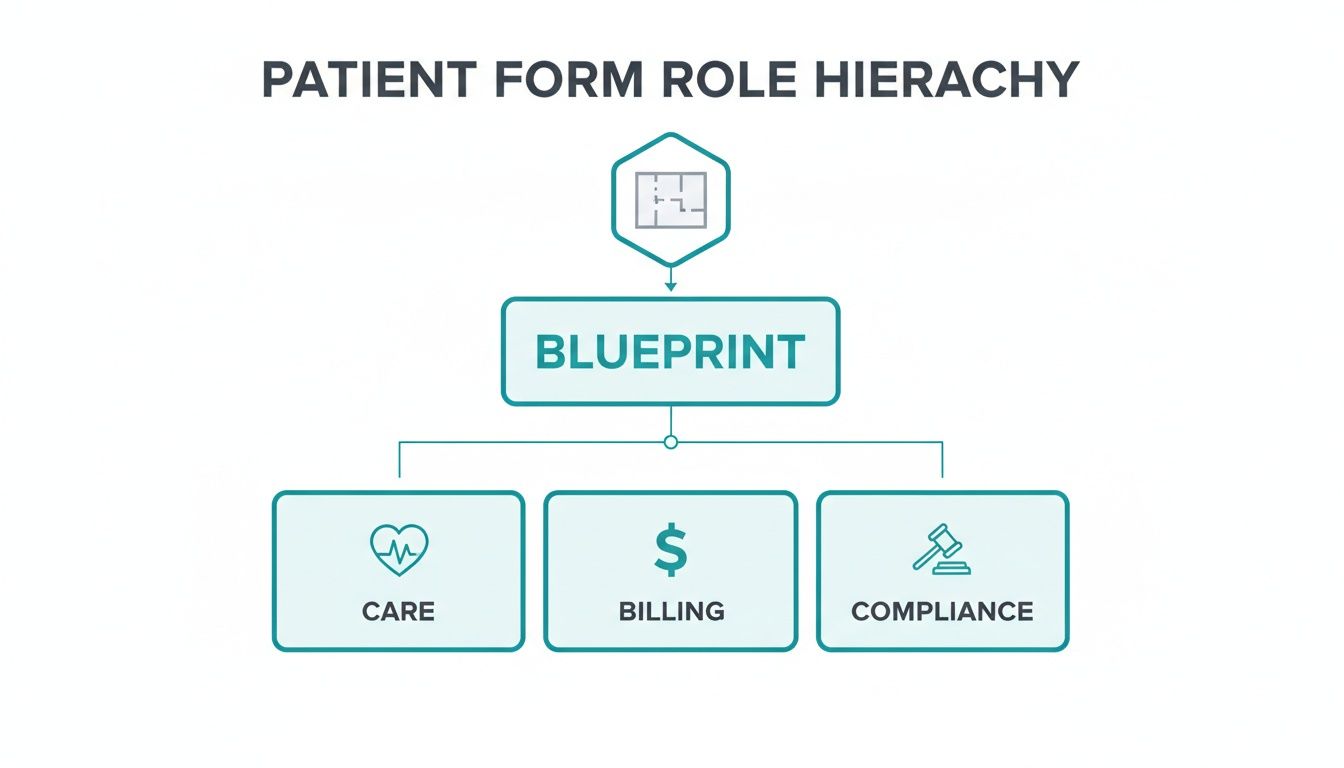
As you can see, the information you gather here directly fuels care delivery, billing accuracy, and legal compliance.
Essential vs Recommended Fields for Patient Registration
Deciding what to include on your form can be tough. To help you design a form that's both comprehensive and patient-friendly, we've broken down the key fields into two categories: what you absolutely must collect and what's highly recommended for a more complete picture. This quick-reference guide will help you distinguish between mandatory data and supplementary information, leading to a more effective and streamlined form.
| Field Category | Mandatory Fields | Recommended Fields |
|---|---|---|
| Patient Demographics | Legal Full Name, Date of Birth, Sex, Address, Phone Number, Email | Preferred Name/Pronouns, Communication Preferences, Marital Status, Race/Ethnicity, Primary Language |
| Insurance Information | Primary Insurance Provider, Policy/ID Number, Group Number | Secondary Insurance Details, Policyholder's Full Name & DOB, Relationship to Patient |
| Guarantor/Responsible Party | Full Name, Relationship to Patient, Address, Phone Number | Employer Information (if relevant to coverage) |
| Emergency Contact | Full Name, Relationship to Patient, Phone Number | A second emergency contact person |
| Medical History | Known Allergies, Current Medications (including dosage), Major Illnesses/Chronic Conditions | Past Surgeries/Hospitalizations, Family Medical History (e.g., heart disease, cancer) |
| Pharmacy Information | Preferred Pharmacy Name and Location | Pharmacy Phone Number |
| Referral/Primary Care | Referring Physician's Name, Primary Care Physician (PCP) Name | PCP's Contact Information, Reason for Visit (if new patient) |
| Consents & Authorizations | Consent to Treat, HIPAA Acknowledgment, Financial Responsibility Agreement | Authorization to Release Medical Information, Communication Consent (for texts/email) |
By focusing first on the mandatory fields, you ensure your form meets all basic clinical and administrative needs. The recommended fields can then be added strategically, perhaps using conditional logic in a digital form, to gather deeper insights without overwhelming every single patient.
Core Components Every Form Needs
To avoid a cluttered, confusing form, it's best to group related information into clear sections. This logical flow not only makes it easier for patients to complete but also simplifies data entry for your staff.
Here are the non-negotiable categories you'll want to build around:
Patient Demographics: This is the absolute bedrock of the patient's record. You need their legal name (not a nickname!), date of birth, address, and primary contact info. Getting this right from the start is crucial, as even a simple name mismatch can cause a claim to be instantly rejected.
Insurance and Guarantor Information: This section is all about getting paid. Capture the primary and any secondary insurance details—provider name, policy number, and group number. If the patient isn't the policyholder (like a child on a parent's plan), you must get the guarantor's information, too.
Emergency Contact Details: This one’s a no-brainer for patient safety. Having a reliable contact for a trusted friend or family member is non-negotiable. It ensures you can reach someone on the patient’s behalf if an urgent situation arises.
Don't Forget Medical History and Consent
Beyond the basics, your form must capture essential health information and legal authorizations. These elements are what protect both your patient and your practice.
The medical history section is where you gather context for providing safe and effective care. Make sure you ask about:
- Current Medications and Known Allergies: This is vital for preventing dangerous drug interactions or allergic reactions.
- Past Surgeries and Chronic Conditions: This background gives clinicians the bigger picture, leading to better diagnostic and treatment decisions.
- Family Medical History: Knowing about hereditary risks can be a game-changer for preventative care.
Finally, you need to lock in all the necessary consents. These aren't just formalities; they are legally binding agreements that permit you to treat the patient, bill their insurance, and handle their protected health information (PHI) according to HIPAA.
Capturing consent is the legal and ethical cornerstone of patient care. A properly signed form is your proof that the patient understands and agrees to your treatment and privacy policies. It’s a fundamental part of building trust.
If you're looking to modernize your process, starting with a well-designed template is a smart move. You can find some great examples and get a feel for best practices by exploring these patient intake templates. They often incorporate smart design choices that save you time and improve the patient experience.
Navigating HIPAA and Data Security Requirements
When you’re handling a patient registration form, you're holding more than just a piece of paper or a digital file. You're responsible for someone's most sensitive personal information, and that comes with serious legal and ethical weight. The primary rulebook for this is the Health Insurance Portability and Accountability Act (HIPAA), the federal law that sets the standard for protecting patient data.
Think of HIPAA as the guardian of patient privacy. It strictly defines how healthcare providers must manage Protected Health Information (PHI)—everything from a patient's name and phone number to their entire medical history. This isn't just a suggestion; it’s a non-negotiable part of earning and keeping a patient's trust.
Understanding Core HIPAA Principles
True HIPAA compliance isn't about just getting a signature. It’s about building a fortress around patient information, whether it’s on a clipboard or a tablet. The whole point is to give patients control, security, and transparency over their own data.
A patient has an absolute right to know how their information is used, who sees it, and why. They can also access their records and ask for corrections. HIPAA flips the old script and puts the patient firmly in control of their personal health story.
The penalties for getting this wrong are no joke. Fines can spiral into the millions of dollars, and the damage to your reputation from a data breach can be impossible to repair. One unsecured form can destroy years of trust and open your practice up to devastating legal challenges.
To stay ahead of any potential issues, it's a smart move to regularly use a comprehensive HIPAA compliance audit checklist. It helps you spot weaknesses in your system before they turn into full-blown crises.
Key Security Measures for Digital Forms
As more practices ditch paper for digital intake, the security measures have to keep up. Just putting a form online isn’t enough—it needs to be designed from the ground up with security at its core.
Here are a few security measures that are absolutely essential:
- End-to-End Encryption: This is the digital equivalent of an armored truck. It scrambles the data from the moment a patient hits "submit" until it lands safely in your system, making it completely unreadable to anyone who might try to intercept it.
- Secure Servers and Data Centers: Patient data can't just live on any old server. It needs to be stored in facilities with top-tier physical security, advanced firewalls, and constant monitoring to watch for threats.
- Access Controls: Not everyone in your office needs access to every piece of patient data. Role-based controls ensure that team members can only see the information required for their specific job, drastically reducing the risk of an internal breach.
- Business Associate Agreements (BAAs): If you're working with any outside vendor for your forms—like a form-building tool—they must sign a BAA. This is a critical, legally binding contract that holds them to the same high standards of data protection that you are.
Building Trust Through Transparency and Consent
Beyond the technical side, HIPAA is all about earning informed consent. Your registration form needs a clear, easy-to-understand section that explains exactly how you plan to use and protect the patient's information. This isn't just legal fine print; it's your first real chance to show them you're trustworthy.
This means more than just asking for a quick signature. You need to make sure patients actually understand your privacy policies before they agree. For organizations using modern tools, being upfront about data storage and security is key. To see what a privacy-first policy looks like in practice, you can see how we handle it in Formbot's commitment to data protection.
Ultimately, a secure, compliant registration process sends a powerful message: you value your patients' privacy just as much as you value their health.
Why Digital Forms Are a Game Changer
We've all been there: juggling a clipboard, a pen, and an insurance card in a packed waiting room. That traditional, paper-based approach to patient registration was a universal source of frustration, bogged down by messy handwriting, skipped fields, and the inevitable data entry mistakes that followed. It was an administrative nightmare that set the stage for costly errors down the line.
Switching to digital patient registration forms isn't just a minor upgrade; it's a complete overhaul of how healthcare administration works. Instead of trying to read scribbles, your staff gets clean, typed data. Instead of manually keying in every detail, that information flows right into your practice management system. It’s a move from a broken, manual process to one that’s efficient, accurate, and puts the patient first.

Unlocking Efficiency and Accuracy
One of the first things you'll notice after going digital is how much time you get back. When patients fill out their forms online before they even arrive, it can significantly reduce administrative time for front-desk staff. That's time your team can now spend on what really matters—helping patients in person instead of chasing down paperwork.
Digital forms also bring a level of data quality that paper could never offer. With built-in data validation, you can make sure that critical fields like phone numbers, email addresses, and insurance IDs are entered in the correct format from the start. This simple step dramatically cuts down on the kinds of errors that cause claim denials and billing headaches.
By getting rid of manual data entry, digital forms solve one of the biggest sources of human error. The result? Cleaner data, which means fewer rejected claims, faster payments, and a much healthier revenue cycle for your practice.
Enhancing the Patient Experience
A patient's experience with your practice starts long before they set foot in your office. Sending a digital registration form ahead of time is a small gesture that shows you respect their time and offer a modern, hassle-free process. Patients can fill out their details from their couch, on their own schedule, without feeling rushed.
This pre-appointment step is a win-win for everyone involved:
- Reduced Wait Times: With the intake paperwork already done, patients can check in quickly and be seen sooner.
- Increased Privacy: Entering sensitive medical or financial details on a personal device feels far more secure than writing it on a clipboard in a public lobby.
- Improved Accessibility: Digital forms can easily include features like multilingual support, making them accessible to a much broader patient community.
This shift is so significant that it's fueling massive growth in the software that supports it. The global patient registry software market is on track to grow from USD 1.81 billion to USD 5.65 billion by 2035. This trend makes it clear that the entire industry is moving in a digital direction. You can discover further insights into patient registry software trends to see just how fast things are changing.
Seamless Integration with Healthcare Systems
Maybe the biggest advantage of digital forms is how they can plug directly into a practice’s Electronic Health Record (EHR) system. This creates a smooth, automated flow of information, completely cutting out the need for staff to manually type data from a paper form into a computer screen.
With this integration, a patient’s demographic, insurance, and medical history information lands directly in their official chart, perfectly formatted. This doesn't just save a ton of time; it ensures the data your clinicians and billers are working with is accurate from the get-go. Ultimately, this connected system improves efficiency, boosts patient safety, and makes the entire practice run more smoothly.
Making Your Forms Smarter, Not Harder
Just putting your patient registration form online isn't enough. The design of that form is what makes the difference between a patient who happily clicks "submit" and one who gives up in frustration. A clunky, confusing form is a surefire way to create administrative headaches and leave your staff chasing down missing information. The real goal is to stop thinking about data collection and start thinking about the patient's experience.
Think of a classic paper form as a giant, intimidating wall of text. It's overwhelming. You don't know where to start or how long it will take. Smart design, on the other hand, is like having a friendly guide walk you through the process, asking for one piece of information at a time. It’s a conversation, not an interrogation.
Start with the Smallest Screen First
Let's face it: a patient’s journey with your practice almost always starts on their phone. That’s why optimizing your forms for mobile isn’t just a good idea anymore—it’s essential. A form that makes someone pinch, zoom, and scroll endlessly on a small screen is a form that’s going to be abandoned.
Adopting a "mobile-first" approach means you design for the smartphone first. This naturally forces you to keep things simple and clear, which ends up creating a better experience for everyone, no matter what device they're using. We're talking about big, tappable buttons, easy-to-read fonts, and a clean, single-column layout that just makes sense.
Cut the Clutter with Conditional Logic
Nothing kills a patient’s motivation faster than being forced to answer questions that don't apply to them. A 60-year-old man shouldn't have to skip over questions about pregnancy, and a patient without secondary insurance shouldn't have to see a dozen fields asking for those details. This is where conditional logic is a game-changer.
Conditional logic, sometimes called branching, makes your form react to the user's answers in real time.
- If a patient says "No" to having a secondary insurance plan, the form instantly hides that entire section.
- If they indicate they're here for a routine follow-up, the form can bypass all the detailed medical history questions meant for new patients.
This clever filtering makes the form feel shorter, more personal, and far more respectful of their time. You get the precise data you need, and the patient doesn't get bogged down in irrelevant fields. It’s a win-win.
Why a Conversation Works Better Than a Form
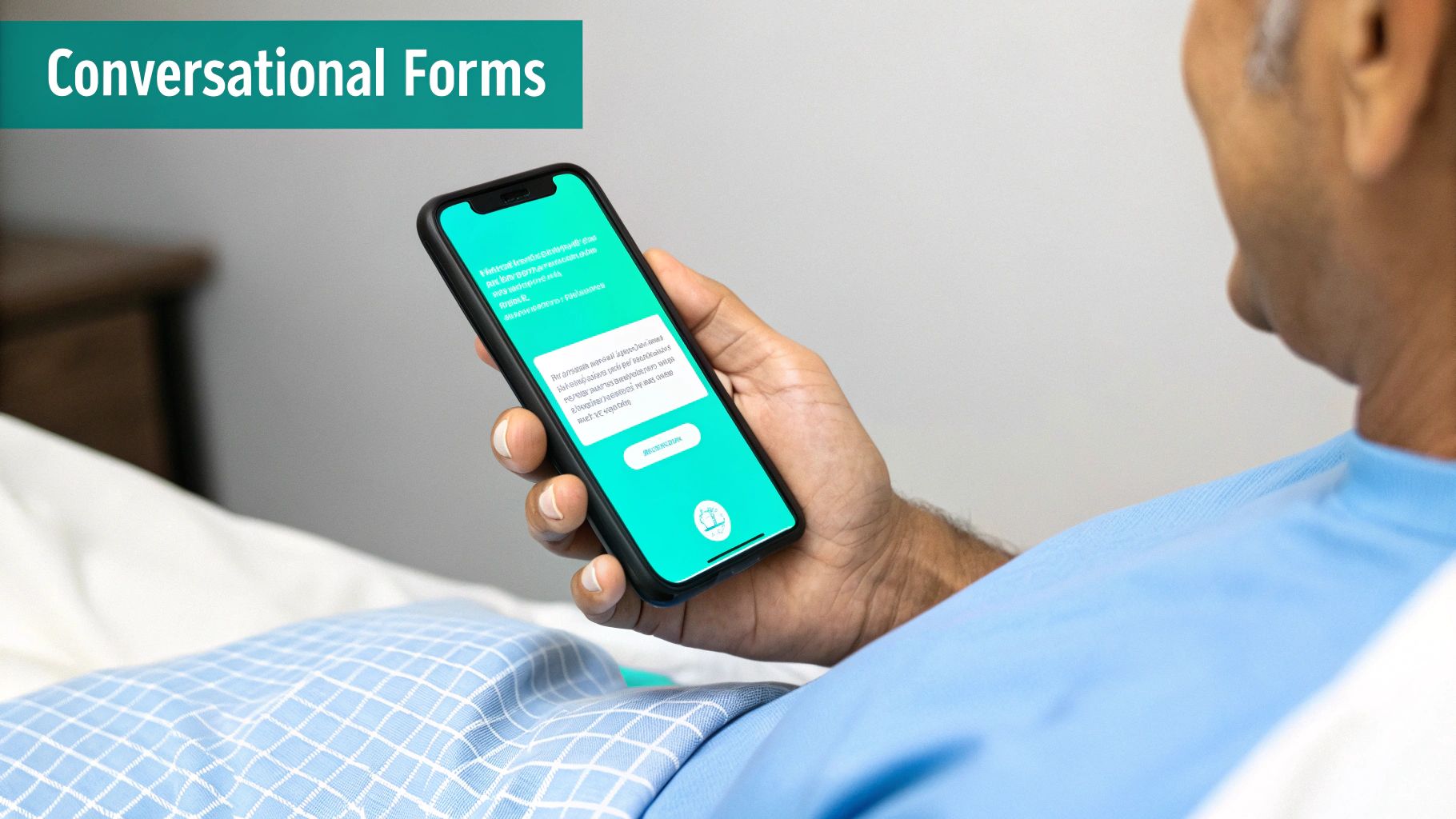
Traditional web forms can feel cold and robotic. A much more human-friendly approach is the conversational form, which presents questions one by one in a chat-like interface. This simple change turns the chore of filling out paperwork into a guided, interactive dialogue.
By breaking a long form into bite-sized questions, conversational forms make the whole process feel less daunting. This lowers the mental effort required, which dramatically increases the odds a patient will stick with it to the end.
This one-question-at-a-time method feels completely natural on a phone, where we're already used to messaging apps. Instead of a block of empty fields, the form might ask, "What's the best phone number to reach you?" and then, "Great, thanks! And what's your primary email?" It feels like a real conversation and sets a positive tone for their entire visit.
It's no surprise that the market for digital patient intake software is projected to grow from USD 1.8 billion to USD 4 billion by 2031. This explosive growth is fueled by solutions that focus on creating a smooth, HIPAA-compliant experience for the patient. You can read more about the rise of digital intake software to see where the industry is headed.
Tools like Formbot make it easy for any practice to build these friendly, conversational forms without needing to write a single line of code. By focusing on smart design, you can create a registration process that people actually complete, leading to better data for your team and a much better first impression for your patients.
How to Implement Your New Intake Process
So, you've decided to go digital with your patient registration. That's a huge step, but just picking the software is only half the battle. Rolling out a new system without a solid plan can create chaos—think frustrated staff, confused patients, and technical hiccups that kill the very efficiency you were aiming for.
A thoughtful implementation plan makes sure your new patient forms work smoothly from day one. It's really about managing the change, from the technology you choose to how you introduce it to your team and patients.
Laying the Groundwork for a Smooth Transition
First things first, you need the right tool. The market for this kind of software is exploding, projected to grow from USD 3.78 billion to a staggering USD 8.20 billion by 2032. This isn't just a trend; it's a fundamental shift in how healthcare operates, with practices everywhere adopting features like e-signatures and pre-visit check-ins. You can get a better sense of where things are headed by looking into the future of patient registry software.
Once you've settled on a platform, it’s time to focus on these critical steps:
Staff Training and Workflow Design: Your front-desk team lives and breathes this process, so getting them on board is non-negotiable. Don't just show them how to click buttons; walk them through how the new system fits into their day. Redefine roles and responsibilities so everyone knows exactly what to do and there’s no confusion when the first patient uses the new form.
Patient Communication: Nothing throws a patient off more than an unexpected change. Get ahead of it by letting them know what’s coming. Use email, text messages, and even a banner on your website to announce the new, easier way to register. Frame it around the benefits for them—less time with a clipboard in the waiting room and a more secure way to handle their private information.
Technical Integration: This is a big one. Your new forms need to talk to your existing Electronic Health Record (EHR) and Practice Management System (PMS). If they don't, you're just trading one manual task for another. Work closely with your software vendor to ensure a seamless connection so data flows automatically, cutting out manual entry and the inevitable errors that come with it.
Piloting and Launching Your New System
Before you flip the switch for everyone, run a small pilot program. Think of it as a soft launch with a handful of trusted patients. This is your chance to catch any weird quirks or snags in a low-stakes environment.
A pilot test is your dress rehearsal. It lets you find and fix the small workflow kinks—like a confusing question or a glitch in the data sync—before they affect every single patient walking through your door.
Once you’ve worked out the bugs based on your pilot feedback, you're ready for the full launch. But the work doesn't stop there. Keep a close eye on how things are going, ask for feedback, and be ready to make small tweaks.
Of course, a lot of this hinges on having the right platform from the start. For a deep dive into your options, check out our guide on the best online form builders to find one that fits your practice's specific needs.
Answering Your Questions About Patient Registration
It's natural for questions to pop up when dealing with patient registration forms, both for your team and your patients. Getting clear on the "why" behind certain questions and procedures is key to building trust and making sure everyone is on the same page. Let's tackle some of the most common questions we hear.
How Can I Make Sure Our Digital Forms Are HIPAA Compliant?
When you're handling patient data digitally, HIPAA compliance is non-negotiable. The single most important thing you can do is work with a software provider who will sign a Business Associate Agreement (BAA). Think of a BAA as a legal handshake; it's a contract that legally requires your technology partner to protect patient data with the same rigor you do.
Beyond the BAA, the technology itself needs to be locked down tight. You should look for platforms with built-in security features, such as:
- End-to-end data encryption: This scrambles patient information as it travels from their device to your system, making it unreadable to anyone else.
- Secure data centers: The physical and digital servers where data is stored must have top-tier security measures in place.
- Strict access controls: Only authorized staff should ever be able to see protected health information (PHI).
Always do your homework on a potential vendor's security protocols, and never stop training your own team on data privacy best practices.
Do Patients Really Have to Provide Their Social Security Number?
This is a big one. While it's not always a legal requirement for a patient to receive care, most healthcare providers ask for a Social Security Number (SSN) for some very practical reasons. It's the most foolproof way to confirm a patient's identity, which helps prevent medical identity theft and untangle any billing or collections issues down the road.
Patients are well within their rights to ask why you need it and if it's optional. Just be aware that if a patient chooses not to provide it, it can sometimes slow down the insurance verification and billing process. It's a good practice to be transparent about how you store and protect this incredibly sensitive piece of information.
What's the Big Deal With Conversational Forms?
Traditional forms are a chore. They're long, intimidating, and a terrible first impression. Conversational forms flip the script entirely by turning form-filling into a simple, guided interaction. Instead of showing a massive wall of fields, they present just one question at a time.
This one-by-one approach feels less like an interrogation and more like a friendly chat. It dramatically lowers the mental effort for patients, making them far less likely to get overwhelmed and just give up halfway through.
The result? You see much higher completion rates, fewer mistakes in the data you collect, and a patient experience that starts on a positive note. It’s simply a more thoughtful, human-centered way to gather the information you need.
Ready to stop handing patients a clipboard and start a conversation instead? With Formbot, you can build smart, conversational forms. See for yourself how a better user experience leads to better data and happier patients. Explore the Formbot platform to get started.



