Referrals are one of the most powerful channels for business growth, yet many companies unknowingly sabotage their own efforts with generic, cumbersome forms. A poorly designed referral form creates friction, confusion, and hesitation, causing potential advocates to abandon the process entirely. This isn't just a missed opportunity; it's a direct leak in your lead generation pipeline. Every abandoned form represents lost revenue and a tarnished user experience that discourages future engagement. The difference between a form that converts and one that repels often comes down to its design, clarity, and the perceived effort required to complete it.
This guide moves beyond generic advice to provide a curated collection of high-converting referral form templates you can implement immediately. We will break down seven distinct options from platforms like Formbot, Jotform, and Typeform, each with actionable insights. For every template, you'll find sample field lists, microcopy suggestions, and UI recommendations to maximize conversions. To truly grasp the financial impact of an optimized form, it’s helpful to start by understanding the cost per lead form completion, which highlights the value of every single submission. Let's dive into the templates that will transform your referral program from a frustrating bottleneck into a seamless growth engine.
1. Formbot
Formbot secures the top position as a standout choice for creating high-converting referral form templates, largely due to its innovative AI-powered, no-code approach. It transforms the often-tedious process of form creation by allowing users to generate a fully functional form simply by describing their needs in plain English. This rapid development capability makes it an exceptionally powerful tool for teams that need to deploy and test referral programs quickly without dedicating engineering resources.
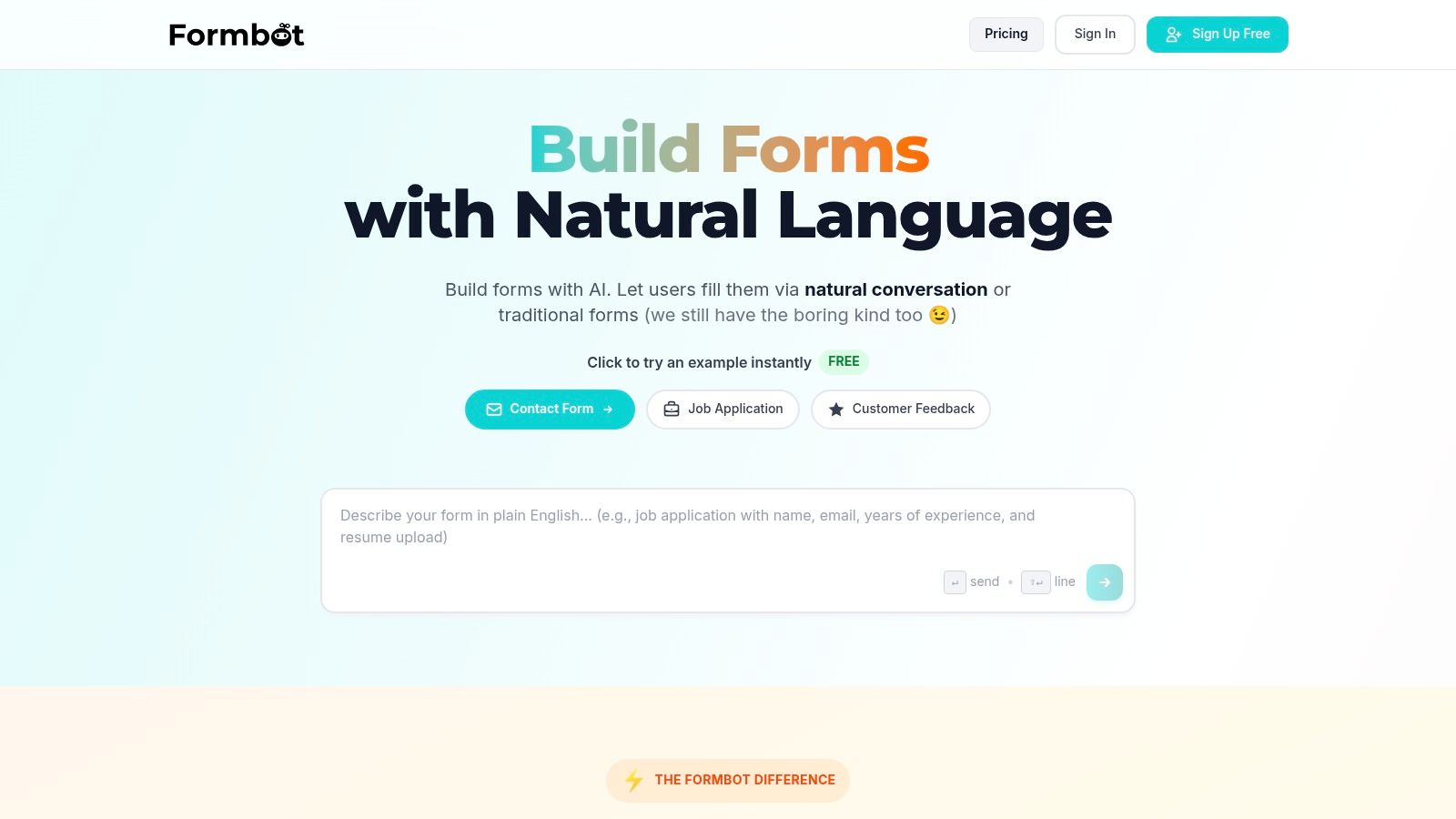
The platform’s core strength lies in its ability to create conversational interfaces that feel less like a traditional form and more like a guided chat with an assistant. This unique user experience can help boost engagement and guide users through the submission process, a critical advantage for mobile-first audiences.
Key Strengths & Features
Formbot's feature set is meticulously designed to optimize the referral process from creation to analysis.
- AI-Powered Form Generation: Simply type a prompt like, "Create a customer referral form that collects the referrer's name and email, and the friend's name, email, and phone number," and the AI instantly builds the form. This dramatically reduces setup time.
- Multiple UI Modes: You are not locked into one format. Choose between a modern chat-based interface, a guided one-question-at-a-time flow, or a classic layout to best match your brand and audience preferences.
- Pre-Built Template Library: While you can build from scratch, Formbot also includes over 100 templates, providing a solid foundation for various referral scenarios, including employee referrals, B2B partner referrals, and customer loyalty programs.
- Advanced Controls: Despite its simplicity, the platform offers granular control over fields, validation rules (e.g., ensuring a valid email format), and conditional logic to create robust, production-ready workflows.
- Instant Deployment & Analytics: Share your referral form instantly with a simple link, no hosting required. Real-time analytics allow you to monitor submission rates and identify drop-off points, enabling data-driven optimizations to improve performance.
Practical Application: Customer Referral Form
Imagine you want to launch a customer referral program. Using Formbot, you can generate a conversational form that first warmly greets the existing customer, then asks for their information, and finally prompts for their friend's details. The chat interface can make the request feel more personal and less transactional, increasing the likelihood of completion.
Pro Tip: For a customer referral form in Formbot, use the chat mode to A/B test your opening line. Compare a direct "Refer a friend" message against a more benefit-driven "Give a friend 20% off and get $20" to see which hook drives more submissions.
Pros & Cons
| Pros | Cons |
|---|---|
| Rapid No-Code Creation: Build and deploy forms in seconds using natural language prompts. | Pricing Transparency: Detailed pricing beyond the free plan is not published, requiring sales contact for enterprise needs. |
| High Engagement Rates: Conversational and guided modes are designed to increase completion rates, especially on mobile devices. | AI Oversight Needed: AI-generated forms may require human review to ensure perfect alignment with specific goals. |
| Flexible & Customizable: Offers deep control over fields, validation, and logic for tailored workflows. | Niche Audience Suitability: Chat-style interfaces may not be optimal for all audiences or accessibility requirements. |
| Instant Sharing & Analytics: Easy deployment via a link and built-in tools to monitor and optimize performance. |
Formbot offers a free plan to get started, making it accessible for anyone to try. For teams aiming to replace rigid, low-performing referral forms with a modern, engaging experience, Formbot presents a compelling and highly effective solution.
Website: https://tryformbot.com
2. Jotform
Jotform is a powerhouse in the online form-building space, offering one of the largest libraries of ready-made referral form templates available. Its main strength lies in its sheer volume and variety, covering everything from general business and employee referrals to highly specific medical use cases like patient, dental, and hospice referrals.
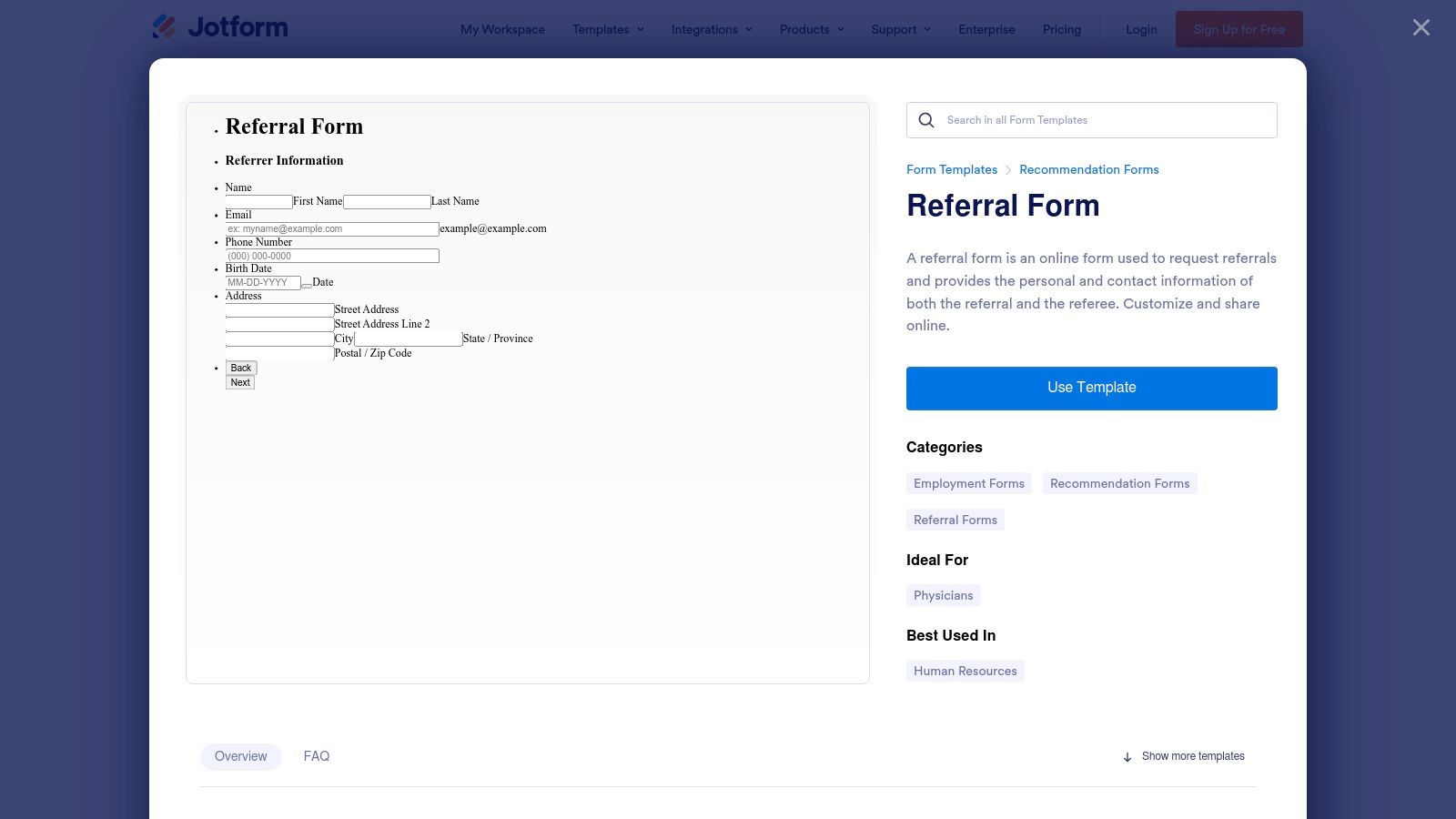
The platform’s no-code, drag-and-drop editor makes it exceptionally fast to deploy a form. Users can select a template, customize it with their branding and fields, and share it via a direct link, QR code, or by embedding it directly into their website.
Key Features and Use Cases
Jotform stands out for its deep feature set and specialized templates. For healthcare providers, the platform offers HIPAA-compliant plans, a critical requirement for handling sensitive patient information securely. This makes it a go-to solution for clinics and medical practices looking to streamline their patient referral process.
- Template Library: Access over 100 dedicated referral form templates.
- Conditional Logic: Show or hide fields based on user input, creating a dynamic experience.
- Integrations: Connect seamlessly with over 100 third-party apps, including CRMs like HubSpot and Salesforce, cloud storage like Google Drive, and project management tools.
- Advanced Fields: Add e-signatures, file uploads, and payment collection directly within your form.
Pro Tip: When using Jotform for medical referrals, enable the HIPAA compliance features on a paid plan. This ensures all patient health information (PHI) is encrypted and stored securely, meeting strict regulatory standards.
Pros and Cons
| Pros | Cons |
|---|---|
| Vast template selection, especially for niche medical fields. | Advanced features and HIPAA compliance are locked behind paid tiers. |
| Powerful no-code editor with advanced logic and e-signature. | The free plan has submission limits and includes Jotform branding. |
| Extensive integration ecosystem for automating referral workflows. | The user interface can feel complex for those needing a simpler solution. |
Jotform is an excellent choice for organizations that need a robust, feature-rich solution with specialized templates, particularly in the healthcare sector. While the free plan is a great starting point, businesses will need to upgrade to a paid plan to unlock its full potential. To see how these features compare, you can explore other options for a business referral form to find the best fit for your needs.
Website: https://www.jotform.com/form-templates/referral-form
3. Typeform
Typeform is known for its conversational, one-question-at-a-time approach, transforming standard forms into engaging interactions. Its strength lies in creating a highly polished user experience designed to boost completion rates, making it an excellent choice for client, sales, and general marketing referral programs where user engagement is key.
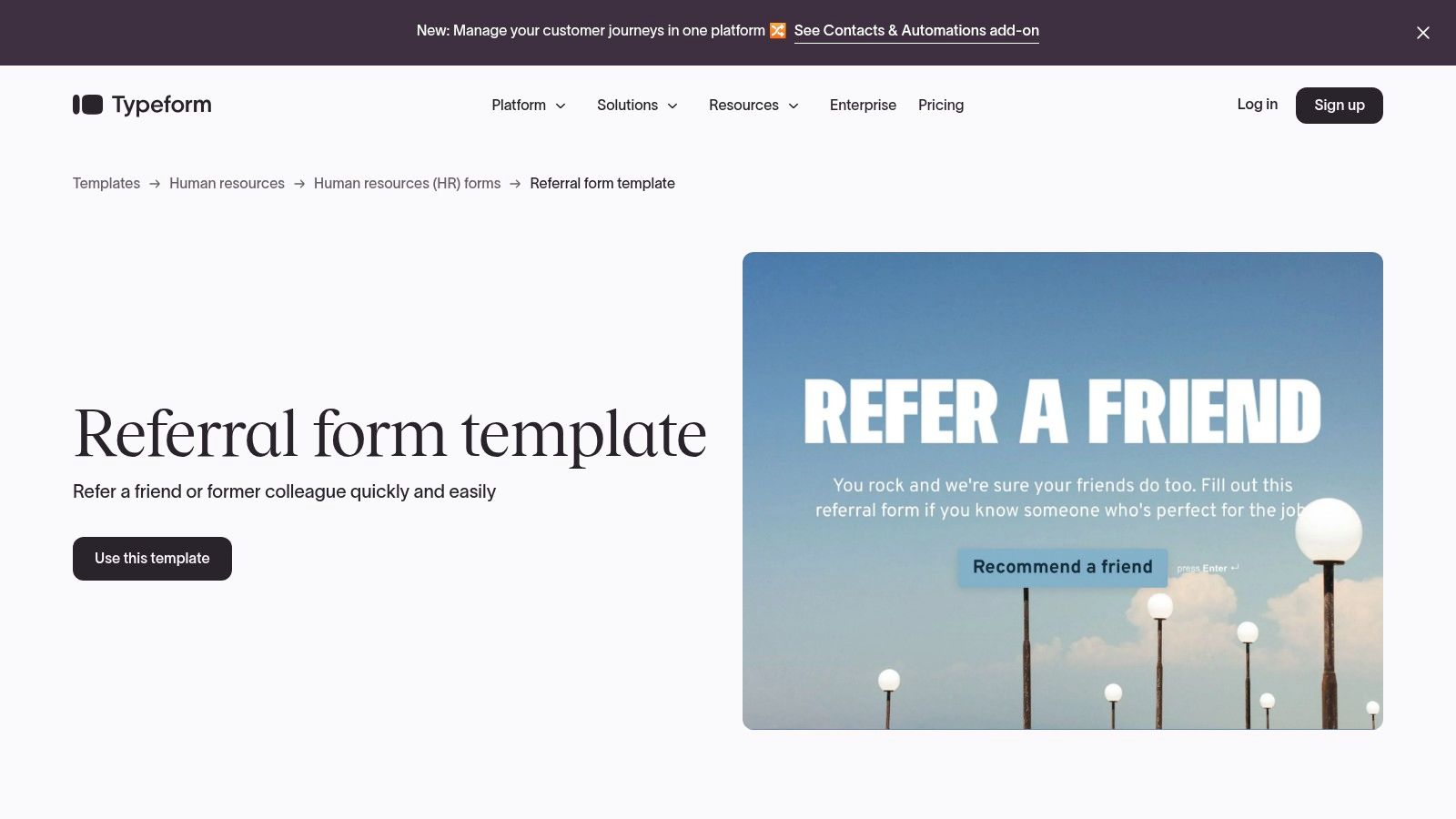
The platform’s prebuilt referral form templates are sleek and modern, guiding users through the submission process with a friendly, step-by-step interface. This conversational flow feels more like a chat than a static form, which can significantly reduce user drop-off and lead to more successful referral submissions.
Key Features and Use Cases
Typeform excels in environments where brand perception and user experience are paramount. Marketing and sales teams leverage its beautiful design and robust integrations to automate referral capture and follow-up. For instance, a new referral can automatically trigger a Slack notification for the sales team and create a new contact in HubSpot.
- Conversational UX: Presents questions one by one, creating a focused, interactive experience.
- Template Variety: Offers specific templates for general referrals, client referrals, and sales referrals.
- Integrations: Connects to over 300 popular tools like Slack, HubSpot, Zapier, and Google Sheets to automate workflows.
- Logic Jumps: Uses conditional logic to personalize the user's path through the form based on their answers.
Pro Tip: Use Typeform’s Logic Jumps to ask tailored follow-up questions. For example, if a user selects "Existing Client" as their relationship to the person they're referring, you can display an optional field asking for the client's account number to streamline verification.
Pros and Cons
| Pros | Cons |
|---|---|
| Highly polished user experience that can increase completion rates. | The free plan is limited, and removing branding requires a paid plan. |
| Strong integration ecosystem for automating referral workflows. | Advanced features like Logic Jumps are locked behind higher-tier plans. |
| Well-suited for marketing and sales referral programs. | Less ideal for complex clinical documentation compared to healthcare-focused tools. |
Typeform is the perfect solution for businesses that prioritize a beautiful, conversational user experience to maximize referral submissions. While its free plan is a great entry point, a paid plan is necessary to fully leverage its customization and automation capabilities. You can also explore how these conversational elements can be applied to an employee referral form to boost internal participation.
Website: https://www.typeform.com/templates/referral-form-template
4. Formstack
Formstack is a powerful, enterprise-grade platform specializing in secure data collection, making it an ideal choice for industries with strict compliance needs like healthcare. It excels at digitizing complex, multi-party referral processes, helping organizations replace inefficient paper and fax workflows with streamlined, secure digital forms. Its referral form templates are specifically designed for patient, doctor, and home-health referrals.
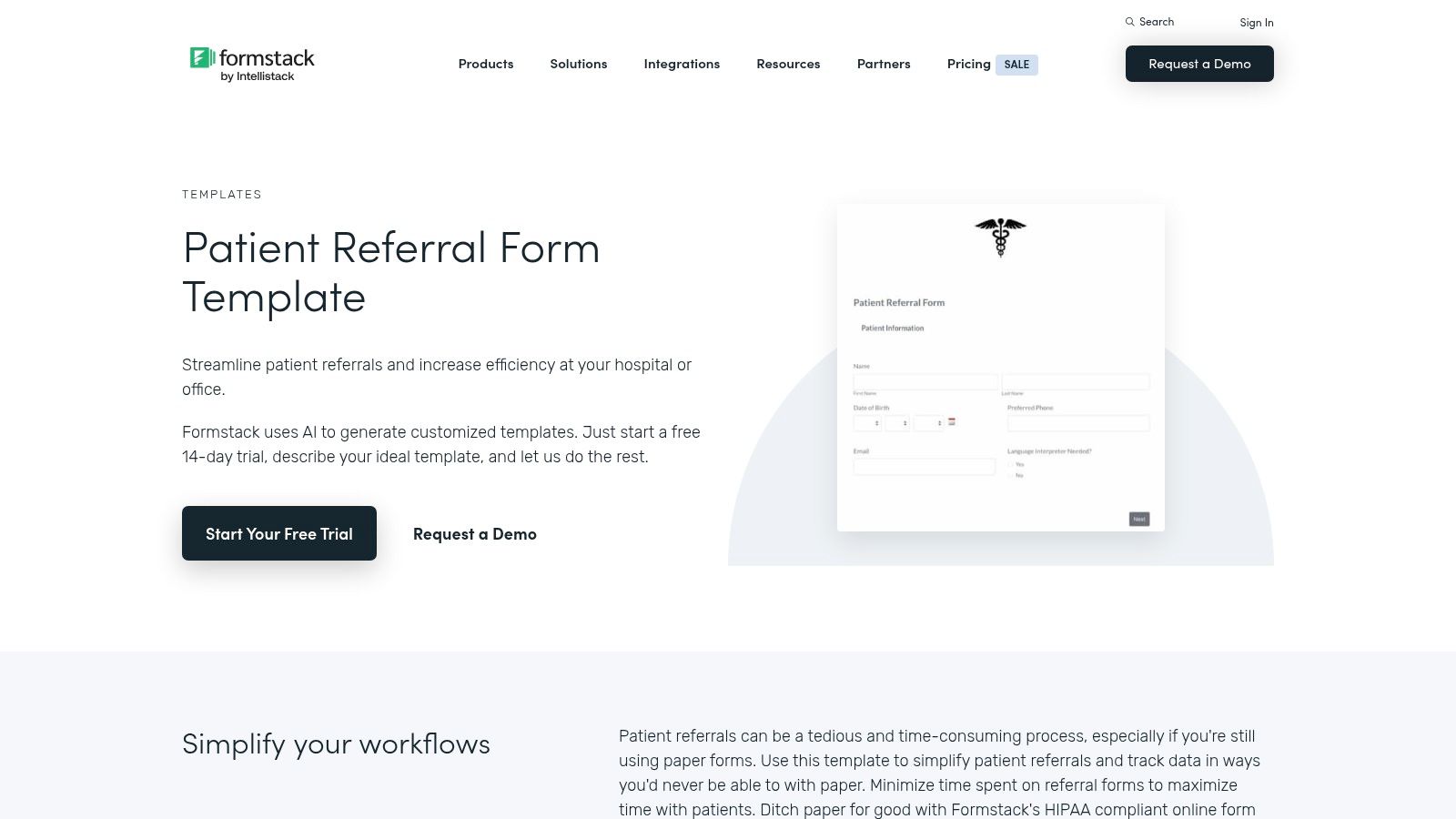
The platform is built to handle sensitive information with features like HIPAA-compliant plans, which are crucial for U.S. healthcare organizations. Formstack enables users to capture attachments, collect e-signatures, and automate data handoffs between different parties, ensuring a smooth and secure referral workflow from start to finish.
Key Features and Use Cases
Formstack's main advantage is its focus on security and workflow automation, particularly within the healthcare sector. Its templates are not just forms but starting points for comprehensive data management systems. This makes it a top-tier solution for hospitals, clinics, and home health agencies looking to modernize their referral intake and management.
- Specialized Templates: Access dedicated templates for Patient Referral, Doctor Referral, and Home Health Referral.
- HIPAA Compliance: Offers a HIPAA-compliant solution on specific plans, ensuring patient data is handled securely.
- Advanced Capabilities: Includes file uploads for medical records, legally binding e-signatures, and conditional logic.
- Workflow Automation: Designed to automate complex, multi-step processes involving different departments or organizations.
Pro Tip: Use Formstack’s workflow automation to create a multi-stage approval process. For a doctor referral, the form could first be routed to an administrative team for verification, then to the specialist for review, with automated notifications sent at each step.
Pros and Cons
| Pros | Cons |
|---|---|
| Strong fit for healthcare needing HIPAA-friendly referral workflows. | 14-day trial only; ongoing access requires a paid subscription. |
| Excellent for digitizing multi-party referral processes securely. | More enterprise-leaning pricing compared with basic form tools. |
| Supports attachments and structured data handoffs for clear communication. | The platform may be overly complex for simple, single-step referral needs. |
Formstack is the go-to solution for organizations, especially in healthcare, that require a secure, compliant, and automated system for managing referrals. While its pricing reflects its enterprise focus, the investment is justified for those needing to digitize critical workflows. For those exploring different referral types, you can see how to build a powerful referral request form to compare solutions.
Website: https://www.formstack.com/templates/patient-referral-form
5. Template.net
For those who need printable, offline referral forms, Template.net offers a massive marketplace of downloadable documents. Unlike online form builders, its strength lies in providing static templates in familiar formats like Word, Google Docs, and PDF. This approach is ideal for businesses that manage referrals through traditional, paper-based workflows or prefer to handle documentation manually.
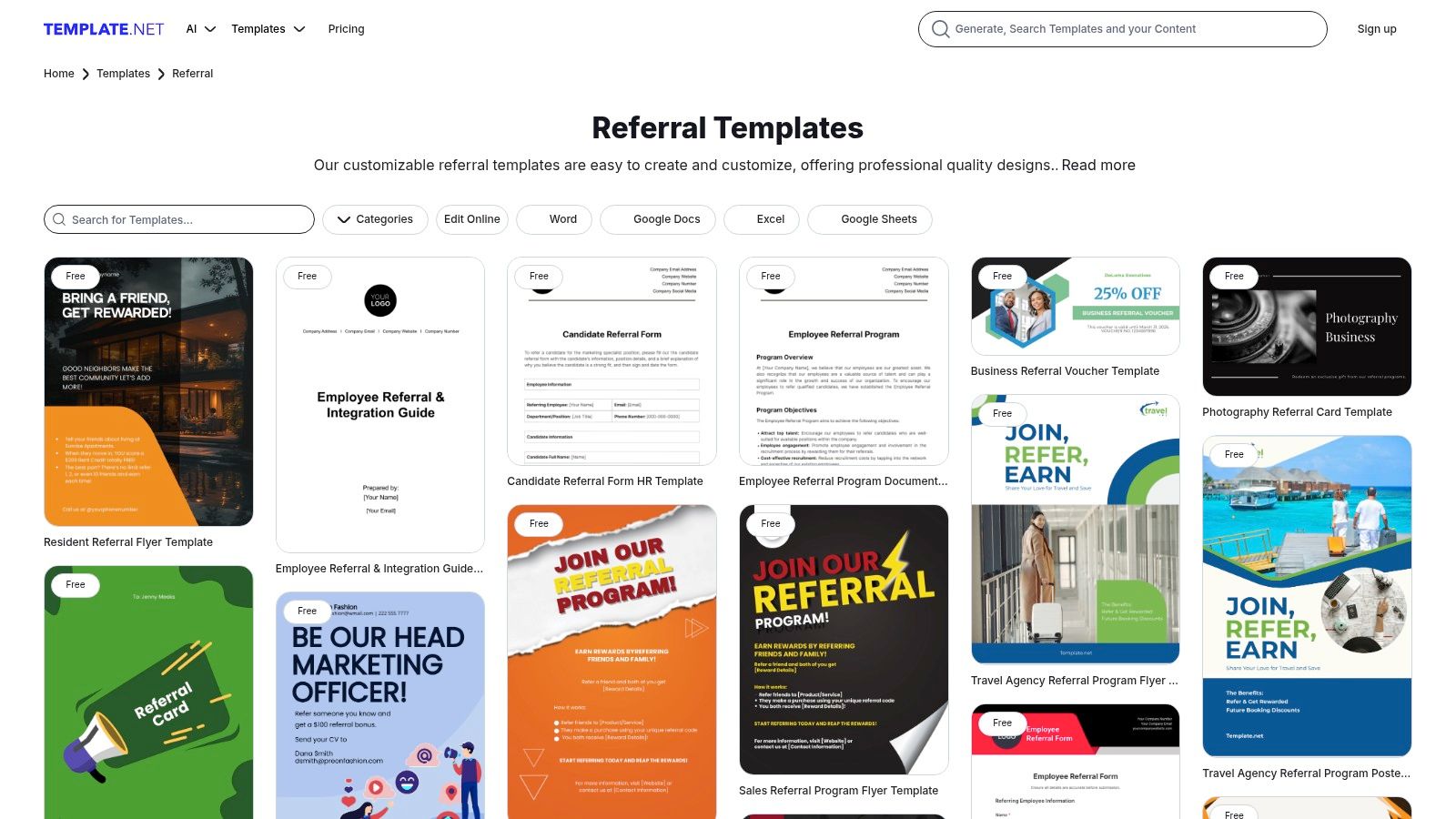
The platform caters to users who want to download a file once, customize it in an editor they already know, and print or email it as a standalone document. It covers a wide range of needs, from HR and employee referrals to sales, real estate, and client referral documents, making it a versatile resource for diverse industries.
Key Features and Use Cases
Template.net’s primary value is its simplicity and accessibility for offline use cases. It serves as a digital library where you can find a pre-designed structure for your referral program without committing to a SaaS subscription. This is particularly useful for internal processes, one-off events, or situations where digital submission is not required.
- Multiple Formats: Templates are available in popular formats like Microsoft Word, Google Docs, and PDF, ensuring broad compatibility.
- Offline Customization: Users can easily edit branding, text, and fields using common software like Microsoft Office or Google Workspace.
- Broad Categories: Find referral form templates for human resources, sales leads, real estate agents, contractors, and more.
- One-Off Downloads: Offers a mix of free and premium templates, allowing for single purchases without a recurring subscription.
Pro Tip: When downloading a template for patient or client referrals, remember that you are solely responsible for data security. Ensure any sensitive information collected on these forms is handled, stored, and transmitted according to privacy regulations like HIPAA.
Pros and Cons
| Pros | Cons |
|---|---|
| Ideal for static, printable forms without a software subscription. | Not an online form builder; no automation or digital submission features. |
| Broad variety across HR, sales, and operational use cases. | Template quality can be inconsistent across the library. |
| Quick one-off downloads and easy customization in familiar editors. | Data security and compliance (like HIPAA) are entirely the user's responsibility. |
Template.net is the perfect solution for organizations that need a traditional, document-based referral system. It provides a quick and affordable way to create professional-looking referral forms for printing or manual distribution, bypassing the need for online form-building platforms and their associated costs.
Website: https://www.template.net/referral
6. Etsy
For small businesses, clinics, and solopreneurs who need a quick, stylish, and budget-friendly solution, Etsy offers a surprisingly diverse marketplace of downloadable referral form templates. Unlike SaaS platforms, Etsy provides static documents created by independent designers, which are perfect for print or digital use where an online submission system isn't required. These templates are typically editable in common programs like Canva, Microsoft Word, or Google Docs.
The platform’s strength is its affordability and the sheer variety of aesthetic designs available. Users can find templates tailored for specific industries like beauty salons, therapy practices, or medical clinics. After a one-time purchase, the file is available for instant download, allowing businesses to add their branding and print or email the form immediately.
Key Features and Use Cases
Etsy is the go-to option for businesses that prioritize form design and don't need automated workflows. A local dental office, for instance, can purchase a professionally designed template for a few dollars, add its logo, and have a stack of referral pads ready for other local practitioners. It’s an analog solution in a digital world that still holds value for many small-scale operations.
- Template Formats: Get instant access to templates in PDF, Word, Google Docs, and Canva.
- Variety of Styles: Choose from hundreds of designs from different sellers, ensuring a unique look.
- Seller Reviews: Vet the quality of a template by reading reviews from previous buyers.
- Instant Delivery: Download and start editing your purchased template within minutes.
Pro Tip: Be cautious of templates on Etsy labeled "HIPAA-compliant." While the document's layout may be designed to collect relevant information, the template itself does not provide HIPAA compliance. The responsibility for securing patient data rests entirely on your practice’s handling, storage, and transmission procedures.
Pros and Cons
| Pros | Cons |
|---|---|
| Extremely budget-friendly with one-time purchase costs. | Templates are static documents with no online submission or data storage. |
| Wide selection of professional designs from independent creators. | Lacks automation, integrations, or advanced features like conditional logic. |
| Instantly downloadable and easy to customize with your own branding. | "HIPAA-compliant" claims can be misleading and only refer to the template's layout. |
Etsy is an excellent resource for those who need a well-designed, printable referral form template without the recurring cost of a form-building platform. It's ideal for businesses that handle referrals offline or need a simple, branded document to share with partners.
Website: https://www.etsy.com/listing/1757204919/patient-referral-form-template-doctor
7. Quill
For organizations that still rely on physical, paper-based workflows, Quill offers a practical, non-digital alternative to online referral form templates. As a major office supply retailer, Quill provides customizable referral pads and slips, including carbonless multi-part sets, designed for front-desk operations in medical offices, legal practices, and other professional services.
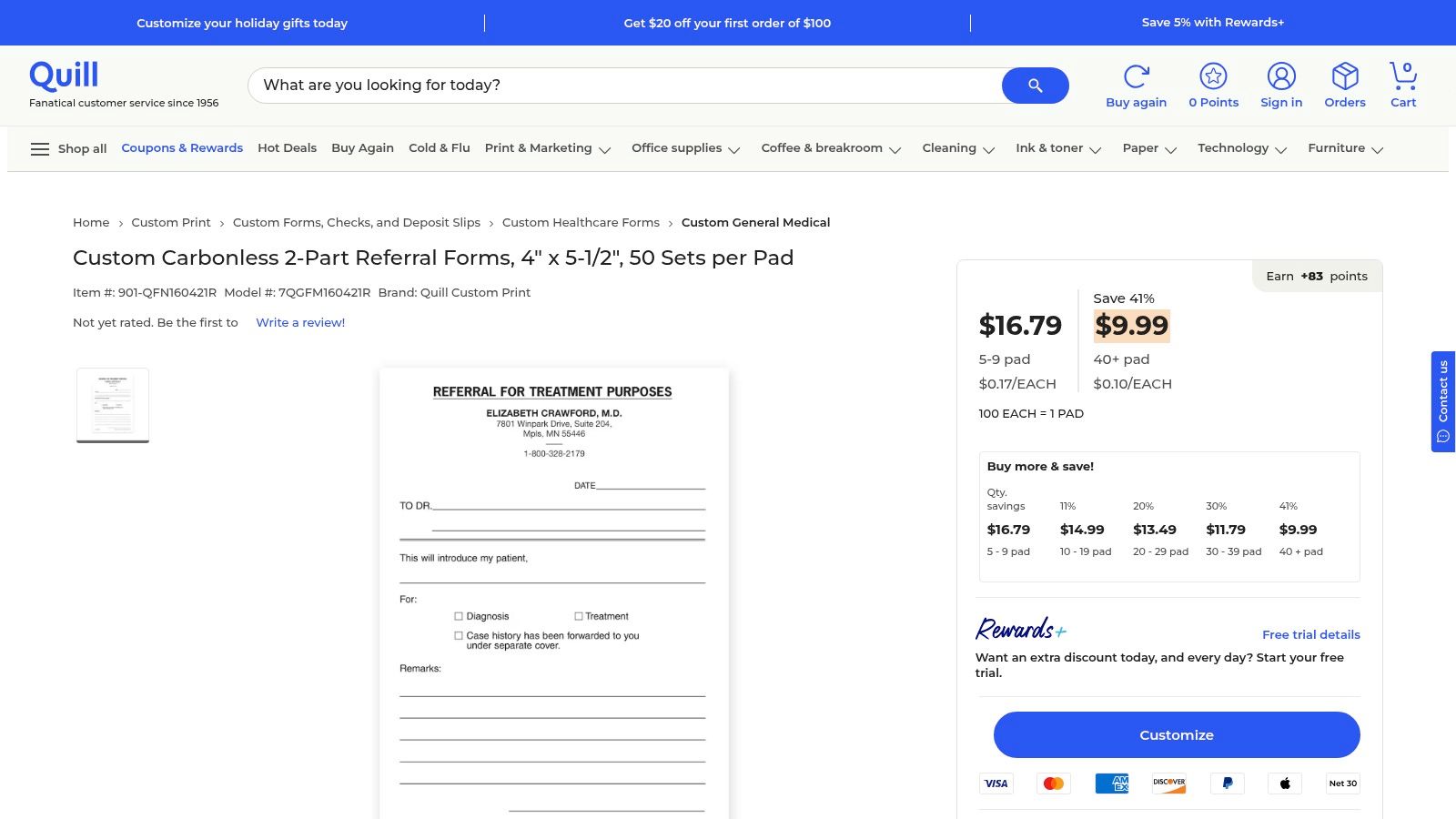
This solution is ideal for situations where a tangible, hand-delivered referral slip is required or preferred. The carbonless copy feature ensures that the referring office can easily retain a duplicate record for its files without needing a printer or scanner, streamlining the paper trail.
Key Features and Use Cases
Quill's main advantage is its specialization in physical office supplies, offering a reliable solution for businesses that haven't fully transitioned to digital processes. Their referral pads are particularly useful for medical or dental practices where one specialist hands a patient a physical form to take to another provider.
- Carbonless 2-Part Forms: Instantly create a duplicate copy of each referral, ensuring the referring office has an immediate record.
- Customizable Imprints: Add your business name, address, logo, and other contact details directly onto the referral pads for a professional look.
- Bulk Ordering: Purchase in larger quantities for significant cost savings, making it an economical choice for high-volume offices.
- Standardized Formats: Pads are available in common sizes like 4" x 5.5", making them easy to handle and file.
Pro Tip: When ordering custom pads, include a unique tracking number field or a simple checkbox system on the form. This allows for basic manual tracking of referral sources and outcomes, even without a digital system.
Pros and Cons
| Pros | Cons |
|---|---|
| Ideal for paper-based offices and front-desk workflows. | Lacks automation and requires manual data entry or scanning. |
| Carbonless copies provide an instant duplicate record. | Custom printing involves lead times not present with digital options. |
| Bulk quantity discounts offer predictable and low-cost reordering. | Paper forms can be lost, damaged, or difficult to track effectively. |
Quill is the go-to choice for businesses that need a dependable supply of physical referral pads. It's a throwback to traditional methods but remains highly relevant for industries where a paper handoff is standard practice. While it lacks the automation of digital tools, it excels in providing a simple, tangible solution for offline referral management.
Referral Form Templates: 7-Platform Comparison
| Tool | Implementation complexity 🔄 | Resource requirements ⚡ | Expected outcomes ⭐📊 | Ideal use cases 💡 | Key advantages |
|---|---|---|---|---|---|
| Formbot | Low — no-code AI prompt → ready flows; minor human review recommended 🔄 | Low–Medium — free tier, paid scaling; web + analytics ⚡ | Higher completion and faster submissions; better mobile conversion ⭐📊 | Marketing, product/UX, HR, CX — fast, high-converting data collection 💡 | AI-generated conversational/guided forms, 100+ templates, realtime analytics |
| Jotform | Low — drag-and-drop builder with templates and conditional logic 🔄 | Low–Medium — free tier; paid for advanced features & HIPAA; many integrations ⚡ | Fast deployment and reliable routing to CRMs/storage; suitable for niche medical templates ⭐📊 | Healthcare referrals (with HIPAA plan), general referral forms, CRM workflows 💡 | Large template library, strong integrations, e-signature, mobile-friendly |
| Typeform | Low — template-driven conversational UX; easy branding/customization 🔄 | Low–Medium — free limited plan; paid for advanced logic/branding; 300+ integrations ⚡ | Polished UX that tends to increase engagement and completions; good automation ⭐📊 | Marketing and sales referral programs, brand-forward capture flows 💡 | Highly polished conversational experience, rich integrations, embeddable widgets |
| Formstack | Medium — workflow setup and compliance configuration; enterprise-ready 🔄 | Medium–High — paid plans; IT/security involvement for HIPAA workflows ⚡ | Secure, HIPAA-capable digitization of multi-party referrals; reliable attachments/e-sign handoffs ⭐📊 | Healthcare organizations digitizing referrals and compliance-critical workflows 💡 | HIPAA-compliant plans, workflow automation, attachments & e-signature support |
| Template.net | Very Low — download and edit in Word/Docs/PDF; no platform setup 🔄 | Very Low — one-off free/paid downloads; no hosting or integrations ⚡ | Static/printable forms for manual use; no built-in submission or automation ⭐📊 | Offline/print needs, one-off documents, users avoiding SaaS subscriptions 💡 | Wide format options, offline editing, quick one-off customization |
| Etsy | Very Low — marketplace purchase + manual customization; seller-dependent 🔄 | Very Low — low-cost per item; instant digital delivery; no hosting ⚡ | Budget-friendly styled templates; quality varies; no automation or storage ⭐📊 | Small clinics, salons, local businesses needing affordable single-use templates 💡 | Low cost, variety of styles, instant delivery, seller reviews to vet quality |
| Quill | Low–Medium — custom print order with production lead time 🔄 | Medium — printing & shipping costs; inventory/reorder logistics ⚡ | Reliable physical referral pads/multi-part copies for front-desk workflows; no automation ⭐📊 | Practices/offices that require paper duplicates and carbonless copies 💡 | Carbonless 2‑part options, bulk discounts, predictable reordering and U.S. shipping |
From Template to High-Performing Asset
We've explored a wide range of referral form templates, from the dynamic, conversational builders like Formbot and Typeform to the more traditional options offered by Jotform and Formstack, and even printable designs from Etsy and Template.net. The journey from selecting a base design to launching a high-converting referral machine is paved with strategic customization, thoughtful user experience design, and continuous optimization. The key takeaway is that a template is not a final destination; it's a launchpad for growth.
The most successful referral programs understand that the form itself is a critical touchpoint in the user journey. It must be more than just a data collection tool; it must be an experience. By prioritizing clarity, minimizing friction, and aligning the form's design with your brand and audience expectations, you transform a simple submission process into a powerful advocacy channel.
Key Takeaways for Maximizing Referral Success
Remember these core principles as you implement your chosen referral form templates:
- Context is King: The best form is one that meets your users where they are. A conversational, mobile-first form is ideal for a B2C app's customer referral program, while a more detailed, traditional form might be better suited for an internal employee referral system.
- Microcopy Matters: The words you use have a massive impact. Replace generic labels like "Submit" with benefit-driven calls to action like "Get My Reward." Use placeholder text and helper tips to guide users, clarifying exactly what information is needed and why.
- Remove Every Ounce of Friction: Every unnecessary field is a potential drop-off point. Leverage pre-filled fields, social logins, and clear validation rules to make the process as effortless as possible for the referrer. The easier you make it to share, the more referrals you will receive.
Your Actionable Next Steps
Choosing the right tool and template is just the beginning. The real momentum comes from implementation and iteration. To truly transform your referral forms into high-performing assets, it's beneficial to integrate them within a comprehensive customer referral program template that covers all aspects of your strategy. Once the form is live, the work continues. Monitor submission data, track conversion rates, and don't be afraid to experiment.
Set up A/B tests to compare different headlines, field arrangements, or CTA button colors. Gather user feedback to identify points of confusion or hesitation. By treating your referral form as a dynamic asset rather than a static page, you create a powerful, self-improving engine for acquiring high-quality customers and talent. The insights you gain will not only boost your referral program's ROI but also provide valuable lessons that can be applied across all your user-facing forms.
Ready to move beyond static forms and create an engaging referral experience that converts? Formbot makes it easy to build intelligent, conversational referral forms that guide users through the process step-by-step, dramatically reducing friction and boosting completion rates. Start your free trial today and see how our powerful logic and user-friendly interface can turn your referral program into your most effective growth channel.



