At its core, a rank order question is a survey method that asks people to arrange a list of items based on a specific measure, like preference, importance, or priority. Unlike a standard multiple-choice question where someone can check off every box they like, a rank order question forces a choice. It makes people decide what truly matters most.
Unlocking Priorities With Rank Order Questions
Imagine you're planning a team offsite for 2026 and you've only got the budget for three activities. A simple poll might show high interest in everything from a cooking class to a hiking trip. That leaves you with a messy, unclear picture. This is exactly where a rank order question makes all the difference.
When you ask your team to rank their top choices from first to last, you force them to make a decision. The "nice-to-haves" quickly fall to the bottom, and a clear hierarchy of what everyone really wants emerges. This is the unique power of rank order questions: they cut through the noise to reveal genuine priorities.

Why This Question Type Is So Valuable
This method is a game-changer for any business trying to make smarter, data-backed decisions. It takes a jumble of feedback and turns it into an actionable roadmap, bringing clarity to everything from product development to marketing strategy.
- Product Teams: Can finally see which new features users are most excited about, helping to shape the development pipeline.
- Marketing Teams: Can figure out which messages truly connect with their target audience.
- HR Departments: Can learn which employee benefits are most valued by the team.
Essentially, these questions help you understand the relative importance of different options. That's a level of insight that simple rating scales or checklists just can't deliver.
A rank order question is more than a survey tool; it's a prioritization engine. It compels respondents to evaluate options against each other, uncovering the true order of preference that drives their decision-making.
The Power of Ordinal Data
Rank order questions have become a go-to in modern survey design because they reveal relative preferences that simple multiple-choice questions miss entirely. In market research, for instance, these questions are constantly used to prioritize product features or uncover the top three drivers of customer satisfaction. The insights often guide roadmap and budget decisions worth millions.
Because ranking produces ordinal data (data with a clear order), analysts use specific methods like rank-sum analysis and average rank scores to turn all those individual rankings into clear, actionable priorities.
For anyone using a conversational form builder like Formbot, this powerful research technique can feel like a natural part of a conversation, making complex data collection an engaging experience. You can find more research about ranking in market research surveys to dive deeper.
Comparing Rank Order Questions to Other Formats
To really get a feel for when to use a rank order question, it helps to see how it stacks up against other common question types. Each format has its place, but they measure things very differently.
This table gives you a clear, side-by-side look at rank order questions versus other common formats like multiple choice, rating scales, and open-ended questions.
| Question Type | What It Measures | Best For | Key Limitation |
|---|---|---|---|
| Rank Order | Relative preference or importance | Forcing trade-offs to find top priorities | Can be mentally taxing with too many options |
| Multiple Choice | Simple selection or categorization | Gathering straightforward, categorical data | Doesn't show the degree of preference among selected items |
| Rating Scale | Absolute sentiment on a scale | Gauging individual attitudes (e.g., satisfaction) | Doesn't force a choice; all items can be rated highly |
| Open-Ended | Qualitative, detailed feedback | Exploring unknown issues or getting rich context | Difficult to analyze and quantify at scale |
As you can see, rank order questions fill a crucial gap. When you need to know not just what people like, but how much they like it compared to other options, ranking is the way to go.
When to Use Rank Order Questions for Maximum Impact
Knowing what a tool does is one thing; knowing precisely when to use it is another. Rank order questions are at their most powerful when you need to cut through vague interest and find out what people really prefer. They force a decision, which makes them perfect for any situation that demands a clear set of priorities.
Think about it this way: a standard multiple-choice question might tell you what people like from a list, but it won't tell you what they’d choose if they could only have one. A rank order question closes that gap. It reveals the trade-offs people are willing to make, and that’s where the most valuable insights are hiding.
Prioritizing Your Product Roadmap
If you're a product manager, one of your biggest headaches is deciding what to build next. You've got a long list of "wants" from customer feedback, but you don't have infinite time or resources. This is exactly where a rank order question shines.
- Before Ranking: You send a survey asking customers to check off all the features they find interesting. The results come back, and everything—a new dashboard, better reporting, a mobile app—gets a lot of votes. Now you're stuck. Everything seems important.
- After Ranking: Instead, you ask customers to rank those same features from most to least important. The data instantly shows that the mobile app is the #1 priority for most users, while the new dashboard is more of a "nice-to-have." Suddenly, your roadmap for 2026 is crystal clear.
This simple shift turns a pile of ambiguous feedback into a decisive, data-backed plan. You're no longer guessing what matters most; your customers have literally spelled it out for you.
Sharpening Your Marketing Message
Marketing teams are always testing different messages to see what resonates with their audience. Whether you're writing ad copy, website headlines, or email subject lines, you have to know which value proposition is the most compelling.
Let's say you have three core messages for a new service: "Save Time," "Reduce Costs," and "Increase Quality."
A simple poll might show that people like all three equally. But a rank order question forces them to choose, revealing that for your specific audience, "Reduce Costs" is the most urgent and powerful hook. This insight can then guide your entire campaign strategy.
This allows you to focus your budget and creative energy on the message that’s going to have the biggest impact, instead of spreading your efforts too thin. If you want to learn more about gathering this type of feedback, check out our guide on building an effective customer experience survey.
Optimizing Employee Benefits Packages
Human resources teams can get a ton of value from this question type, too. When you’re putting together a benefits package, it’s tough to know what perks employees truly care about. Is it more vacation days, a better health plan, professional development funds, or the option to work remotely?
If you just ask employees to rate each benefit on a scale of 1 to 5, you'll likely find that everything gets rated highly. That doesn't help much when you have a budget and need to make some tough calls.
A well-designed rank order question delivers the clarity you need. By asking employees to rank their preferred benefits, an HR team might discover that remote work flexibility is far more valuable to the team than a company-sponsored gym membership. This allows them to invest in perks that actually boost employee satisfaction and retention.
In every one of these scenarios, the goal is the same: to turn a confusing jumble of options into a clean, actionable list of priorities.
How to Design Rank Order Questions People Will Actually Answer
Creating a good rank order question is more art than science. It's not just about listing your options; the design itself—from how you word the instructions to how many items you ask someone to sort—is the difference between clean data and a confusing mess. A clunky question design leads to fatigue, frustration, and, frankly, unreliable results.
The trick is to make the task feel effortless. Think of it like packing a suitcase for a weekend trip. If you hand someone three essential items, they'll easily decide what goes in first. But if you give them twenty, they'll probably just start shoving things in without much real thought. Your goal is to guide people toward thoughtful answers, not overwhelm them into giving up.
Write Crystal-Clear Instructions
First things first: eliminate all guesswork. People should immediately understand what you're asking them to do and the criteria for ranking. Vague instructions are the fastest way to get messy, inconsistent data.
For example, don't just ask them to "Rank these features." Give them some context.
- Weak: "Please rank the following social media platforms."
- Strong: "Please rank the social media platforms below based on how often you use them, from 1 (most frequent) to 5 (least frequent)."
That small tweak makes a huge difference. It defines the measurement (frequency of use) and clarifies the scale, making sure everyone is on the same page.
Keep Your List Items Consistent
To get a fair comparison, all the items in your list need to be parallel. You can't mix and match different types of concepts. That just confuses people because they aren't comparing like with like anymore. It's like asking someone to rank their favorite fruits but sneaking "carrots" into the list.
Make sure all your options are:
- Structurally Similar: If one item is a short phrase, they should all be short phrases.
- Conceptually Related: All items should belong to the same category. Think all product features, all marketing channels, or all employee benefits.
Nailing these basics is a core part of good survey design. For a deeper dive, our article on form design best practices has a lot more tips for creating user-friendly experiences.
Find the Sweet Spot for List Length
This is probably the most critical decision you'll make. It’s tempting to create a long list to get more detailed data, but it usually backfires by causing serious cognitive load. When people are faced with too many choices, their brains get tired, and they start giving "good enough" answers instead of thoughtful ones.
Research proves this point. The list length is a huge factor, as the mental effort required scales with every item you add. An empirical study looked at 24 ranking questions from 541 participants and discovered that each additional item added about 4.26 seconds to the completion time. This one factor explained over 87% of the variance in how long it took people to answer, which shows just how quickly a long list can bog someone down.
Industry wisdom generally suggests capping your lists at 6–10 items, with six often being the sweet spot. That’s enough to identify key priorities without causing fatigue. This is especially true for mobile users, where short lists are essential for keeping data quality high. You can explore the full research on ranking completion times to see the detailed breakdown for yourself.
The optimal number of items for a rank order question is between four and seven. This range is manageable for most people, allowing them to make real trade-offs without feeling overwhelmed, especially on a small screen.
Always Randomize Your Item Order
Finally, you absolutely have to randomize the order of the items for each person. It’s just human nature to pay more attention to the first and last things we see—a bias that can seriously skew your results if the list is always the same.
By shuffling the list for every respondent, you ensure each item gets a fair shake. This simple step is non-negotiable if you want accurate, unbiased data that reflects genuine preferences, not just the order you happened to write things down in.
Analyzing and Visualizing Your Ranking Data
Collecting responses is just the first step. The real value comes from turning all those individual rankings into a clear, actionable story. Simply staring at a spreadsheet full of numbers won't cut it. You need to process the data and present it in a way that highlights what truly matters to your audience.
This means transforming the raw rankings into meaningful metrics. While just averaging the ranks seems like the obvious move, it can sometimes hide the real story. Fortunately, a couple of straightforward techniques can give you a much deeper and more reliable look at what your respondents truly prefer.
Calculating Average Rank Scores
The simplest place to start is with the average rank score for each option. This gives you a quick, high-level snapshot of how the items stack up. The math is easy: for each item, you just add up all the ranks it received and divide by the number of people who answered.
Here’s the breakdown:
- Assign a number to each rank (e.g., Rank 1 = 1, Rank 2 = 2, and so on).
- Add up the scores for each item across all your responses.
- Divide that total by the number of respondents.
An item with a lower average score was ranked higher more often, making it a clear favorite. For example, if "New Dashboard" gets an average score of 1.8 and "Mobile App" scores a 3.5, you know the dashboard is the top priority.
A great first step in this process is to see how many times each rank was assigned. A Frequency Distribution Calculator can make this part much easier.
Going Deeper with Weighted Rankings
Average rank is a solid starting point, but it has one weakness: it treats the gap between #1 and #2 the same as the gap between #5 and #6. In the real world, we know the top spot is way more important. This is where weighted rankings come in handy by giving more oomph to the highest-ranked items.
A common way to do this is with a reverse scoring system. If you have five items, you’d assign points like this:
- Rank 1: 5 points
- Rank 2: 4 points
- Rank 3: 3 points
- Rank 4: 2 points
- Rank 5: 1 point
This simple switch makes sure top-ranked choices have a much bigger impact on the final score. It pulls the real winners forward and gives you a more accurate picture of what people value most.
Of course, getting good data to analyze depends on asking the question correctly in the first place, especially when it comes to the number of options you provide.
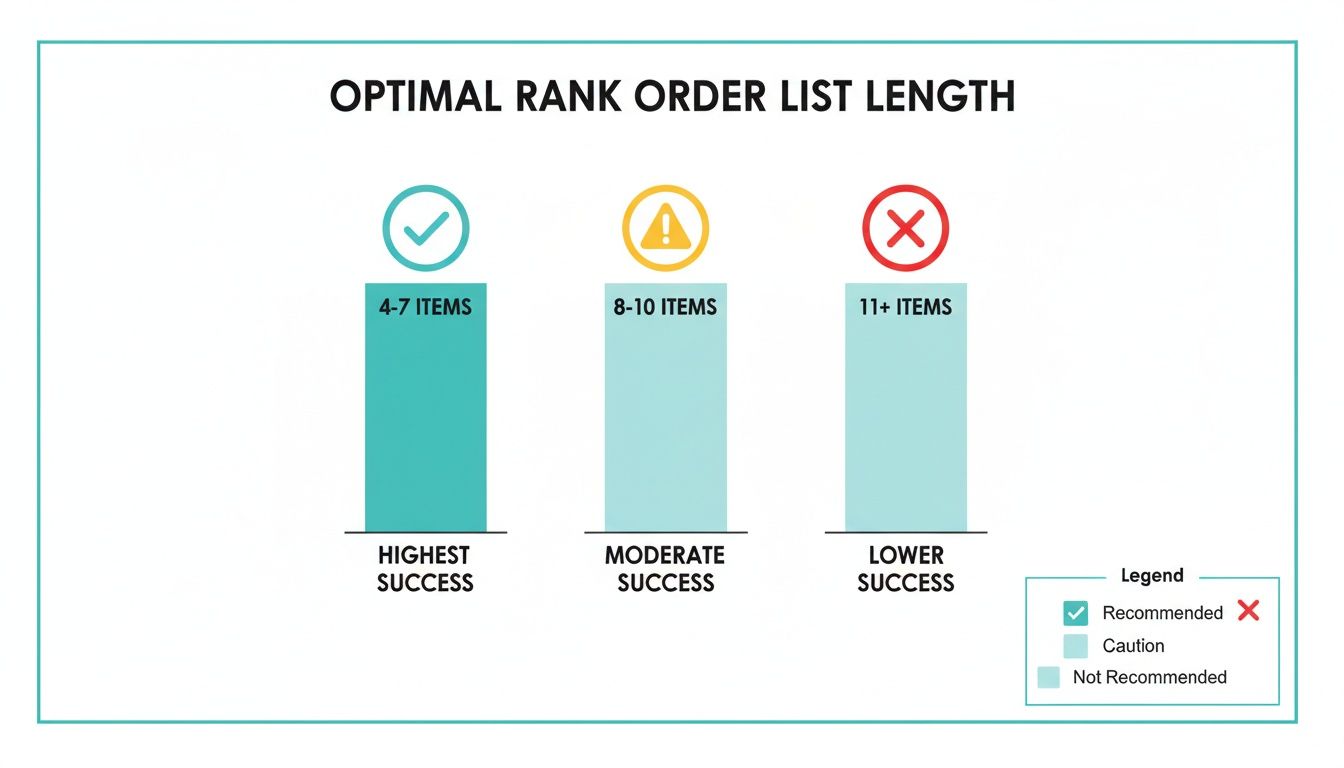
As the chart shows, sticking to 4-7 items is the sweet spot. It keeps respondents engaged and ensures the data you collect is reliable enough for this kind of analysis.
To help you choose the right approach for your project, here’s a quick summary of common analysis methods.
Common Methods for Analyzing Rank Order Data
This table breaks down the different techniques, how complex they are, and what kind of insight you can expect from each.
| Analysis Method | How It Works | What It Tells You | Best Used For |
|---|---|---|---|
| Average Rank | Sums the rank values for each item and divides by the number of respondents. (Lower score is better). | The overall preference or priority across all respondents. | Quick, high-level analysis to identify general trends and top performers. |
| Weighted Score | Assigns more points to higher ranks (e.g., Rank 1 = 5 points, Rank 5 = 1 point). | The strength of preference, emphasizing top choices more heavily. | Finding the "true winner" when distinguishing between the top few options is critical. |
| Frequency Count | Counts how many times an item was ranked #1, #2, #3, etc. | The distribution of ranks for each item, revealing consistency or polarization. | Understanding how an item achieved its score—was it a consensus #1 or a polarizing choice? |
Each of these methods offers a different lens through which to view your data, helping you build a more complete picture of respondent preferences.
Visualizing Your Findings for Impact
After you've crunched the numbers, you need to share your findings in a way that people can understand instantly. Good data visualization turns your analysis into a story that stakeholders can grasp in a few seconds, without needing to decipher a spreadsheet.
Your charts should do the talking for you. A well-designed visual can communicate the hierarchy of preferences far more effectively than a table of numbers ever could.
Here are two of the best ways to bring your rank order data to life:
1. Horizontal Bar Charts
This is the go-to choice for displaying average rank scores. List your items on the vertical axis and plot their average scores along the horizontal axis. This creates an immediate visual ranking—the shortest bars at the top are the most preferred options. It's clean, simple, and incredibly effective.
2. Stacked Bar Charts
If you want to show more detail, a stacked bar chart is perfect. Each bar represents one of your items, but it's segmented by color to show the percentage of people who gave it a specific rank (e.g., % who ranked it #1, #2, etc.). This visualization not only shows the overall preference but also reveals the distribution of opinions. You can easily spot if an item was a polarizing choice (lots of #1 and #5 ranks) or if everyone generally agreed it belonged in the middle.
Common Mistakes to Avoid With Ranking Questions
Even a well-thought-out ranking question can go wrong if you stumble into a few common traps. These aren't just minor annoyances for the people taking your survey; they can seriously compromise your data, leading you to make bad decisions based on faulty information. Knowing what these pitfalls are is the first step to making sure the feedback you get is clean, accurate, and truly useful.
The best defense is a good offense. If you design your questions with these potential problems in mind, you can sidestep the subtle biases and fatigue that create noise in your results. This proactive mindset is key to collecting data that isn't just numbers on a spreadsheet, but a real reflection of your audience's priorities.
Making Your Lists Too Long
This is probably the most common and destructive mistake I see: creating a massive list and asking someone to rank everything. It’s tempting to be exhaustive and throw every possible option in there, but this almost always backfires. When someone is staring at a dozen or more items, their brain just short-circuits. Cognitive overload kicks in, they lose focus, and they stop making the careful trade-offs you need them to make.
Instead of thoughtfully weighing each option, they start taking shortcuts:
- They might carefully rank the top three and bottom three, but everything in the middle becomes a random jumble.
- They get tired and just quit, killing your completion rates.
- They could even start ranking based on silly things, like the order the items appeared on the screen.
Keep your lists manageable. As mentioned before, the sweet spot is usually between four and seven items. That's enough to get meaningful comparisons without causing total burnout.
The Problem of "Satisficing"
Here’s a more subtle, but equally dangerous, issue to watch out for: satisficing. It’s a fancy term for when people get lazy or bored and start giving you "good enough" answers instead of their real, considered opinions. With ranking questions, this usually looks like someone just clicking or dragging in a simple, predictable pattern that has nothing to do with their actual preferences.
This behavior injects a ton of measurement error into your results and can completely throw off your analysis. While ranking questions are great, a 2020 study dug into how often people just phone it in. Think about it: for a simple four-item list, there are 24 possible ways to rank them. If everyone answered randomly, each specific order should show up about 4.2% of the time.
But that's not what the researchers found. The default 1-2-3-4 order appeared in 8.8% of responses, and the reverse 4-3-2-1 order appeared in 6.7% of them—way more than you'd expect. This proves that if you're not careful, your analysis will make you think the first few items on your list are more important than they really are. You can read the full research to see just how much these biases can affect your data.
Forgetting to Randomize Item Order
Not randomizing the order of the items for each person is another rookie mistake. We humans are wired with an order bias—we tend to give more weight and attention to the first things we see. If every single person sees the exact same list in the exact same order, your results are going to be heavily skewed toward whatever you happened to put at the top.
Randomization is your best defense against order bias. By shuffling the list for every user, you ensure each item has an equal chance of being seen in every position, leveling the playing field and giving you a much more accurate read on true preferences.
Frankly, there’s almost no good reason to use a static list. Unless the items have a natural, unchangeable sequence (like the days of the week), you should always turn on randomization. In most survey tools, it's just a single click, and it dramatically improves the integrity of your data.
How to Bring Rank Order Questions to Life with Formbot
Understanding the theory is great, but putting rank order questions into practice is where you'll see the real value. While many basic survey tools can feel clunky with this question type, modern builders make it a surprisingly smooth and intuitive experience—both for you and the people you're surveying. This is where a conversational approach really shines.
Formbot takes what could be a static, overwhelming list and turns it into a simple, engaging conversation. Instead of forcing users to navigate a rigid ranking grid, it uses an interactive drag-and-drop interface right inside a chat flow. This feels far more natural and slashes the friction that causes people to abandon surveys.
A Much Better Experience on Mobile
This conversational style is a game-changer on mobile devices. Let's be honest, traditional forms with complex ranking grids are a nightmare to use on a small screen, and drop-off rates show it. A chat-based interface, on the other hand, feels light and familiar—just like texting a friend.
Here’s a glimpse of how an interactive survey looks on a phone, making a complex question feel effortless.
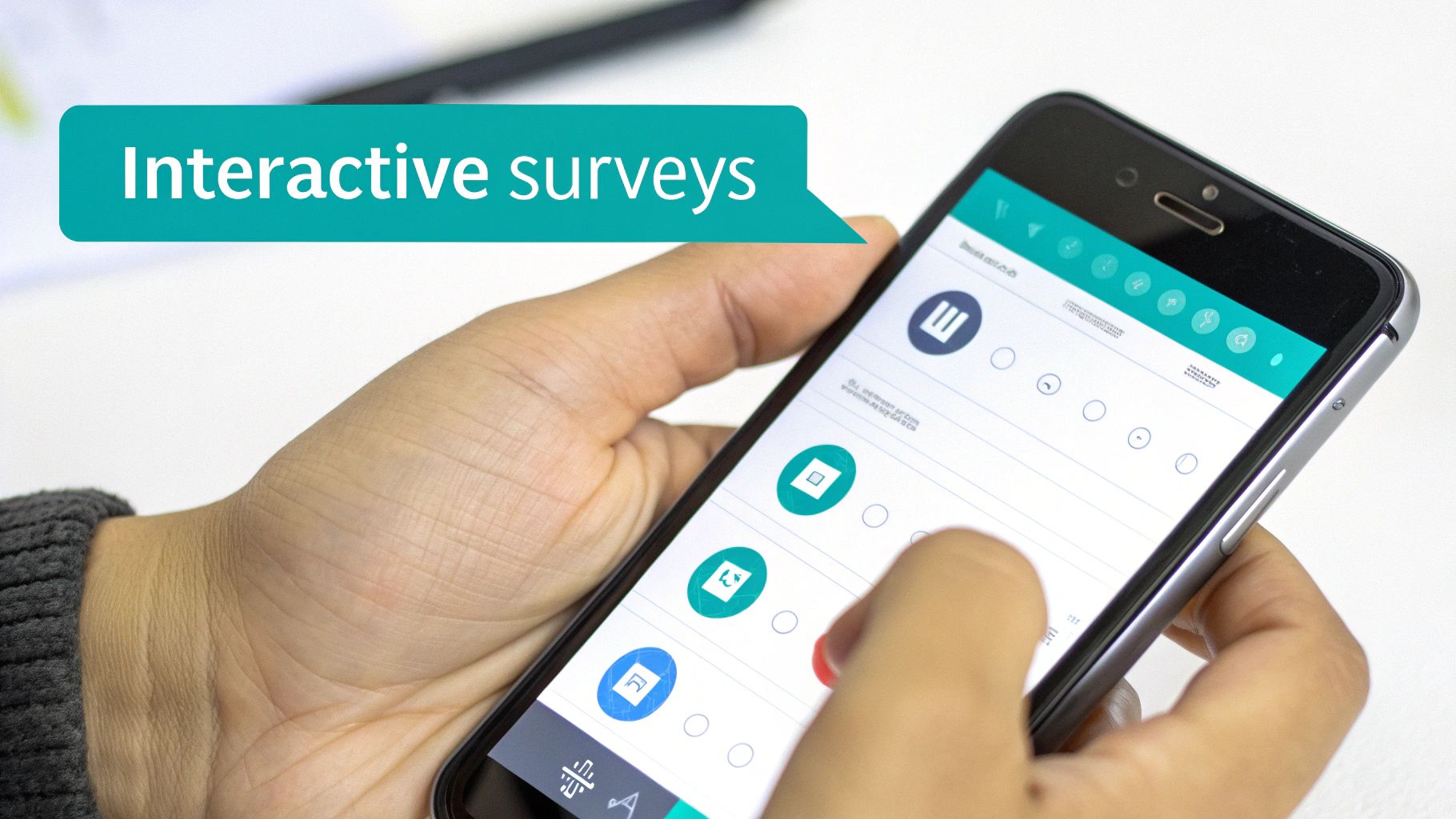
When you transform the ranking task into a simple, tactile action, you’re creating an experience that encourages thoughtful answers, not just frustrated clicks. For anyone looking for more power than basic tools offer, exploring a good Google Forms alternative can open up a world of possibilities for collecting better data.
Building Smarter Surveys Without the Hassle
Formbot is designed to help you effortlessly apply all the best practices we've covered. The platform makes it incredibly simple to build effective rank order questions that feel less like an interrogation and more like a helpful conversation. This ensures you're gathering high-quality, nuanced data without tanking the user experience.
You can always build your survey from the ground up or get a running start with pre-built templates. For instance, you can check out a ready-to-use market research survey to see these questions in action: https://tryformbot.com/templates/market-research-survey
The goal is to make data collection feel invisible. When a survey is conversational and intuitive, people are far more likely to give you the detailed, prioritized feedback you need to hit your 2026 goals.
Got Questions? We’ve Got Answers.
As we wrap up this guide, let's tackle some of the common questions that pop up when people start using rank order questions. Think of this as your quick-reference cheat sheet for putting these ideas into practice in 2026.
How Many Items Is Too Many to Rank?
This is a classic question. The sweet spot is generally between four and seven items.
Once you go past 10, you risk what researchers call "respondent fatigue." People get overwhelmed, stop thinking carefully, and the quality of your data drops off a cliff. For most surveys, especially on mobile, sticking to five or six items is a safe bet—it’s enough to see clear preferences without making people work too hard.
If you have a long list of potential features or benefits, don't try to cram them all into one question. Your best move is to either split them into a few smaller ranking questions or use a different question type altogether.
What’s the Real Difference Between Ranking and Rating?
It all comes down to forcing a choice. A ranking question makes someone compare items directly against each other. It answers the question, "If you could only have one, which would it be?" This is all about relative importance.
A rating question, on the other hand, asks people to judge each item on its own merits using a scale (like 1 to 5 stars). This tells you the absolute value of each item, but it doesn't create a priority list. A user could easily rate every single feature a "5," which doesn't help you decide what to build next.
Think of it this way: ranking tells you what people would choose if their resources were limited. Rating tells you how much they like everything individually. For making tough prioritization decisions, ranking is the clear winner.
Should I Really Bother Randomizing the Order of Items?
Yes. Absolutely, positively, yes.
Unless there's a universally understood sequence (like the days of the week), you should always randomize the order of the items for each person who takes your survey. This is your best defense against order bias—the sneaky subconscious tendency for people to pay more attention to the first few items on a list.
Skipping this step can seriously contaminate your results, leading you to believe your first item is the most popular when it was really just in the top spot.
Can Ranking Questions Actually Work in a Chatbot or Conversational Form?
They can, and they often work even better! Modern form builders have moved way beyond clunky, static lists. In a conversational interface, you can present a ranking question with intuitive, interactive elements.
Imagine dragging and dropping cards to reorder them—it’s a simple, almost game-like action that feels much more natural on a phone. This kind of smooth user experience doesn't just feel better; it can genuinely increase your completion rates and give you cleaner data because people are more engaged.
Ready to build surveys that people don't hate filling out? With Formbot, you can craft engaging rank order questions in a conversational format that drives higher completion rates and delivers sharper insights. Start building smarter surveys today.



