Crafting an effective survey is more than just asking questions; it's about designing an experience that encourages completion and delivers clean, actionable data. Poorly designed forms lead to high abandonment rates and skewed results, undermining the very reason for collecting feedback in the first place. This guide is built to solve that problem by providing a deep dive into practical, high-performing survey form examples that you can adapt and deploy immediately.
We will move beyond generic templates and dissect real-world examples, from Net Promoter Score (NPS) and customer satisfaction surveys to post-event feedback and product research forms. For each example, you’ll get a detailed breakdown of its purpose, an analysis of its structure field-by-field, and copy-ready sample questions. We will also explore crucial mobile and UX optimizations designed to maximize completion rates. As you begin to design your survey form, consider the specific insights you aim to gather, such as by exploring different types of employee culture survey questions.
This curated list features screenshots and direct links, showing you exactly how leading platforms like Formbot, Typeform, and Google Forms approach survey design. You will gain actionable takeaways on everything from question phrasing to a strategic look at how these standard surveys can be transformed into engaging, conversational chat flows. Let's explore the examples.
1. Formbot
Formbot fundamentally reimagines data collection by transforming standard forms into interactive, AI-driven conversations. Instead of presenting users with a static list of questions, Formbot creates a dynamic experience that guides them through the process one step at a time, making it an exceptional resource for building high-performing survey form examples. Its core strength lies in its AI-powered form generator, which allows you to describe your survey needs in plain English and instantly produce a polished, ready-to-use form in a chat, guided, or traditional layout.
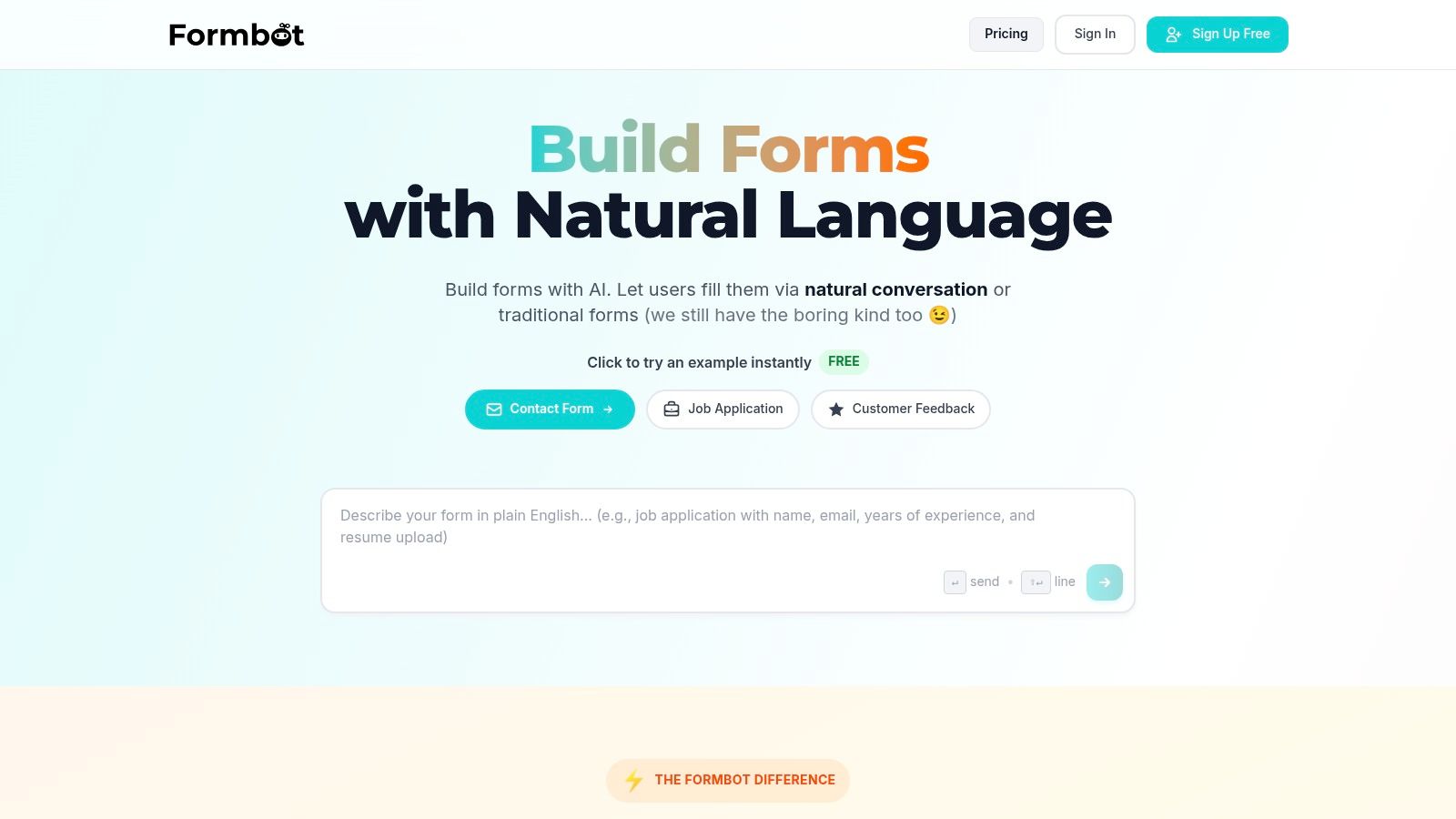
This conversational approach is particularly effective on mobile devices, where users are accustomed to messaging-style interactions. The platform's conversational method can increase completion rates and reduce submission time, a significant advantage for teams focused on maximizing response volume and data quality. For those looking to dive deeper into question design, Formbot also offers a helpful resource on a wide range of survey questions examples to inspire your next project.
Key Strengths & Use Cases
Formbot excels in scenarios where user engagement and completion rates are critical. Its AI not only builds the form but also intelligently processes responses, extracting details from natural language and only asking for information that’s missing.
- Marketing & Growth Teams: Build lead capture forms, user onboarding questionnaires, and market research surveys that feel less like a chore and more like a conversation, reducing drop-off rates.
- Product & UX Teams: Collect in-depth product feedback, run usability tests, and measure Net Promoter Score (NPS) with a user-friendly interface that encourages more thoughtful responses.
- HR & Recruiting: Streamline job application screening by creating engaging forms that capture candidate information more efficiently than traditional application portals.
- Customer Experience: Deploy post-support chat surveys, customer satisfaction (CSAT) forms, and general feedback collectors that are quick and easy for customers to complete.
Platform Analysis & Practical Tips
The platform's standout feature is its flexibility. You can start with a conversational chat, switch to a one-question-at-a-time guided flow, or even use a classic layout if your audience prefers it. This versatility makes Formbot adaptable to nearly any survey goal. Real-time analytics provide immediate insights into response patterns and conversion metrics, enabling rapid iteration and optimization.
The free "Starter" plan for 2026 allows for up to 100 responses per month. For teams needing more, the paid "Pro" plan offers more responses, removes branding, and adds features like custom domains, while the "Business" plan provides even higher limits and priority support.
Website: https://tryformbot.com
2. SurveyMonkey
SurveyMonkey stands as a giant in the survey industry, renowned for its massive, expert-written library of survey templates. It's less a single example and more an entire university of survey form examples, making it an essential resource for anyone needing to create a methodologically sound questionnaire.
Where SurveyMonkey truly excels is in the quality and reliability of its templates. Many are "methodologist-certified," meaning they've been vetted by experts to reduce bias and improve the quality of responses you receive. This is a critical advantage for teams conducting serious market research, employee engagement studies, or academic projects.
Key Features and Strategic Value
SurveyMonkey's platform is built to guide users toward better data collection. Instead of just providing a blank slate, its templates offer a structured starting point with proven question sets.
- Template Variety: With over 400 templates, you can find expertly crafted examples for everything from Net Promoter Score (NPS) and Customer Satisfaction (CSAT) to post-event feedback and employee exit interviews.
- Benchmarkable Questions: A standout feature is the ability to use benchmarkable questions. This allows you to compare your results against industry averages, providing crucial context that a standalone survey can't.
- Multiple Formats: You can present your survey in a classic, single-page format or switch to a more modern, one-question-at-a-time or conversational flow, adapting the user experience to your audience.
Strategic Takeaway: Use SurveyMonkey when data integrity and comparative analysis are paramount. Start with a methodologist-certified template to ensure your questions are neutral and effective, then use the benchmarking feature to see how your feedback stacks up against competitors.
Access and Pricing
While SurveyMonkey offers a free plan, it comes with significant limitations, such as a cap on the number of responses and restricted access to advanced features like logic branching and in-depth reporting. The true power of the platform, including its extensive template library and analytical tools, is unlocked with its paid plans, which are available on a monthly or annual basis. For teams looking for a robust platform, SurveyMonkey is a top contender among the best online form builders.
Website: https://www.surveymonkey.com/mp/survey-template-index/
3. Typeform
Typeform revolutionized the online form space by popularizing a one-question-at-a-time, conversational interface. It's a design-first platform where the primary focus is creating an engaging, almost chat-like experience for the user. Its library offers thousands of templates that serve as excellent survey form examples for anyone looking to boost completion rates through a more human-centered design.
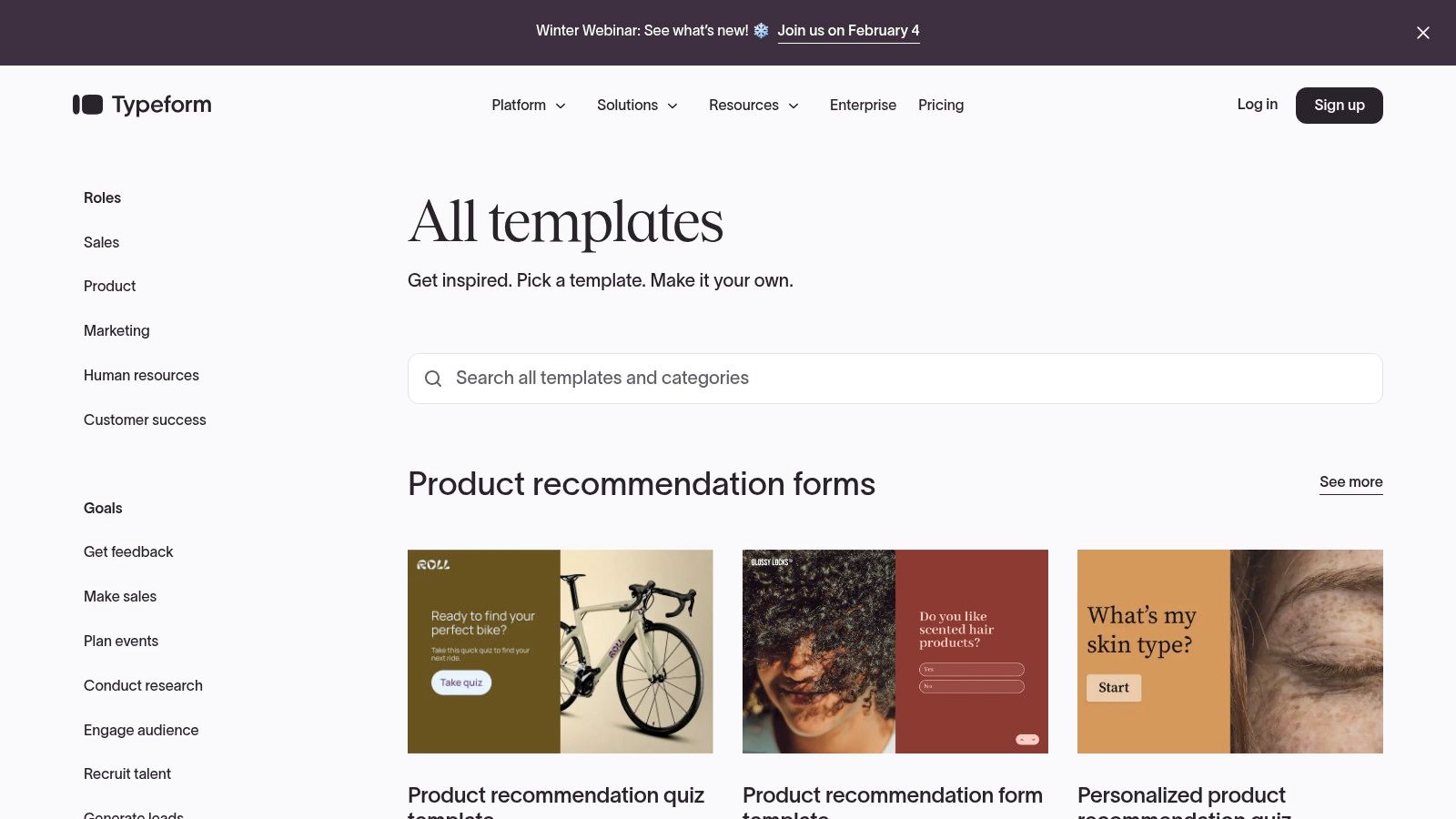
What sets Typeform apart is its unwavering commitment to user experience. The platform is built on the philosophy that a more engaging form leads to more thoughtful responses and higher completion rates. This makes it ideal for customer-facing surveys, lead generation quizzes, and feedback forms where brand perception and user engagement are critical.
Key Features and Strategic Value
Typeform excels at making data collection feel less like a chore and more like a conversation. Its features are geared toward creating beautiful, intuitive, and smart survey flows that adapt to user input.
- Conversational Flow: The signature one-question-at-a-time format reduces cognitive load, keeping users focused and engaged from start to finish.
- Extensive Template Library: With over 3,000 templates for pricing research, event registration, customer cancellation feedback, and more, you can quickly find a visually polished starting point.
- Advanced Logic Jumps: This feature allows you to create dynamic, personalized paths for respondents. You can show or hide questions based on previous answers, making the survey feel tailored to each individual.
- Deep Branding and Embedding: Typeform offers powerful controls to customize colors, fonts, and backgrounds to match your brand. Forms can be embedded seamlessly into your website for a native experience.
Strategic Takeaway: Use Typeform when the user experience is just as important as the data you're collecting. Its conversational style is perfect for top-of-funnel interactions like lead capture or initial customer feedback, where making a strong first impression can significantly improve conversion rates.
Access and Pricing
Typeform provides a free plan that allows for basic form creation but includes limits on the number of responses and questions per survey. To access its most powerful features like advanced logic, remove Typeform branding, and collect more responses, you'll need to subscribe to one of its paid monthly or annual plans. These plans scale based on the number of responses and team members required.
Website: https://www.typeform.com/templates/
4. Jotform
Jotform is a powerhouse of productivity, offering one of the largest galleries of ready-made survey templates available. It excels in speed and accessibility, allowing users to find, customize, and deploy a wide range of survey form examples in minutes using its intuitive drag-and-drop builder.
The platform's primary strength lies in its low-friction approach. Instead of starting from a blank canvas, you can select from thousands of templates designed for business, feedback, marketing, and education. These serve as robust starting points that can be quickly tailored to specific needs, making it ideal for teams that need to launch surveys rapidly without a steep learning curve.
Key Features and Strategic Value
Jotform is built for action, emphasizing rapid creation and seamless integration to ensure survey data flows directly into your existing workflows. Its platform combines a massive template library with powerful customization and connectivity.
- Extensive Template Gallery: With templates covering everything from customer satisfaction and market research to employee evaluations and course feedback, Jotform provides a pre-built solution for nearly any data collection scenario.
- Drag-and-Drop Customization: The builder is highly user-friendly, allowing you to easily add, remove, or rearrange form fields, apply conditional logic, and customize the design to match your brand.
- Broad Integration Ecosystem: Jotform connects with over 100 applications, including popular CRMs like HubSpot, payment gateways like Stripe, and storage services like Google Drive, automating the process of routing survey responses.
Strategic Takeaway: Use Jotform when your priority is speed and workflow integration. Select a relevant template to get a functional survey live in minutes, then connect it to your core business apps to automate data transfer and eliminate manual entry.
Access and Pricing
Jotform offers a generous free plan that includes access to its template library and core features, making it highly accessible for individuals and small teams. However, this plan has limits on monthly submissions, form views, and storage. To unlock higher quotas, remove Jotform branding, and access advanced features like HIPAA compliance, users will need to upgrade to one of their paid subscription plans.
Website: https://www.jotform.com/form-templates/category/surveys
5. Google Forms
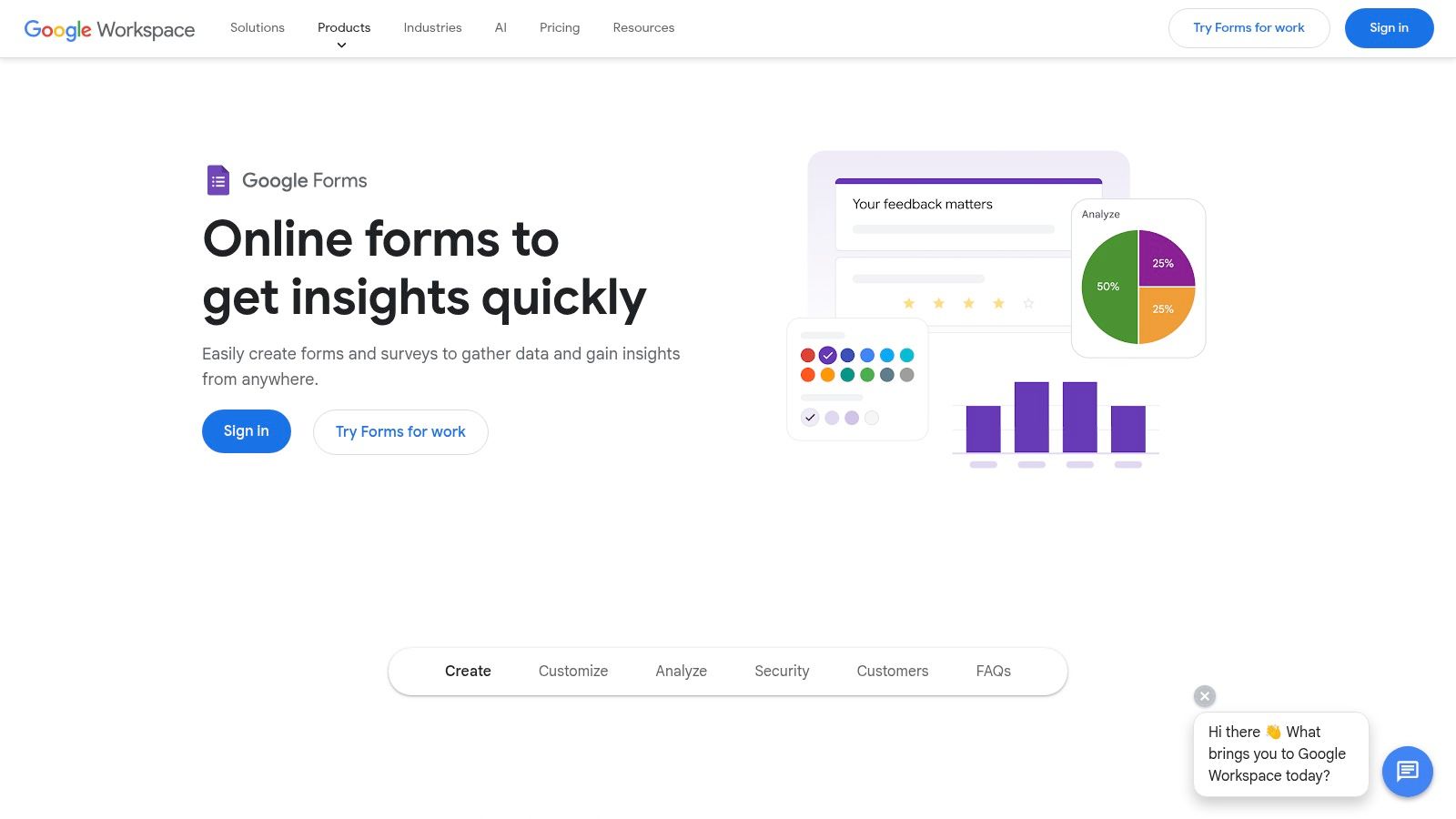
Google Forms is the go-to choice for individuals and teams looking for a free, fast, and straightforward way to create surveys. While it doesn't have the massive, expert-vetted libraries of paid platforms, it offers a solid starting point with its own gallery of survey form examples, making it a highly accessible tool for basic data collection.
Where Google Forms shines is its seamless integration with the Google ecosystem. Results are instantly populated into a Google Sheet, turning raw data into an organized, analyzable format without any manual exporting. This frictionless workflow makes it ideal for quick polls, simple event registrations, and internal feedback collection.
Key Features and Strategic Value
Google Forms prioritizes simplicity and collaboration, making it easy to create and share surveys with minimal setup. Its built-in templates provide a useful blueprint for common scenarios, even if they lack the methodological rigor of specialized tools.
- Free Template Gallery: After signing in, you gain access to a collection of templates for common use cases like customer feedback, event RSVPs, and job applications.
- Seamless Sheets Integration: This is the platform's killer feature. All responses are automatically sent to a connected Google Sheet, allowing for real-time analysis, charting, and even automation with other Google Workspace apps.
- Collaborative Editing: Just like Google Docs or Sheets, you can invite team members to edit and build your survey in real time, streamlining the creation process.
- Basic Logic and Customization: The platform supports essential features like question branching (skip logic) and theme customization to align the form with your brand's basic colors and fonts.
Strategic Takeaway: Leverage Google Forms for internal projects or when speed and cost are the primary concerns. Its direct link to Google Sheets is perfect for teams that want to quickly analyze data or trigger simple workflows without needing advanced survey analytics.
Access and Pricing
Google Forms is completely free for anyone with a Google account. There are no paid tiers, feature restrictions, or response limits, which makes it an incredibly valuable tool for students, small businesses, and teams with limited budgets. While it may not have the advanced analytics of paid competitors, for those just starting to create online forms, its accessibility is unmatched.
Website: https://www.google.com/forms/about/
6. Microsoft Forms Templates (Microsoft Create)
For organizations deeply embedded in the Microsoft 365 ecosystem, Microsoft Forms offers a seamless and integrated solution. Its template library, found on Microsoft Create, provides a solid collection of survey form examples designed for rapid deployment within corporate, educational, or operational settings.
What makes Microsoft Forms stand out is its native integration and familiarity. For users accustomed to Office applications, the interface is intuitive, eliminating the learning curve associated with standalone survey tools. This makes it an ideal choice for internal data collection, such as HR feedback, IT service requests, or simple event registration, where speed and ease of use are priorities.
Key Features and Strategic Value
Microsoft Forms templates are built for efficiency and immediate use, leveraging the power of the Microsoft suite to streamline data collection and analysis. The platform excels at internal-facing surveys where advanced research features are less critical than accessibility.
- Seamless M365 Integration: Forms are easily shared via Teams, Outlook, or SharePoint. Results are automatically collected and can be viewed in real-time or exported directly to Excel for deeper analysis, creating a frictionless workflow.
- Ready-to-Use Templates: The library offers dozens of pre-built templates for common use cases like customer feedback, course evaluations, and employee satisfaction surveys. Each can be customized with a single click.
- Familiar User Experience: The platform's design mirrors other Microsoft applications, making it incredibly easy for employees to create, distribute, and respond to surveys without requiring any special training.
Strategic Takeaway: Leverage Microsoft Forms when your primary goal is fast, internal data collection from an audience already using Microsoft 365. Use its templates for straightforward operational surveys to capitalize on the built-in distribution and analysis tools like Teams and Excel.
Access and Pricing
Microsoft Forms is generally included with Microsoft 365 subscriptions, including business, enterprise, and educational plans, making it essentially free for organizations already invested in the ecosystem. This all-in-one pricing model is a significant advantage for teams needing a capable survey tool without an additional budget. While it lacks the sophisticated, methodologist-certified templates of specialized platforms, its value lies in its cost-effectiveness and seamless integration.
Website: https://create.microsoft.com/en-us/forms-templates
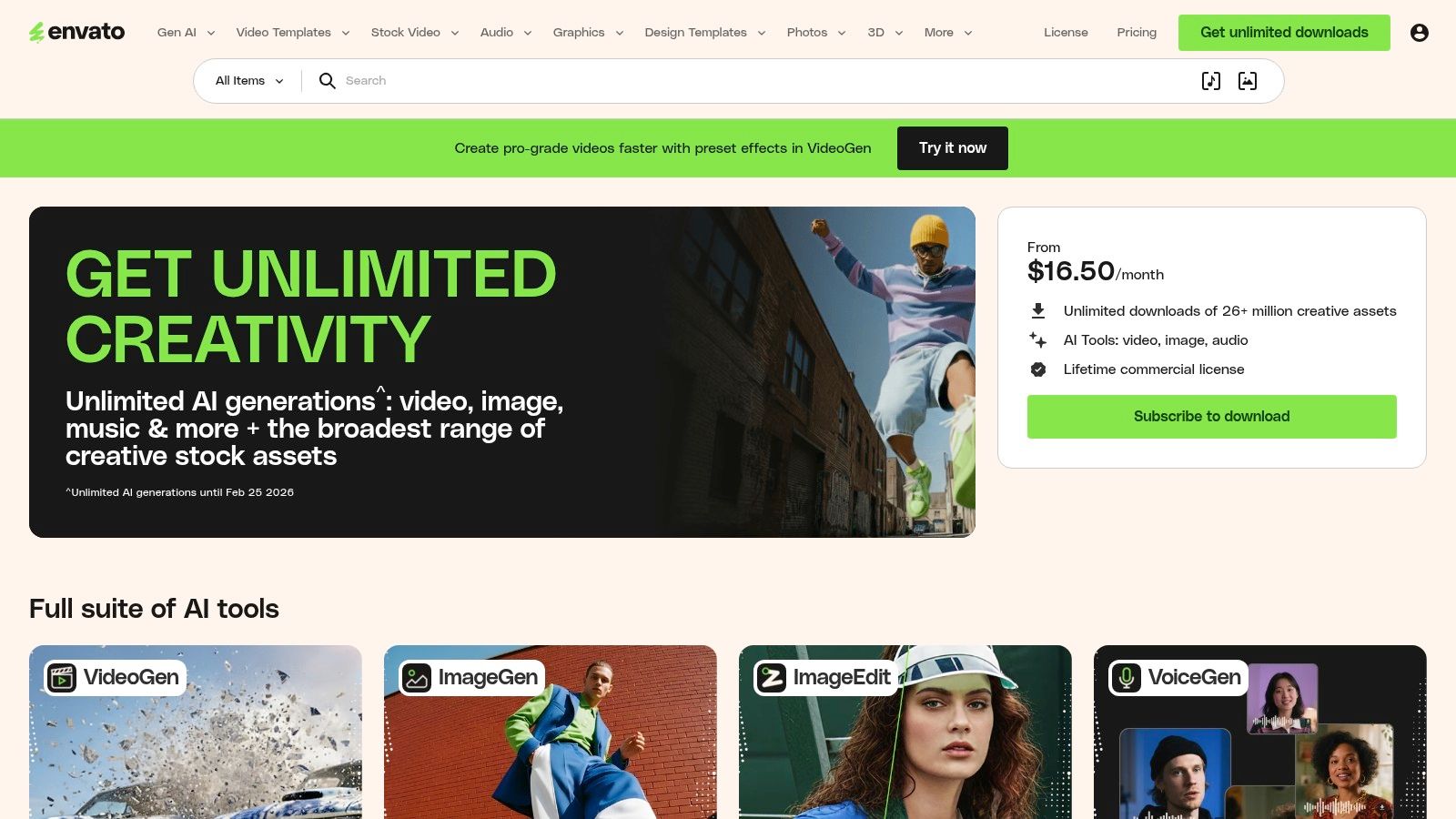
7. Envato Elements
Envato Elements takes a different approach, offering a massive marketplace for downloadable survey form examples in the form of design templates. It's not a survey builder but a creative asset library for teams that need to design visually stunning, on-brand survey UIs for presentations, mockups, or custom front-end development.
This platform is invaluable when the visual presentation of your survey is as important as its questions. It provides the creative foundation for projects where a standard, out-of-the-box survey tool won't meet specific branding or user experience requirements. Instead of starting from a blank canvas, designers and developers can use these templates to accelerate their workflow.
Key Features and Strategic Value
Envato Elements empowers creative teams to build fully custom survey experiences without starting from scratch. It provides the design assets, and your team provides the functionality.
- Editable Design Files: Templates are available in professional formats like Figma, Adobe XD, and PSD. This allows for deep customization of layouts, colors, typography, and interactive elements to perfectly match brand guidelines.
- Vast Asset Library: The subscription includes unlimited downloads of millions of creative assets, not just survey templates. This means you also get access to icons, illustrations, and stock photos to enrich your form's design.
- Commercial Licensing: A straightforward commercial license is included with the subscription, giving you the rights to use the templates in client projects and commercial products without legal headaches.
Strategic Takeaway: Use Envato Elements when your survey needs to be a seamless, branded part of your website, app, or marketing campaign. It's ideal for product and marketing teams who have development resources and need to create a high-fidelity, unique user interface that a typical form builder cannot provide.
Access and Pricing
Envato Elements operates on a subscription model, offering unlimited downloads of its entire library for a flat monthly or annual fee. This is a cost-effective solution for agencies, designers, or marketing teams that consistently need creative assets. It is crucial to remember that these are non-functional design templates; you will need a developer or a powerful form builder to turn these designs into live, data-collecting surveys.
Website: https://elements.envato.com/
Top 7 Survey Form Platforms Comparison
| Tool | Implementation complexity 🔄 | Resource & speed ⚡ | Expected outcomes 📊⭐ | Ideal use cases 💡 | Key advantages ⭐ |
|---|---|---|---|---|---|
| Formbot | Low — AI plain‑English generation, no code required | Low resources, very fast build and mobile-optimized submission speed ⚡ | Higher completion and faster responses 📊⭐ | Marketing/growth, product/UX, HR, CX, small businesses wanting conversational forms | Conversational AI form generation, 100+ templates, real‑time analytics, built‑in security |
| SurveyMonkey | Medium — template-driven but setup for rigorous surveys may require expertise 🔄 | Moderate — many features available but advanced reporting/benchmarks often on paid plans ⚡ | High‑quality, methodologist‑certified results with benchmarking and robust analysis 📊⭐ | Market research, NPS/CSAT, enterprise feedback, projects needing validated question design | Large expert template library, benchmarkable questions, strong reporting tools |
| Typeform | Low–Medium — user-friendly one‑question UX; advanced logic/branding adds complexity 🔄 | Moderate — many integrations (300+) but advanced limits/features often paid ⚡ | Engaging, high‑completion conversational experiences; good personalization ⭐📊 | Branded surveys, lead gen, customer feedback, events requiring polished UX | Highly engaging UX, deep branding, advanced logic and integrations |
| Jotform | Low — drag‑and‑drop builder with extensive ready templates 🔄 | Low resources — rapid deployment and broad integrations (100+ apps) ⚡ | Fast launch of functional surveys; good routable results via integrations 📊 | Quick business surveys, embedded forms, integration-heavy workflows | Large template gallery, easy customization, strong embedding/integration options |
| Google Forms | Very low — simple interface, minimal setup 🔄 | Very low resources — free and direct Google Sheets integration for immediate analysis ⚡ | Basic, reliable data collection and collaborative editing; limited advanced analytics 📊 | Internal surveys, education, quick polls, teams using Google Workspace | Free, widely accessible, seamless Sheets handoff and collaboration |
| Microsoft Forms Templates | Very low — one‑click open in Forms for Microsoft 365 users 🔄 | Low — browser‑based with OneDrive/Excel integration for reporting ⚡ | Quick internal survey rollouts with basic reporting; suitable for standardized org use 📊 | Organizations standardized on Microsoft 365 (HR, education, operations) | Familiar Microsoft UX, fast customization, Excel/OneDrive integration |
| Envato Elements | High — provides design assets only; requires design/dev to implement 🔄 | Higher resource needs — design tools and developer effort; subscription gives fast access to assets ⚡ | Visually rich mockups and on‑brand templates but not functional surveys until implemented 📊 | UI mockups, presentations, marketing assets, custom front‑end survey builds | Vast editable design asset library, commercial license, accelerates visual design work |
Final Thoughts
We've explored a comprehensive collection of survey form examples, moving far beyond simple templates to uncover the strategic thinking behind high-performing data collection. From the granular details of question phrasing in a post-event feedback form to the psychological flow of a product research survey, the core lesson is clear: an effective survey is never just a list of questions. It's a carefully architected conversation designed to achieve a specific goal.
The examples dissected throughout this guide, from Net Promoter Score (NPS) to job application screening, demonstrate that success hinges on a deep understanding of your audience and your objectives. A multi-page, detailed form might be perfect for an internal employee satisfaction survey, but a single, conversational question delivered via a chat interface could yield a far higher completion rate for initial customer feedback. The key is matching the format to the context.
Key Takeaways for Building Better Surveys
As you move forward, keep these central principles in mind:
- Clarity Over Complexity: Every field, question, and instruction should have a clear purpose. If a question is confusing or its value isn't obvious to the user, it introduces friction and increases the likelihood of abandonment.
- Context is King: The user's journey matters. A survey embedded directly after a purchase confirmation (post-transaction) has a different context than one sent via email a week later. Optimize your survey's timing and placement for maximum relevance.
- Mobile-First is Non-Negotiable: As we saw with several examples, a form that looks great on a desktop but is a nightmare on mobile is a failed form. Design for the smallest screen first to ensure a universally positive user experience.
- One Question at a Time: The shift towards conversational interfaces, exemplified by tools like Formbot, is a powerful trend. Presenting questions one by one reduces cognitive load and can make the entire process feel less like a chore and more like a focused dialogue.
Choosing the Right Tool for Your Goals
The tools we've mentioned, from the ubiquitous Google Forms and SurveyMonkey to the design-forward Typeform and versatile Jotform, each offer unique strengths. Your decision should be guided by your specific needs. Are you looking for basic data collection, advanced analytics, complex conditional logic, or seamless integration with your existing tech stack?
Consider these factors when making your choice:
- User Experience (UX): How important is a modern, conversational, and engaging front-end experience for your audience?
- Integration Capabilities: Does the tool connect easily with your CRM, email marketing platform, or data warehouse?
- Customization and Branding: How much control do you need over the look and feel to ensure it aligns with your brand identity?
- Analytics and Reporting: What level of data analysis do you require directly within the tool?
By carefully considering these elements and applying the strategic insights from the survey form examples in this guide, you are well-equipped to transform your data collection efforts. You can move from simply asking questions to starting valuable conversations that drive meaningful business decisions in 2026 and beyond. The right form, deployed at the right time, is one of the most powerful tools in your arsenal for understanding your audience and fueling growth.
Ready to turn these examples into high-converting, conversational experiences? Formbot is designed to transform traditional forms into engaging, one-question-at-a-time chat flows that boost completion rates. Start building smarter, more user-friendly surveys today at Formbot.



