So, what exactly is conversational design? Think of it as creating digital experiences—like chatbots, forms, and onboarding flows—that feel less like filling out paperwork and more like having a natural, back-and-forth chat.
Instead of making users navigate complex menus or face a wall of input fields, this approach guides them through a process using simple, human-like language. It turns a potentially tedious task into a helpful, intuitive conversation.
The Shift from Clicks to Conversations

Remember the last time you landed on a webpage with a long, static form? You were probably met with a dozen fields, with no real sense of how long it would take or why every piece of information was needed. It's a one-sided experience where the system just demands data, and you're left to figure it all out.
Conversational design completely flips that script. It’s the digital version of a friendly store employee asking, "What can I help you find today?" instead of just shoving a clipboard in your hands. This method breaks down intimidating processes into small, manageable steps, typically asking just one question at a time.
This move from a monologue to a dialogue is precisely why conversational design is such a big deal in 2026. People expect interactions to be quick, personal, and easy. This approach turns rigid technology into a cooperative partner.
Traditional Forms vs Conversational Design
To really see the difference, it helps to put the old and new methods side-by-side. The table below breaks down how a conversational approach reimagines the user experience.
| Aspect | Traditional Forms | Conversational Design |
|---|---|---|
| User Experience | Static, impersonal, often overwhelming. | Dynamic, personal, and guided. |
| Pacing | All questions are presented at once. | Questions are asked one at a time. |
| Interaction Style | One-way data entry (user to system). | Two-way dialogue (system and user). |
| Cognitive Load | High; users must process the entire form. | Low; users focus on a single question. |
| Error Handling | Generic error messages appear after submission. | Real-time feedback and clarification. |
| Completion Rate | Often lower due to user friction and fatigue. | Typically higher due to ease and engagement. |
The contrast is clear. While traditional forms get the job done, conversational interfaces focus on making the journey as smooth as the destination.
Why This Approach Works So Well
The real magic of conversational design is its ability to reduce cognitive load—that’s the mental effort someone has to put in to use your product. When a user only has to focus on one simple question, the entire task feels less daunting and much more doable.
This leads to some serious business benefits:
- Higher Engagement: People are far more likely to start and finish a process that feels like a quick chat.
- Reduced Frustration: By guiding users and offering instant feedback, these interfaces stop errors before they happen, preventing people from giving up.
- Improved Data Quality: A conversational flow can ask follow-up questions to clarify information, ensuring you collect accurate and useful data.
By making digital interactions feel more human, you can create experiences that people actually enjoy. This is a massive shift, especially when you consider that 86% of buyers are willing to pay more for a great customer experience. It’s not just about what your product does anymore; it's about how it makes people feel.
Ultimately, this approach helps you build a genuine connection with your audience. When you learn how to increase website conversion rates, you'll see how making forms more approachable directly leads to more qualified leads and happier customers.
From Clippy to ChatGPT: A Quick History of Talking to Computers
To really get why conversational design is such a big deal now, we need to rewind the clock. This wasn't some overnight tech revolution; it's the result of decades of trial and error, all driven by one simple goal: to make our gadgets talk to us like a real person would.
The story starts long before the slick AI assistants we know today. It began with clunky, fascinating experiments that felt like they were straight out of science fiction. These early attempts weren't perfect, but they proved that people have always wanted to connect with technology in a more natural, human way.
The First "Hello, World"
The seeds were planted way back in the 1960s. The first conversational programs were simple, text-based systems that relied on basic pattern matching, but they laid the foundation for everything to come. They were the first real proof that having a "chat" with a computer was an incredibly powerful way to get things done.
Picture this: it’s 1966. An MIT researcher named Joseph Weizenbaum creates ELIZA, which many consider the world's first chatbot. It was designed to mimic a psychotherapist, and to everyone's surprise, people loved it. They poured their hearts out to this simple program, proving that even primitive tech could create a genuine sense of connection.
That little experiment has a direct line to today's world. By 2026, conversational interfaces are expected to handle a significant portion of customer service chats in many industries. Without ELIZA, we wouldn't have Siri (2011, now on 1.5 billion devices) or ChatGPT (2022, which hit 100 million users in just two months). If you're curious about the deeper impact, there's some great academic research on conversational agents that dives into the details.
The magic of ELIZA wasn't about sophisticated AI. It didn't understand feelings, but it was brilliant at reflecting a user's own words back at them. This created the illusion of empathy, teaching us a lesson we still use today: making a user feel understood is just as important as the underlying technology.
From Frustrating Pop-ups to Household Names
For a long time, progress was slow. Many of us still have flashbacks of Microsoft's Clippy, the googly-eyed paperclip that always seemed to pop up at the worst possible moment. While the idea was right, these early assistants were often more annoying than helpful. They were missing two key ingredients: genuine natural language processing (NLP) and an awareness of context.
These old systems were rigid. They followed strict, pre-programmed rules. If you didn't ask your question in the exact way the computer expected, you'd get that dreaded "I'm sorry, I don't understand" message. It was frustrating. We had to learn to speak the machine's language, not the other way around.
The real game-changer came when technology finally got smart enough to understand not just our words, but our intent. This leap—from just matching keywords to truly grasping context—is the heart of modern conversational design.
This massive step forward was fueled by breakthroughs in machine learning and the explosion of data on the internet. Suddenly, the clunky assistants of the past evolved into the smart companions we rely on every day.
- Siri (2011): Apple put a voice assistant in millions of pockets, making conversational AI a mainstream reality.
- Alexa (2014): Amazon brought the conversation into our living rooms, normalizing voice commands for everything from playing music to ordering groceries.
- Google Assistant (2016): Google took it a step further by creating an assistant that could anticipate our needs, offering help before we even thought to ask.
The LLM Revolution and Where We Are Now
The latest, and arguably biggest, leap forward came with the rise of large language models (LLMs)—the powerhouse technology behind tools like ChatGPT. Unlike their older cousins, LLMs don't just stick to a script. They generate fresh, human-like text on the fly, making conversations feel fluid, dynamic, and incredibly natural.
This is what changed what is conversational design from a rigid, rule-based process into a truly creative and adaptive field. Today's AI can juggle complex questions, remember what you said five minutes ago, and even adopt a specific personality. Seeing this journey makes one thing clear: the AI we have today isn't just a fleeting trend. It’s the result of a decades-long quest to finally make technology more human.
The Core Principles of Great Conversational Experiences
Great conversational design doesn’t just happen. It's carefully crafted, built on a foundation of principles that turn a robotic, clunky interaction into a genuinely helpful conversation. Think about what makes a good chat with a real person—it's natural, supportive, easy to follow, and they remember what you just said. Getting these pillars right is how you create experiences that people actually like using.
When these principles work together, they smooth out the rough edges and build trust. Users feel understood and supported, not like they're fighting with a machine. An interface that can guess what you need and speak your language takes the frustration out of digital tasks. This pays off in a big way, leading to things like higher form completion rates and much happier users.
The technology that makes this possible has come a long way, evolving from early experiments to the powerful AI we see today.
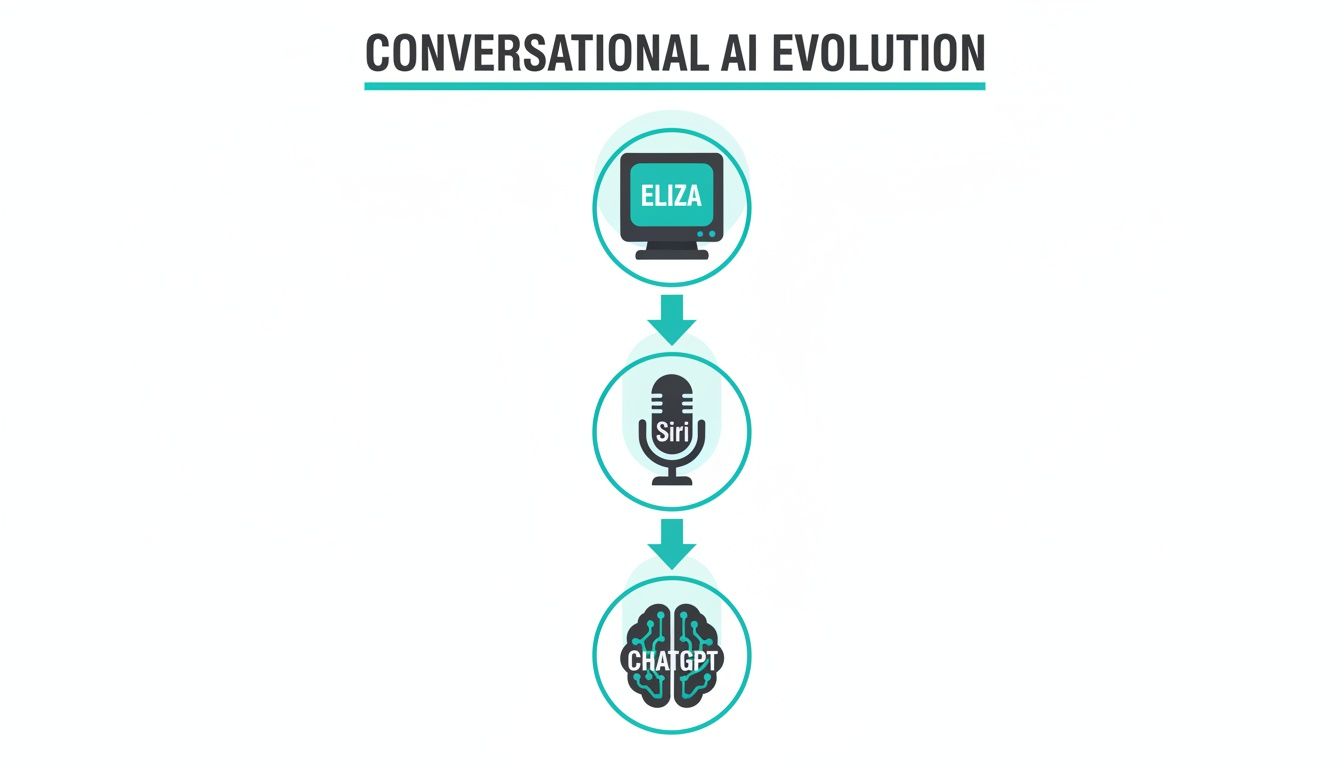
This journey from simple text-matching like ELIZA to context-savvy assistants like Siri and today's generative AI shows just how much better technology has gotten at mimicking a genuinely good conversation.
Be Human, Not Robotic
The number one rule? Sound like a person, not a machine spitting out pre-canned lines. This starts with giving your bot a personality—a distinct persona and a consistent tone of voice. Is your brand professional and reassuring? Or is it more casual and energetic? Pick a lane and stay in it.
A human-like interaction uses everyday language, responds gracefully, and isn't afraid to show a little personality. Your chatbot doesn't need to be a stand-up comedian, but it absolutely should avoid cold, technical jargon that puts people off. The goal is to make the user feel like they're talking to a friendly, competent helper.
Do:
- Develop a clear persona (e.g., friendly guide, knowledgeable expert).
- Use a consistent tone of voice that fits your brand.
- Write in simple, natural language.
Don't:
- Use robotic phrasing or overly technical terms.
- Switch tones unexpectedly.
- Ignore the user’s emotional state.
Be Helpful, Not Demanding
A great conversational experience is a partnership. Instead of barking orders for information, it should actively guide the user to their goal. That means anticipating what they might need, offering useful suggestions, and making the next step completely obvious.
For example, if someone gets stuck on a form field, a helpful bot might offer a quick hint or an example of a correct entry. This is a huge improvement over old-school forms that wait until you hit "submit" to tell you about ten different errors. By offering real-time help, you cut down on frustration and make the whole process feel collaborative. To see how this applies beyond chatbots, check out these web form design best practices for more on creating supportive user flows.
A truly helpful interface anticipates what the user might need next. It doesn't just react to commands; it actively works to make the user's journey smoother, turning a potential obstacle into a moment of support.
Be Clear, Not Confusing
Clarity is everything. Every single prompt, question, and piece of feedback has to be dead simple to understand. Use plain language, write logical sentences, and kill any ambiguity. If a user has to read a question twice, the design has already failed.
This principle also applies to the flow of the conversation. Ask one question at a time. This simple trick dramatically reduces the mental effort required from the user, letting them focus on just one thing. Breaking a big, complex task into a series of small, easy steps is a core strategy for keeping people engaged and moving forward.
Be Context-Aware, Not Forgetful
Imagine having to reintroduce yourself to a friend every five minutes. It would be bizarre and annoying. The same goes for digital interactions. A well-designed system needs to remember what's been said so it can personalize the experience and not ask for the same information over and over.
Context can be simple, like remembering a user's name. Or it can be more advanced, like using a previous answer to frame the next question. For instance, if a user says they're looking for "marketing roles," the bot should remember that when it later asks about their preferred location. This simple act of remembering makes the interaction feel smarter, more personal, and a whole lot more efficient. As we look toward 2026, this ability to maintain context will become a baseline expectation for any quality digital experience.
The Business Impact of Conversational UX
It's one thing to talk about conversational design in theory, but where the rubber really meets the road is in the results. So, why are so many businesses getting on board? Because the outcomes aren't just about making an experience "friendlier"—they translate directly into serious, measurable value.
For anyone in marketing, product, or operations, this isn't just a UX trend. It’s a way to drive growth, get cleaner data, and build a real competitive edge.
The magic is in how it changes the way people interact with your forms and processes. Instead of hitting them with a long, intimidating wall of questions, you guide them through one simple question at a time. This simple shift dramatically lowers the mental effort required, making the whole thing feel less like a chore and more like a helpful chat.
Boosting Completion Rates and Reducing Drop-Off
One of the biggest and most immediate wins is a huge jump in completion rates. We've all been there: you land on a page, see a dozen fields to fill out (especially on a phone), and you just bail. It's too much work.
A conversational interface flips that script by keeping people engaged from start to finish. The back-and-forth flow builds momentum. Each answered question feels like a small accomplishment, which encourages the user to keep going. The result is simple: fewer people give up halfway through. That means more leads, more survey responses, and more users actually finishing your onboarding.
When you turn data collection from a passive chore into an active conversation, you'll see completion rates climb. This is especially true on mobile, where a familiar chat-style interface just feels right.
Take a look at a typical interface from a tool like Formbot. It’s clean, focused, and guides the user forward effortlessly.
This one-question-at-a-time approach is a perfect example of how to remove friction and keep the conversation moving.
Increasing Speed and Data Quality
It’s not just about getting more people to the finish line; it’s also about getting them there faster and with better information. The guided, step-by-step nature of the interaction gets rid of the guesswork. Users don't have to stop and wonder what a confusing field label means or what format you’re looking for.
This approach also leads to much higher-quality data. Because the system can validate answers in real-time, errors are caught and fixed on the spot. For instance, if someone types their email address incorrectly, the bot can immediately ask them to correct it, rather than just throwing up a generic error message after they’ve already tried to submit the whole form.
This is why the dedicated role of a 'conversation designer' first emerged around 2017—to perfect these interactions. Today's conversational tools can even personalize the chat based on user history, which can boost customer satisfaction. The data doesn't lie: chat UIs hit 62% completion rates on mobile, while old-school forms crater at just 24%. You can learn more about these powerful findings on conversational UI effectiveness.
Connecting UX to Core Business Goals
At the end of the day, all these user experience wins tie directly back to the numbers that run the business.
- For Marketing: Higher completion rates on lead forms mean more qualified leads flowing into your sales pipeline—without spending another dime on ads.
- For Product Teams: Better engagement during onboarding gets new users to that "aha!" moment faster, which directly impacts activation and long-term retention.
- For Operations: Collecting more accurate data more quickly streamlines everything from hiring workflows to customer support tickets.
By 2026, as people's expectations for smooth digital interactions only get higher, a smart conversational strategy will no longer be a nice-to-have. It will be a fundamental part of a successful online presence. To get a deeper sense of this, it's worth exploring how AI chatbots and conversational tools for customer engagement are becoming indispensable for modern product managers.
Putting Conversational Design to Work: Real-World Examples
Theory is one thing, but seeing conversational design in action is where it all starts to click. We're not just talking about those generic chatbot pop-ups anymore. Let's look at practical, powerful examples that solve real business problems and turn frustrating chores into refreshingly simple experiences.

The applications are incredibly diverse, touching everything from how we find new customers to how we welcome new team members. In every case, the core idea is the same: replace a static, one-sided demand for data with a dynamic, two-way dialogue. The results? Better engagement and much higher-quality information.
From Static Forms to Guided Consultations
Lead generation is the perfect place to start. The old way usually involves a long contact form that asks for everything at once—name, email, company size, budget, you name it. It’s overwhelming and a major reason people give up, especially on their phones.
A conversational approach completely flips this script, turning it into a guided consultation.
- Before: A potential customer stares at a dozen required fields. It feels less like an invitation and more like an interrogation, creating a barrier between them and what they actually want. Most will simply leave.
- After: The interaction kicks off with a simple "What brings you here today?" It then asks one question at a time, using each answer to intelligently shape the next. This feels like talking to a helpful sales associate who's genuinely trying to understand their needs, not just filling out a form.
This isn't just about being friendlier; it's about results. Businesses often see a huge jump in qualified leads because the barrier to entry is so much lower. The process builds trust and momentum with every single step.
The core change is from demanding information to guiding a discovery process. This simple psychological switch makes users feel respected and supported, making them far more likely to complete the interaction and provide thoughtful answers.
Interactive Surveys That People Actually Finish
Next up: feedback surveys. We’ve all gotten that email with a link to a survey, only to find a massive grid of radio buttons and text boxes. Most of us take one look and close the tab. This leads to dismal response rates and data that's skewed or incomplete.
Conversational design makes surveys feel like a quick, engaging chat. Instead of dumping all 20 questions on one page, it serves them up one by one in a clean, focused interface. This keeps the user on track and dramatically reduces how much effort the task seems to take.
While the ideas behind modern conversational AI feel new, they have roots in statistical models from as far back as 1906. The commercial boom really hit between 2016-2018 with platforms like WeChat and Messenger. Today, this approach is a game-changer on mobile, where 70% of global traffic now happens. While traditional mobile forms can see 50% abandonment, conversational flows achieve completion rates up to 2.5 times higher. It’s no surprise the conversational AI market is projected to hit $14 billion by 2026, changing how businesses handle everything from surveys to onboarding. You can explore more insights on the rise of conversational design on Deloitte.com.
Welcoming New Hires and Customers
Onboarding is another area just waiting for a better way. Whether it's a new customer learning a product or a new employee buried in HR paperwork, that first experience sets the tone for the entire relationship.
- Job Applications: Imagine a job application that makes a fantastic first impression. Instead of a clunky portal, a conversational flow can ask about a candidate's experience in a friendly, step-by-step way, creating a positive experience from day one.
- User Onboarding: For new software users, a conversational guide can walk them through the first few critical tasks. It can ask what they hope to achieve and then show them exactly how to do it, boosting activation rates and keeping them from leaving.
These real-world examples prove that conversational design is much more than a trend. It's a practical strategy for creating digital experiences that are more human, more efficient, and far more successful.
How to Start Implementing Conversational Design
Moving from theory to practice is where the real fun begins. Getting started with conversational design isn't about diving into complex code; it’s all about smart, thoughtful planning. If you follow a clear roadmap, you can start building more human-centered experiences almost immediately.
The whole journey kicks off with one simple question: What's the number one thing this interaction needs to achieve? It doesn't matter if you're trying to capture a lead or welcome a new user—a crystal-clear objective will steer every decision you make, from the first "hello" to the final "thank you."
Define Your Goal and Understand Your User
Before you even think about writing a line of dialogue, you have to know what success looks like. Are you aiming to boost qualified leads? Or maybe you need to collect in-depth customer feedback or make a support process feel effortless? A specific, measurable goal is your north star.
Once you’ve locked in your objective, it's time to put on your empathy hat and focus on the user. Who are these people? What do they already know, and what's their mood when they start this conversation? Get inside their head. Try to map out their potential questions, their likely frustrations, and even the everyday language they use. This is how you make sure the conversation feels like it was made just for them.
Script the Conversation
Alright, now you get to be a scriptwriter. Start by outlining the "happy path"—that's the perfect, smooth-sailing conversation where the user does everything right. This forms the backbone of your dialogue.
But we all know life isn't always a happy path. Great design anticipates the bumps in the road. What if a user gives an answer you weren't expecting? Or what if they ask for clarification? You need to think through these potential hiccups and create helpful, forgiving responses that gently guide them back on track.
The best conversational experiences feel like a collaboration. They anticipate needs, gracefully handle mistakes, and make the user feel supported, never stuck. This proactive approach is what separates a helpful guide from a frustrating dead end.
Choose Your Tools and Test Everything
In 2026, building a conversational flow doesn't require a computer science degree. There are fantastic no-code platforms that let just about anyone create these kinds of experiences. For example, an AI form builder can spin up a complete conversational form from nothing more than a simple text prompt, making setup incredibly fast.
When you're looking for the right tool, keep an eye out for a few key features:
- Ready-to-use templates to give you a running start.
- AI-powered generation to do the heavy lifting for you.
- A simple interface that makes editing and tweaking a breeze.
Finally, and this is the most important part: test, test, and then test again. Get your conversational flow in front of actual users. Watch where they stumble, listen carefully to their feedback, and use it to refine your script. Every little tweak gets you one step closer to a seamless and effective experience. For more great advice, you can check out the illumichat blog for practical conversational design tips. This cycle of building, testing, and improving is the real secret to getting it right.
Frequently Asked Questions
Let's wrap up by tackling some of the questions that pop up most often when people first dive into conversational design. Think of this as a quick way to clear up any lingering doubts and solidify the core ideas we've covered.
Is Conversational Design Just for Chatbots?
That’s a common misconception, but no, it's much bigger than that. While chatbots are probably the most famous example, the principles of conversational design can make almost any digital interaction feel more natural and intuitive.
You can apply it to:
- Interactive Forms: Instead of a long, intimidating page of fields, you guide users through questions one at a time.
- Onboarding Flows: A conversational walkthrough can feel like a friendly colleague showing a new user the ropes.
- Surveys and Quizzes: These become less of a chore and more of an engaging chat, which leads to better, more thoughtful answers.
- Voice Assistants: Every skill for an Alexa or Google Assistant is built on the foundation of a well-designed conversation.
Basically, if a process involves a back-and-forth with a user, it can be improved with a conversational touch.
What Skills Do I Really Need to Get Started?
You don't need a computer science degree, that's for sure. The most crucial skills are rooted in communication and empathy. If you're a strong writer, can put yourself in the user's shoes, and know how to think logically, you're already halfway there.
Mapping out a conversation flow and anticipating what a user might ask or do next is far more important than any technical skill, especially with so many great no-code tools available today.
How Is This Different From Plain Old UX Writing?
It’s a great question because they're closely related. Think of it this way: UX writing is a key ingredient, but conversational design is the entire recipe.
UX writing focuses on the specific words—the microcopy on a button, a field label, or an error message. Conversational design is the broader architecture of the entire dialogue. It dictates the flow, the pacing, the branching logic, and the overall feeling of the interaction from start to finish.
Is My Business Too Small for This?
Absolutely not. In fact, it's often the smaller businesses that get the biggest bang for their buck.
A well-designed conversational form can work around the clock like a dedicated salesperson or a customer service agent. It helps you capture leads, answer common questions, and qualify prospects without needing a big team. And by 2026, the tools have become so accessible that there's really no barrier to entry for a business of any size.
Ready to see the difference for yourself? You can swap out your static, underperforming forms for a conversational experience that actually converts. Formbot is an AI-powered builder that helps you create engaging forms in just a few seconds. It’s amazing what a simple switch can do for your completion rates and the quality of your data.



